
Please note:
To unlock this capability, you will need to have added SMS to your Optimove package. If you can’t see this feature in your Optimove instance, contact your CSM to find out more.
By creating personalized SMS messaging campaigns based on Optimove’s powerful Target Groups, you can customize the content of your SMS messages sent via SMS using “personalization tags.” These tags allow you to create templates that change dynamically for each individual recipient.
For example, you can customize the message with the recipient’s first name, which can lead to increased opens and engagement.
Preparing to Use SMS Personalization Tags
Once your CSM has set up your tags, you will be able to use them in any mobile message.
To set up Customer Attributes as tags:
1. Go to 'Attributes' under the Data Studio section in the left navigation
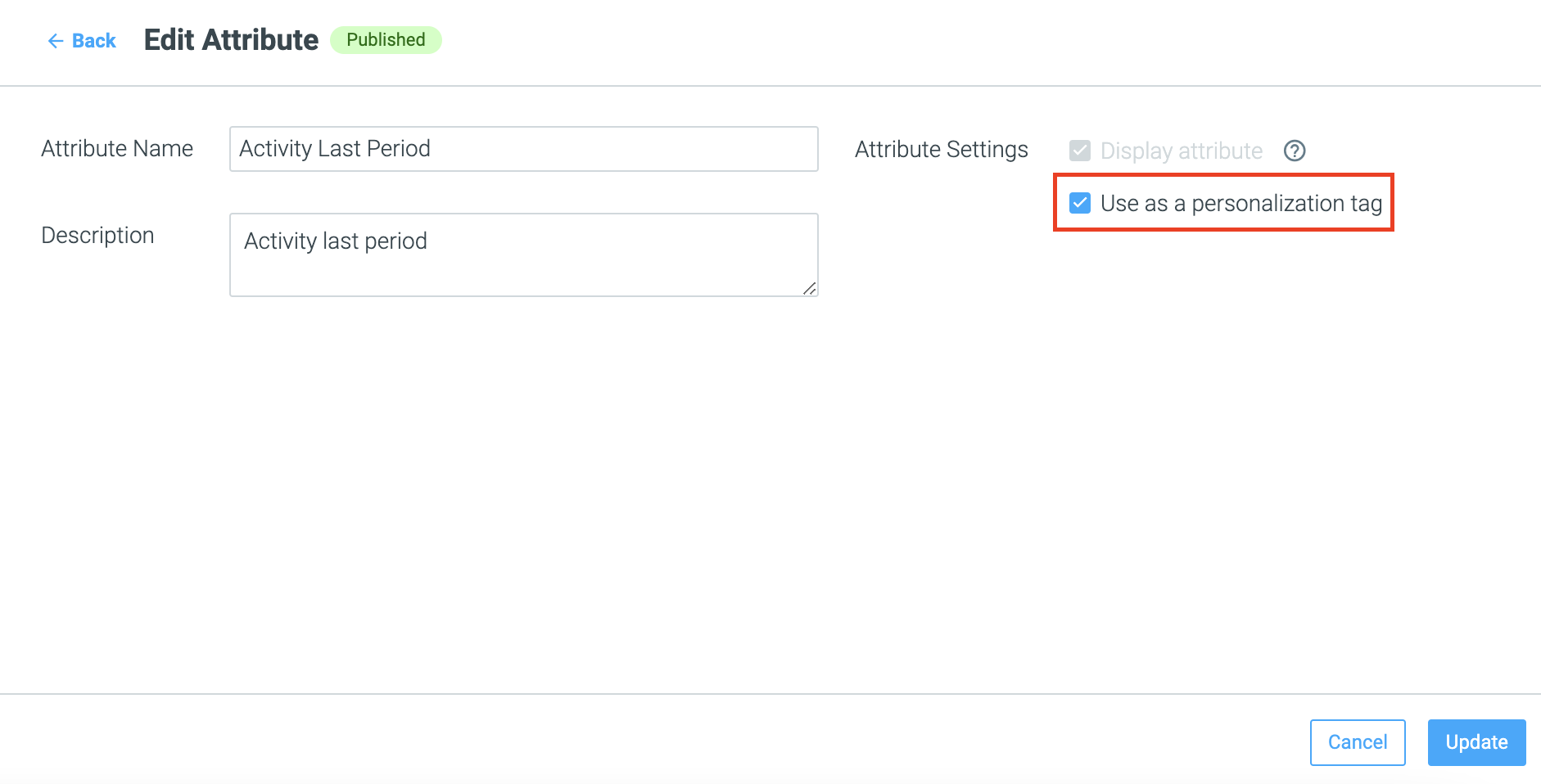
2. Click the three dots on the Attribute you would like to use as a Personalization Tag. Please note that only published attributes can be set as personalization tags.
3. Check the “use as personalization tag” checkbox and click the Update button to save your work.
Personalizing Your Template
Once you’ve set up your tags, you will be able to use them in any of your SMS marketing campaigns.
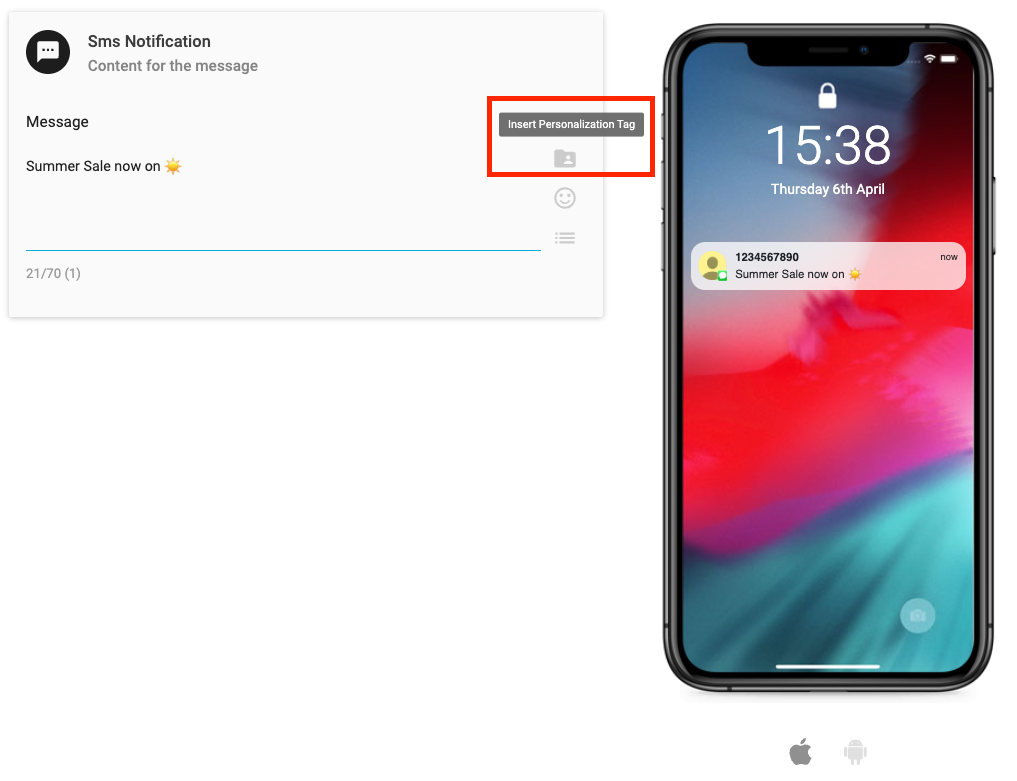
1. While editing an SMS template, click on the Insert Personalization Tags symbol on the right-hand side of the template editor.
2. From here, select the Personalization Tag you’d like to add from the dropdown menu, or from here you can also add Content or General tags, for example, the Current Date.
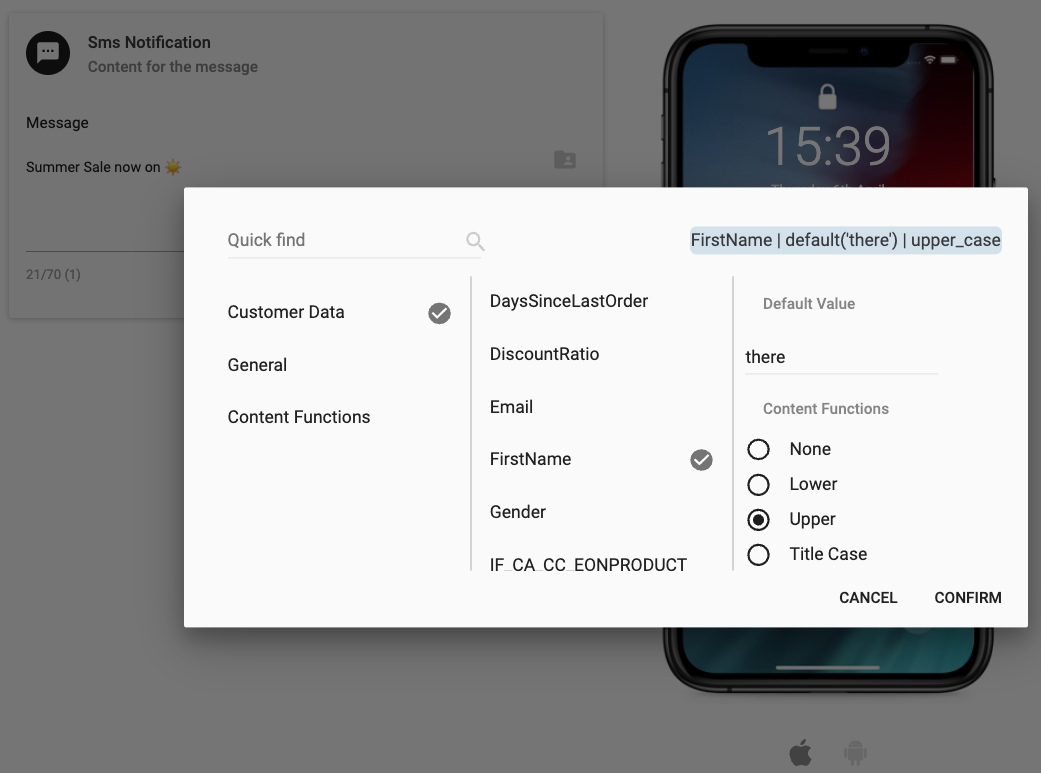
3. You can, at this point, add a default value for your Personalization Tag and select a Content Function for your Personalization Tag to determine if it should be upper, lower, or title case within the mobile message. Click Confirm to add the tag to your message.
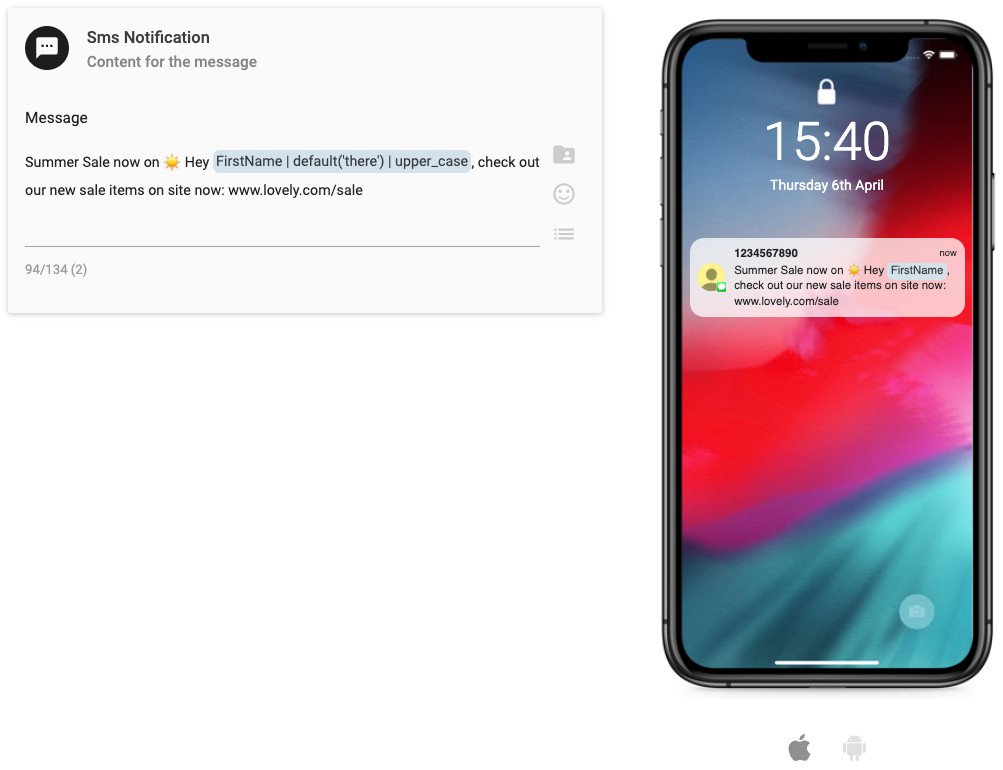
4. When you have added your Personalization Tag, it will be highlighted in the Template Editor, and in the Preview.
Please note:
You will not be able to check the data behind the personalization tag in the Preview. You can view the data behind your Customer Attributes in the Customer Explorer.