- Identify valuable opportunities in your data
- Decide on the best marketing actions with which to pursue those opportunities
- Measure performance over time
- Maximize the utilization of Optimove’s capabilities
The AI Insights Agent scans your model and marketing plan as part of the Batch Data Update. During this process, the AI Insights Agent identifies new insights and validates existing ones already present in your feed.
- Adds new insights to the feed
- Removes previous insights that are no longer valid
- Removes outdated insights from the feed (typically after 10 days)
- Archives older insights (typically after 10 days)
How To Access the AI Insights Agent
You can access the AI Insights Agent via the navigation bar, or if you want to get insights into the context of your campaigns, you can use the AI Insights Agent in Mission Control.
To do this, select the AI Insights Agent notification above the campaign list. This will automatically filter your Mission Control view by campaigns with the AI Insights Agent cards.
To view the relevant AI Insights Agent card, you must first add the AI Insights Agent column under the 'Metrics' Section.
You can then click on the blue icon in the AI Insights Agent column to see the card.
Working with the AI Insights Agent
The AI Insights Agent generates several types of insights, some improving the performance of individual campaigns and others boosting the performance of your overall marketing efforts. Some types of insights are only informative (e.g., the Uplift Report for the AI Offer Decisioning Agent (formerly Self-Optimizing Campaigns), which notifies you about a significant uplift result found in one of your AI Offer Decisioning Agent campaigns), while others focus on suggestions for making specific changes to campaigns.
All insights can be ordered by importance, displaying the most valuable information for your marketing plan first, or by creation time, showing the most recent highlights at the top.
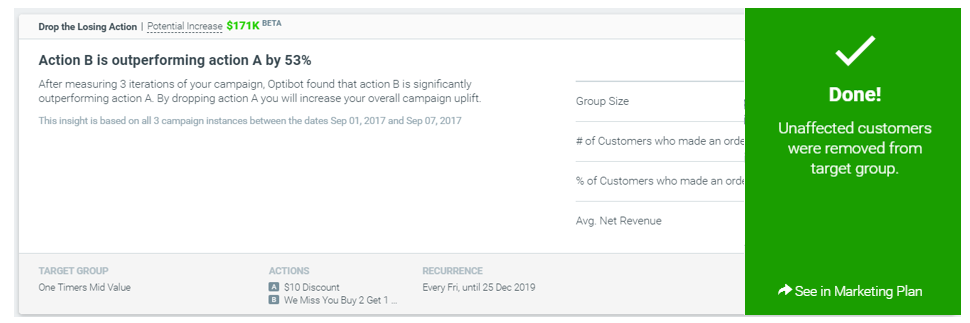
Most of the insights are actionable and can easily improve your marketing plan by using a combination of automatic changes and user-selected definitions. Clicking the action button on an insight card instructs the AI Insights Agent to make the changes suggested in the selected card. These changes can include creating new Target Groups, adding new campaigns, changing group priorities, and canceling poor-performing campaigns or actions.
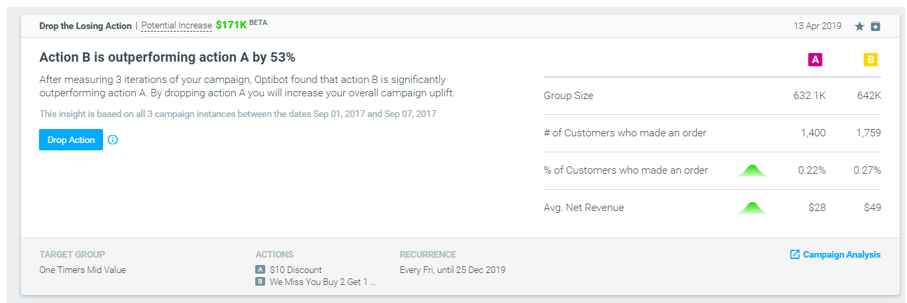
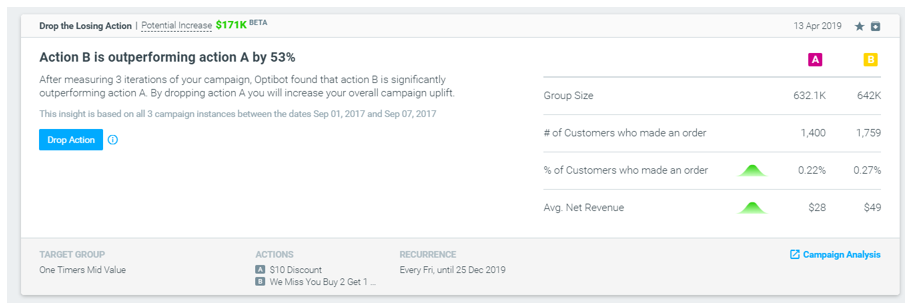
For example, the AI Insights Agent found that action B is performing significantly better than action A in a certain A/B campaign and thus recommends dropping the losing action entirely to maximize the overall campaign’s performance.
AI Insights Agent Card Statuses
- New – A card that was created within the past 10 days
- Starred – A card that was marked starred by a user
- Archived – An unstarred card that was created more than 10 days ago
- Outdated – A card that was created within the past 10 days but that is no longer relevant (e.g., the campaign it mentions has no more recurrences)
- Removed – A card that was created more than 90 days ago and/or that is no longer relevant (e.g., the Target Group or cluster it mentions no longer exists)
The Predicted Incremental Value of Insights