
Campaign statuses help you understand when a campaign is “listening” to events in order to trigger a campaign in response.
Triggered Campaign Statuses
Scheduled
The campaign has been created and is waiting for the batch data update to occur in order to have customers associated with it. Campaigns will enter this status when created before the batch data update and scheduled to execute the same day, or for “off days” in the occurrence pattern.
Processing
The batch data update is taking place and Optimove is allocating the eligible customers to the campaign. As customers are allocated, they can begin to receive the triggered campaign (given they activate the trigger). The processing stage lasts only a few minutes and does not last for the length of the batch data update.
Active
Any customer eligible for the campaign that will activate the trigger, will receive the campaign.
Inactive
The campaign has been switched off or has past its end date.
Campaigns created before the batch data update and set to start triggering today
- For First Time Visitor and Converted Today target groups, the campaign will have a status of Active, and begin to execute immediately once triggered.
- For Customer or Returning Visitor target groups, that have other active triggered campaigns associated to them, the campaign will immediately be Active.
- For Customer or Returning Visitor target groups, that have no other active triggered campaigns associated to them, the campaign will have a status of Scheduled. The Status will change to Processing during your batch data update and to Active once it has completed. Only once the campaign has reached an Active status, will it be ready to trigger campaigns.
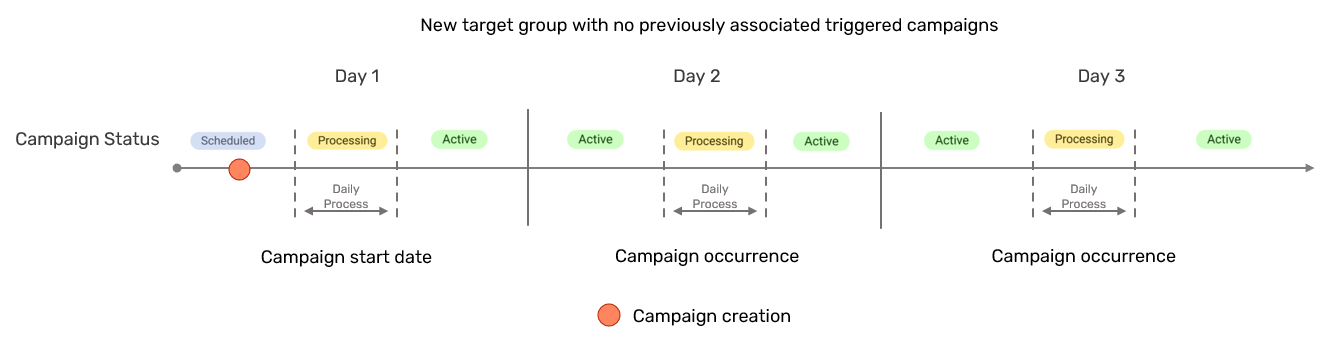
Campaigns created after the batch data update and set to start triggering today
- For First Time Visitor and Converted Today target groups, the campaign will have a status of Active, and begin to execute immediately once triggered.
- For Customer or Returning Visitor target groups, that have other active triggered campaigns associated to them, the campaign will immediately be Active.
- For Customer or Returning Visitor target groups, that have no other active triggered campaigns associated to them, the campaign will have a status of Processing. The Status will change to Active once customers have fully been allocated to the campaign.
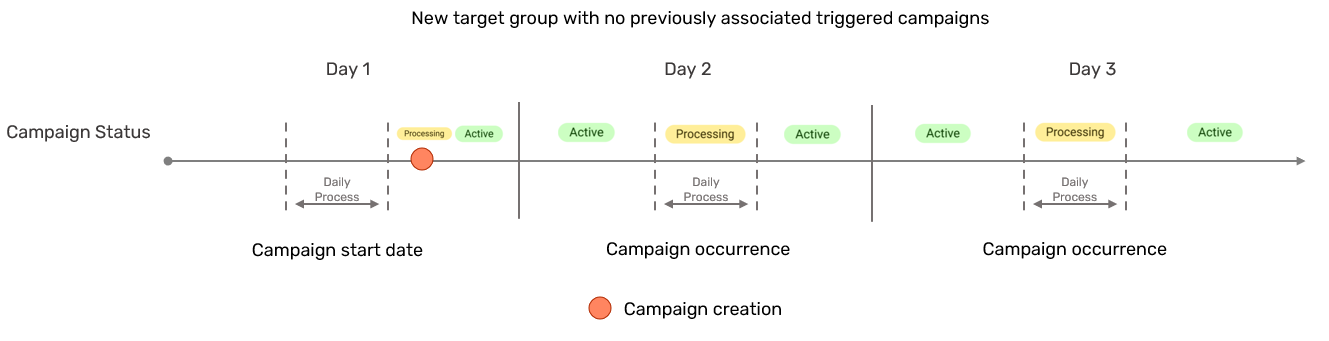
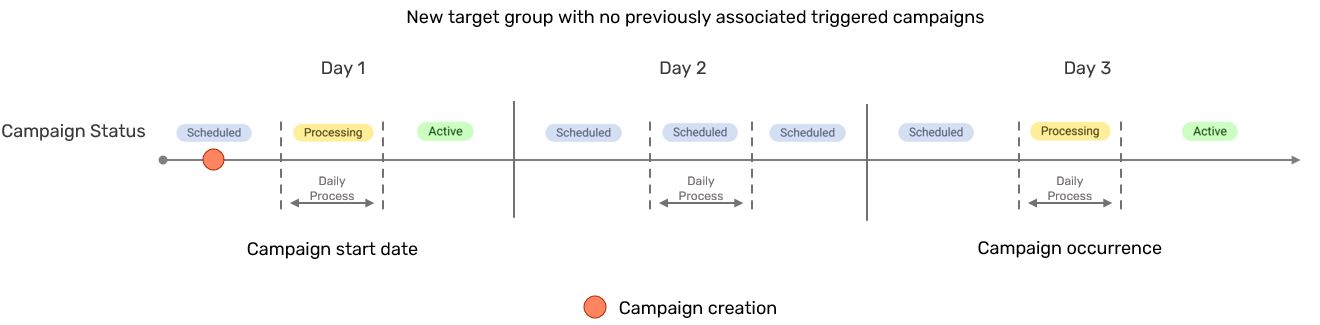
Campaigns with “Off Days” in the recurrence pattern
For campaigns with a recurrence pattern other than every day, the campaign will revert to the “Scheduled” status during occurrence days as can be seen in the below diagram.
All other campaign statuses are the same as the ones explained above.
Other Triggered Campaigns Updates
- Any changes made to the triggered campaign details via the Campaign Builder will be applied immediately.
- Changes to triggers and email templates will be applied immediately.