
What is the Custom Request Phase
The Custom Request Phase is the period – soon after your Optimove site launch - where your onboarding team, including your data team and PM, are available to support post-launch fine-tuning of Optimove.
The Custom Request Phase
When does the Custom Request Phase start and end?
The Custom Request Phase starts right after the Site Presentation meeting and includes one sprint for gathering data requests, by the client, and then - the implementation of relevant updates, by the Optimove data team.
Which phases does the Custom Request Phase include?
- Two weeks for the client to review the Optimove instance and record any comments, questions, or changes that should be applied to the instance.
- A change requests meeting with the client, the CSM, the PM, and the relevant DS – to go through the list of items recorded. In this meeting, it will be decided which fine-tuning changes are required for the Custom Request Phase. Further changes will be made after the Custom Request Phase.
- Two weeks preparing the required data changes, testing them, and implementing them in production.
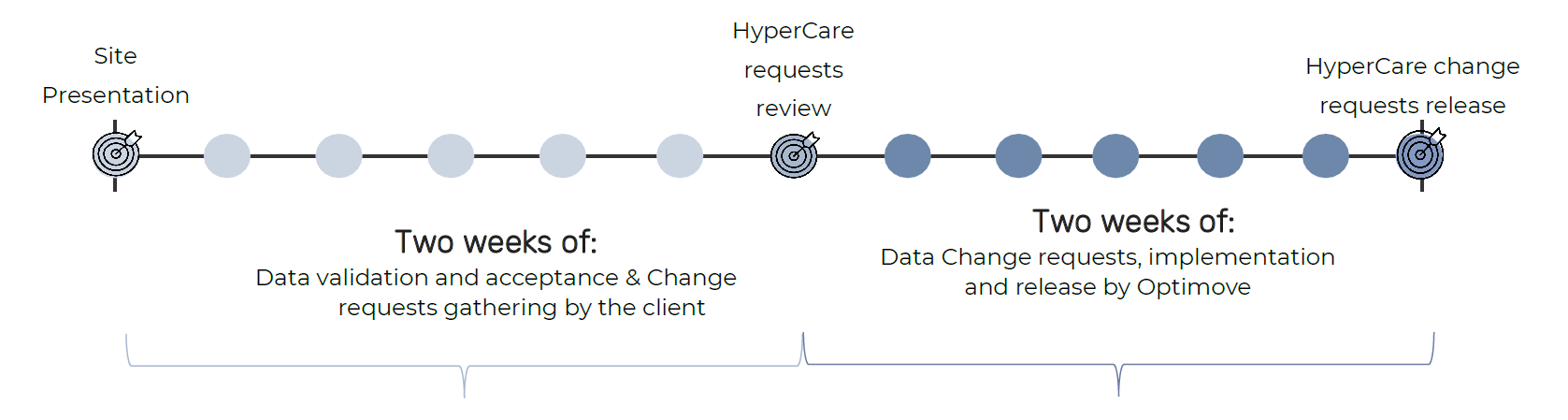
How do we collect data update requirements in the Custom Request Phase?
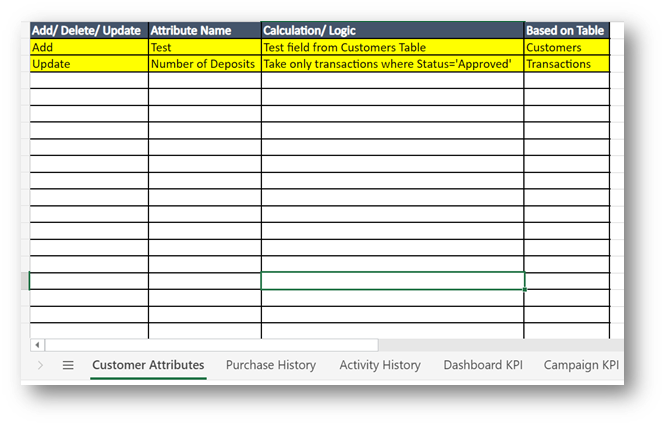
Data Validation and Acceptance
What Should We Look at During the Custom Request Phase?
To maximize the efficiency of your Custom Request Phase we do recommend scanning the following sections in your Optimove instance. Please make sure to reach out to your CSM for assistance and guidance if needed.
Your Dashboard KPIs
The Dashboard KPIs reflect the state of the business looking at the most important metrics for your business. A few basic metrics are added by default, you have the option to add more KPIs if it has value to you.
Campaign KPIs list
Campaign KPIs is the metric you will have available for the measurement of your campaign effectiveness. What are the most important campaign performance metrics you look to Optimize?
List of customer attributes
The customer attributes available in Optimove, will allow you to build segments, analyze audiences, use them for campaign personalization, and more. Reviewing the full list of attributes, making sure you have the most important ones available, and validating the calculations, is the most important phase of your Custom Request Phase.
Activity & Purchase history metrics (to support desired use cases)
Activity History selection criterion allows you to build flexible Target Groups based on any behavioral metrics, for any timeframe. Ensure you review the metrics list to identify any gaps.
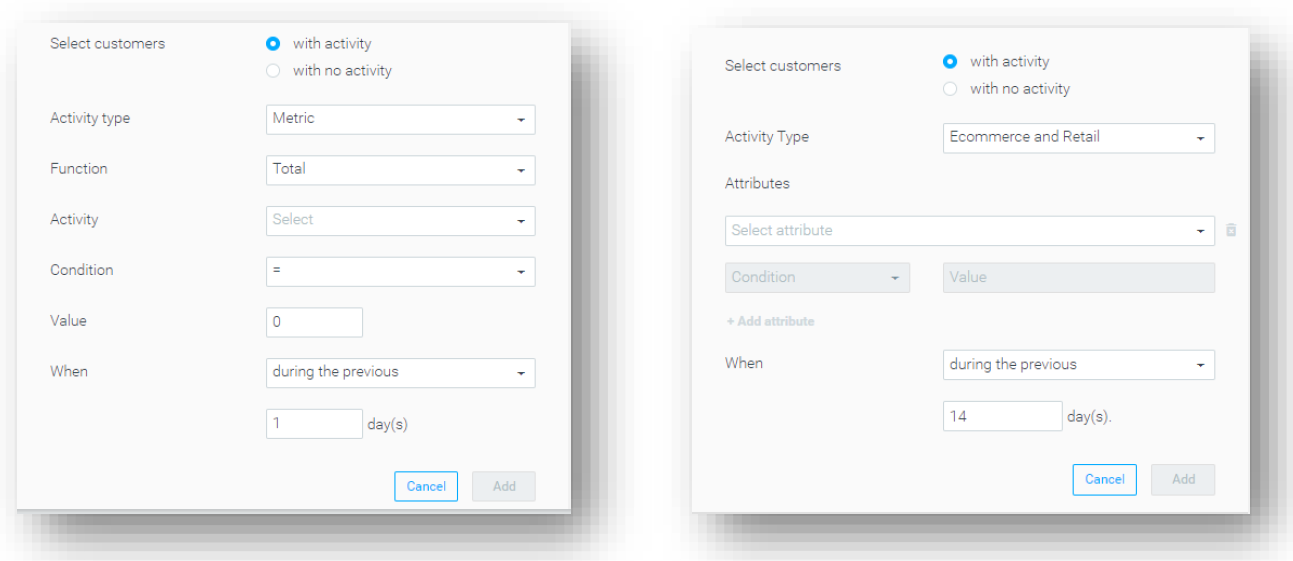
TG Sanity check (list of TG to be defined by CSM)
Once you go over the full attributes list, you can start building audiences. We highly recommend starting with a few basic criteria and validating the numbers the TG query returns.