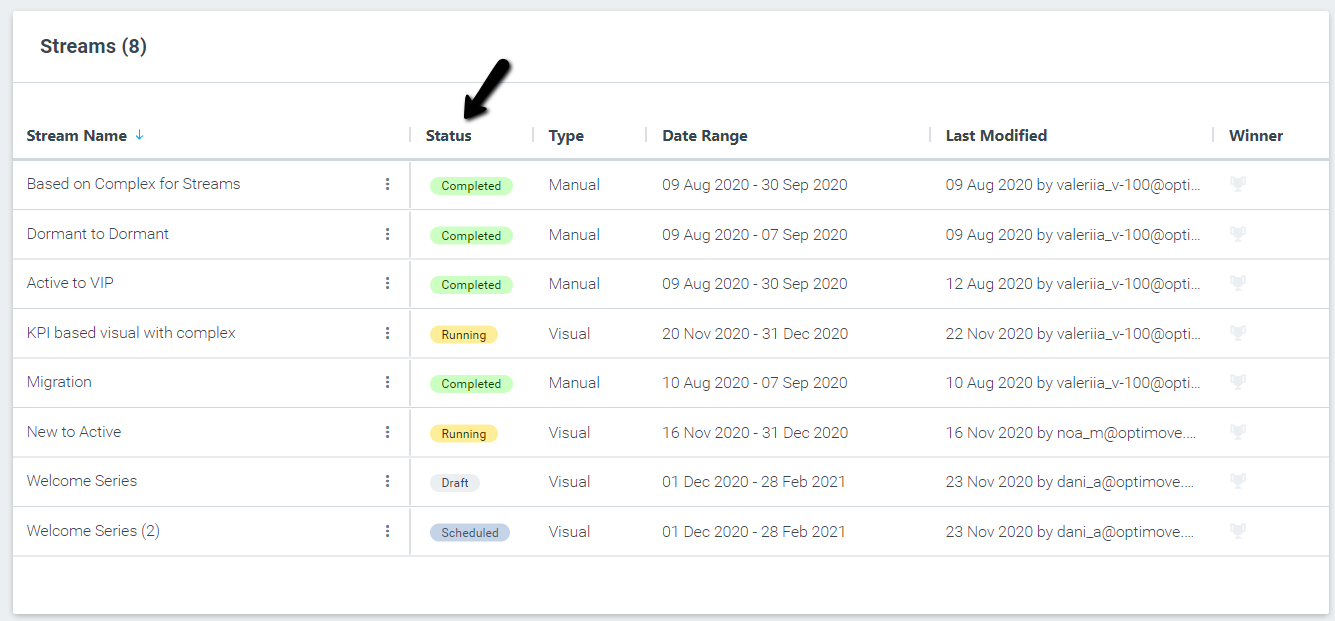
- Draft – The stream is still in draft. You can edit and change any setting defined, the flow’s elements, etc. You can also duplicate the stream.
- Scheduled – The stream will run on a specific date and time. You can edit the date range or delete the stream. By default, Optimove only deletes Target Groups used exclusively in a stream. Optimove will not delete Target Groups used in other campaigns outside the stream date range or in Target Group criteria outside the stream. Instead, it places them in a dedicated folder named Deleted Streams.
Please Note: When you schedule Optimove to execute a stream after today's batch-data process, the status will only change to "Running" after tomorrow's batch-data process. While campaigns will be executed as expected, the stream status will remain "Scheduled" until then.
- Running – The stream is running. You can change the end date or stop it. Note that when you stop a running stream, all associated campaigns will stop as well.
- Completed – The stream has been completed.
Please Note: Stream statuses are determined by the stream's date range, not the statuses of individual campaigns. For instance, if a stream starts on the 14th of January and all campaigns scheduled for that day fail, the stream will still display a status of 'Running.'