
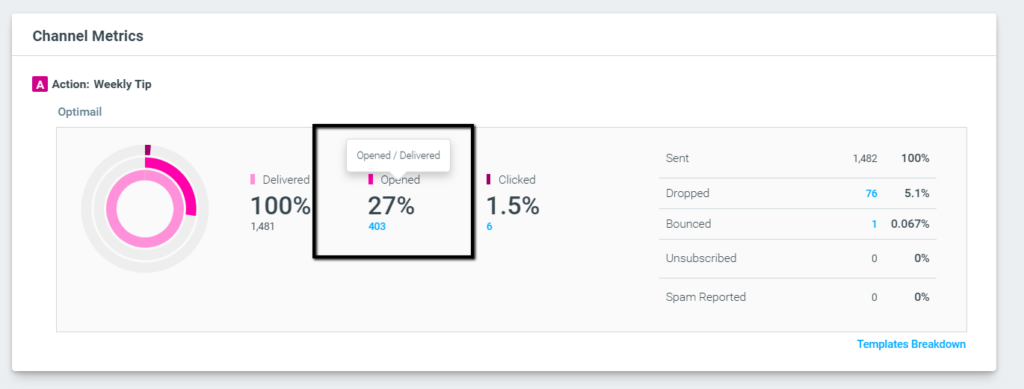
When using OptiMail as a channel, OptiMail’s metrics will be available at the bottom of the campaign analysis page.
The metrics available are the number of emails – “Delivered”, “Opened” and “Clicked”.
On the right, you can also find “Sent”, “Dropped”, “Bounced”, “Unsubscribed” and “Spam Reported.”
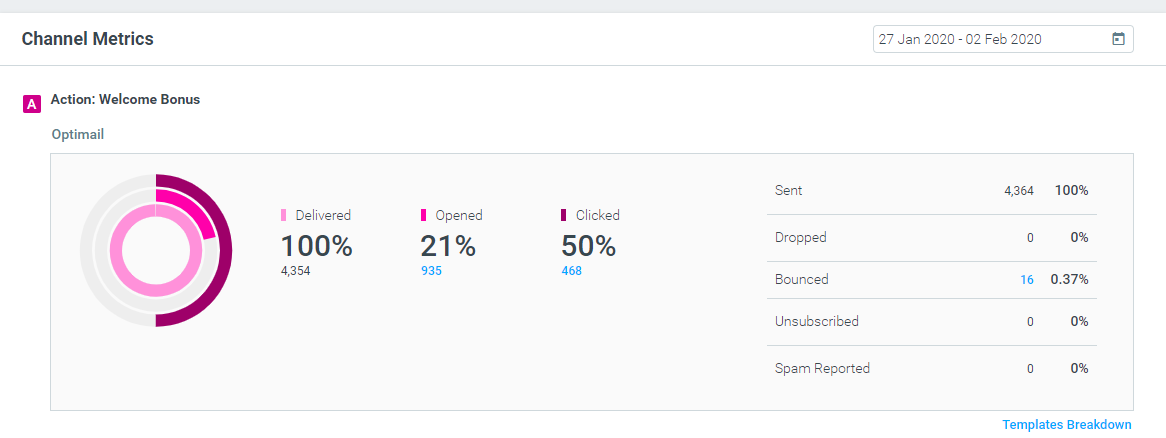
- Sent – The number of unique customers in the selected target group minus ineligible (i.e., no email address) and dropped customers.
- Delivered – The total number of unique customers to which an email was successfully delivered (i.e. received by the recipient’s mail server).
- Opened – The number of unique customers who opened the email.
- Clicked – The number of unique customers who clicked on any link in the email.
- Unsubscribed – The number of unique customers who unsubscribed (opted out) from the email.
- Spam Report – The number of unique customers who actively marked the email as spam (or dragged it from their inbox to their junk folder).
- Dropped – The number of unique customers removed from email eligibility due to factors such as previous bounces, spam reports, unsubscribes, invalid email addresses, absence of translations for their language (in multi-language campaigns), or lack of subscription to the relevant topic (via the Preference Center).
- Bounce – The number of unique customers whose email address bounced (invalid email address or account not accepting email).
In the case of a multi-template campaign, view the template breakdown for these metrics under “Templates Breakdown” at the bottom of the table.
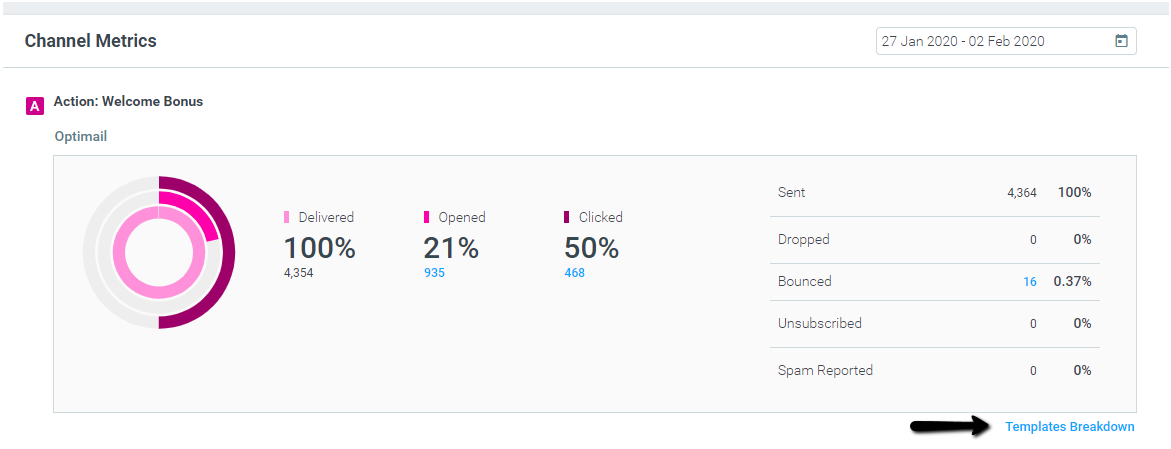
You can also review OptiMail’s channel metrics in Mission Control.
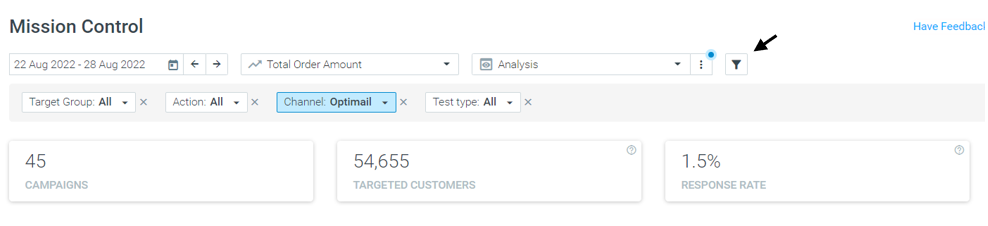
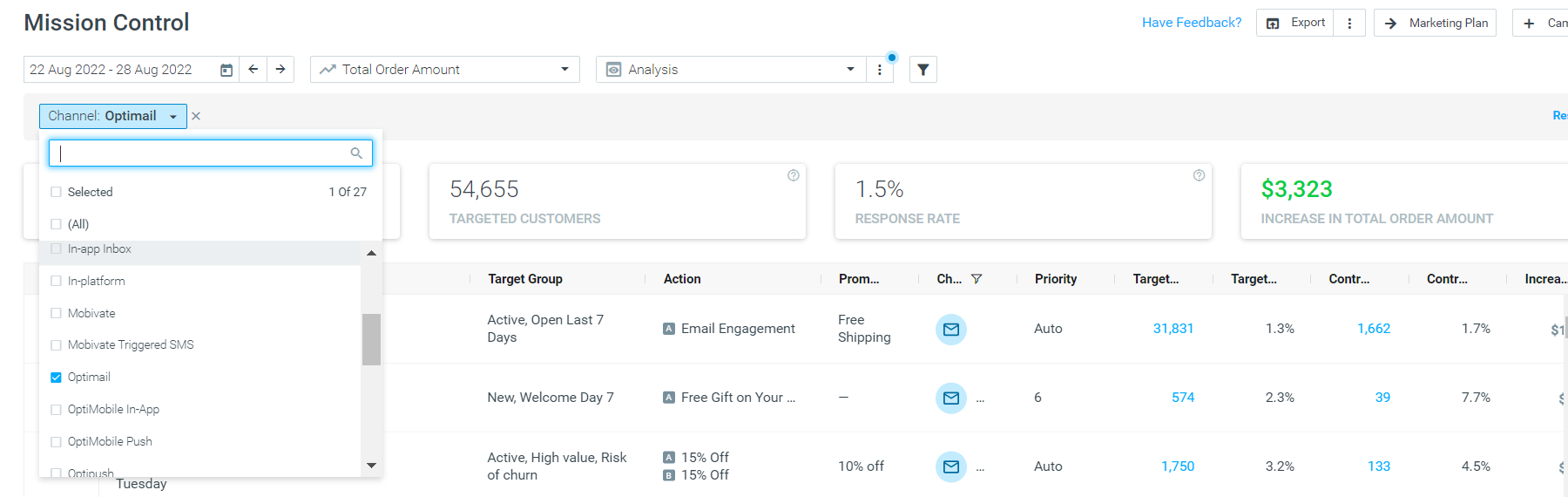
Go to Mission Control, and click on the filter icon:
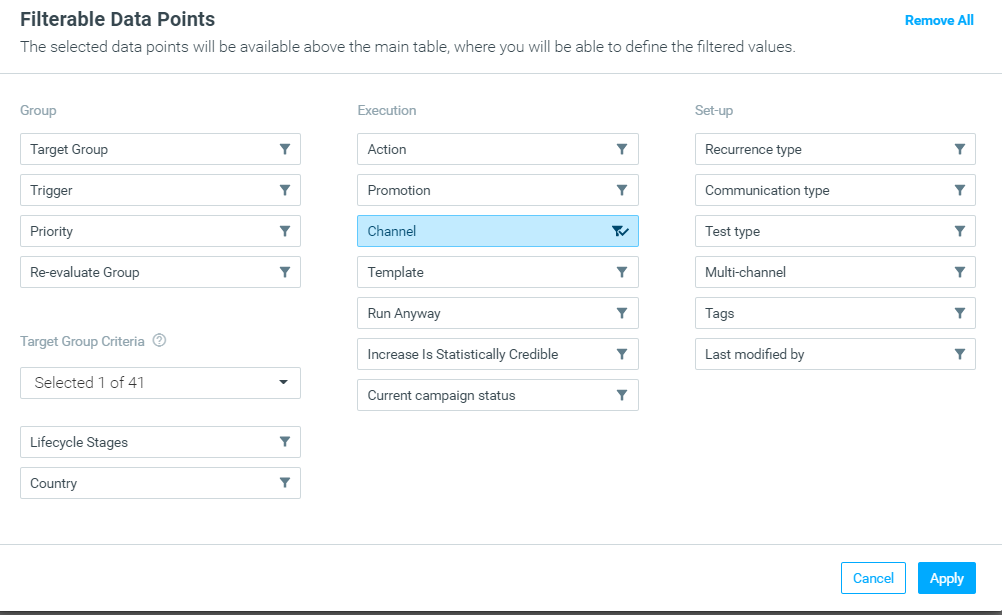
Under the Execution section, click on Channel. Then click Apply.
In the dashboard, you can then select a channel to filter your campaign view. Select Optimail.
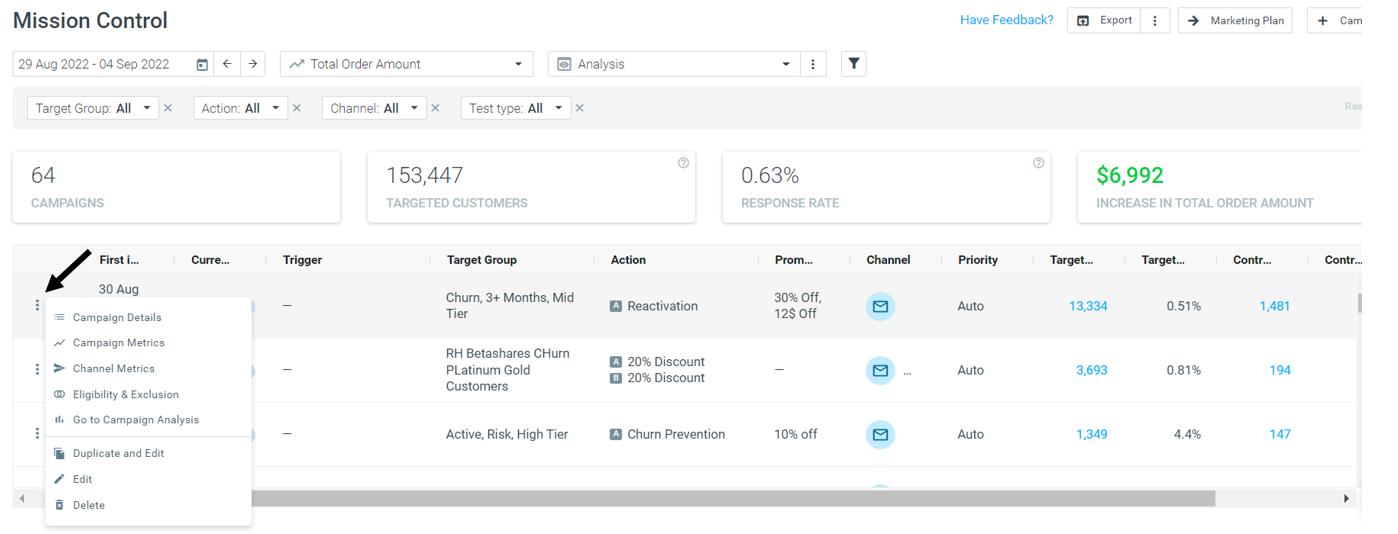
Next, click on the three dots next to the campaign you want to analyze, and click on Channel Metrics.
Explore the different metrics available
Hover over the metric to show additional details.
Clicking on the blue numbers will redirect you to the Customer Explorer to explore the specific customers. For example, the customers who opened the email.
OptiMail’s metrics in the campaign analysis are constantly updating (regardless of the daily process) and the campaign metrics date is set to a week from the execution date, in order to track opens and clicks even a few days after the send date.
Possible Reasons for Dropped Email
In the report, you can view the number of dropped emails, which are emails that could not be delivered for specific reasons.
An email will be considered "dropped" if any of the following apply:
- The contact in the target group belongs to one of your suppression groups.
- The subscriber’s email address has previously bounced.
- The subscriber previously marked an email as spam.
- The subscriber is unsubscribed, but the opt-out attribute was not applied to the target group.
- The subscriber’s email address is invalid.
- There is no translation available for the subscriber's language (in the multi-language campaigns).
- The subscriber is not subscribed to the relevant topic (via the Preference Center).