
Quick Edit for UTM Parameters in OptiMail Templates
UTM parameters are simple parameters that can be attached to URLs to track a source, medium, campaign name, and more.
OptiMail templates built via the HTML Editor now have a quick edit option to include UTM parameters in all URLs included in the template.
In order to easily modify the UTM parameters in all URLs of your template, open the UTM Parameters dialog (from the Template Details area) and select the relevant values to be applied to the URLs. You can use personalization tags in order to create dynamic UTM values per campaign/recipient.
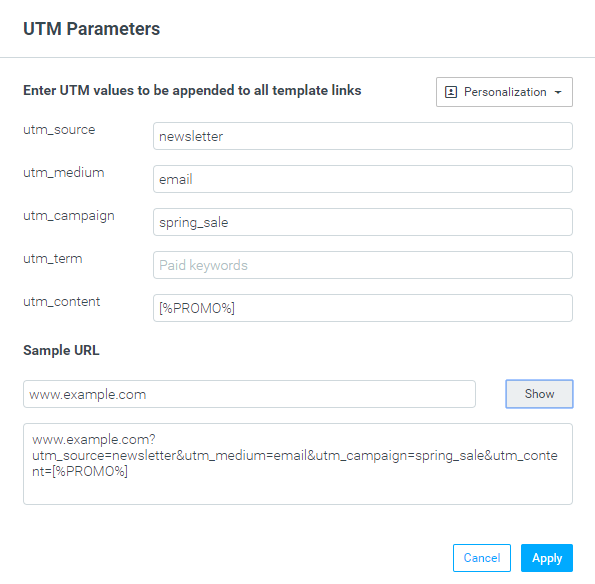
Applying UTM parameters via the new quick edit tool will override any existing UTM parameters in the template.
Single Sign-On with Okta
Optimove can now be used in conjunction with an Okta Single Sign-On (SSO) access control system.
Companies using Okta as their Identity Provider (IdP) can now use Okta as the access control system for their Optimove sites.
To activate SSO in Optimove, contact your CSM.
Improved Ideal Group Size Calculation
The Ideal Group Size calculation, part of the Run Campaign wizard, was enhanced with these improvements:
The optimization metric was changed from statistical significance to monetary value (for more information, see this Academy article).
Both test and control groups must now have a minimum group size of 10 and a minimum number of respondents of 2 – if a group cannot support these minimums, it will not be included in the Ideal Group Size calculation.
The minimum control group size is 4% of the group size, and cannot be changed by more than 2% per day.