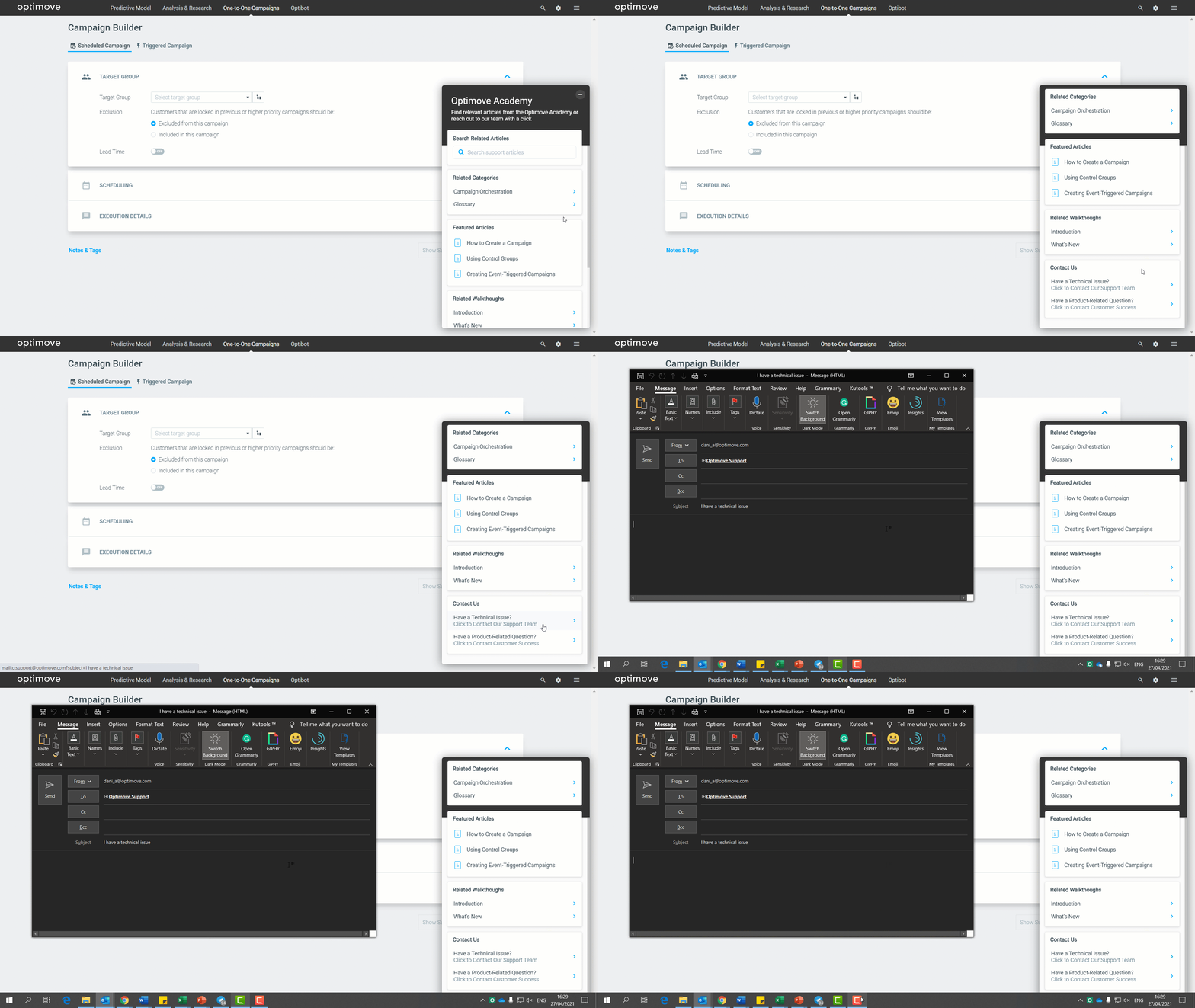
The Optimove academy widget is an in-app tool that brings the Optimove Academy experience into your site, seamlessly.
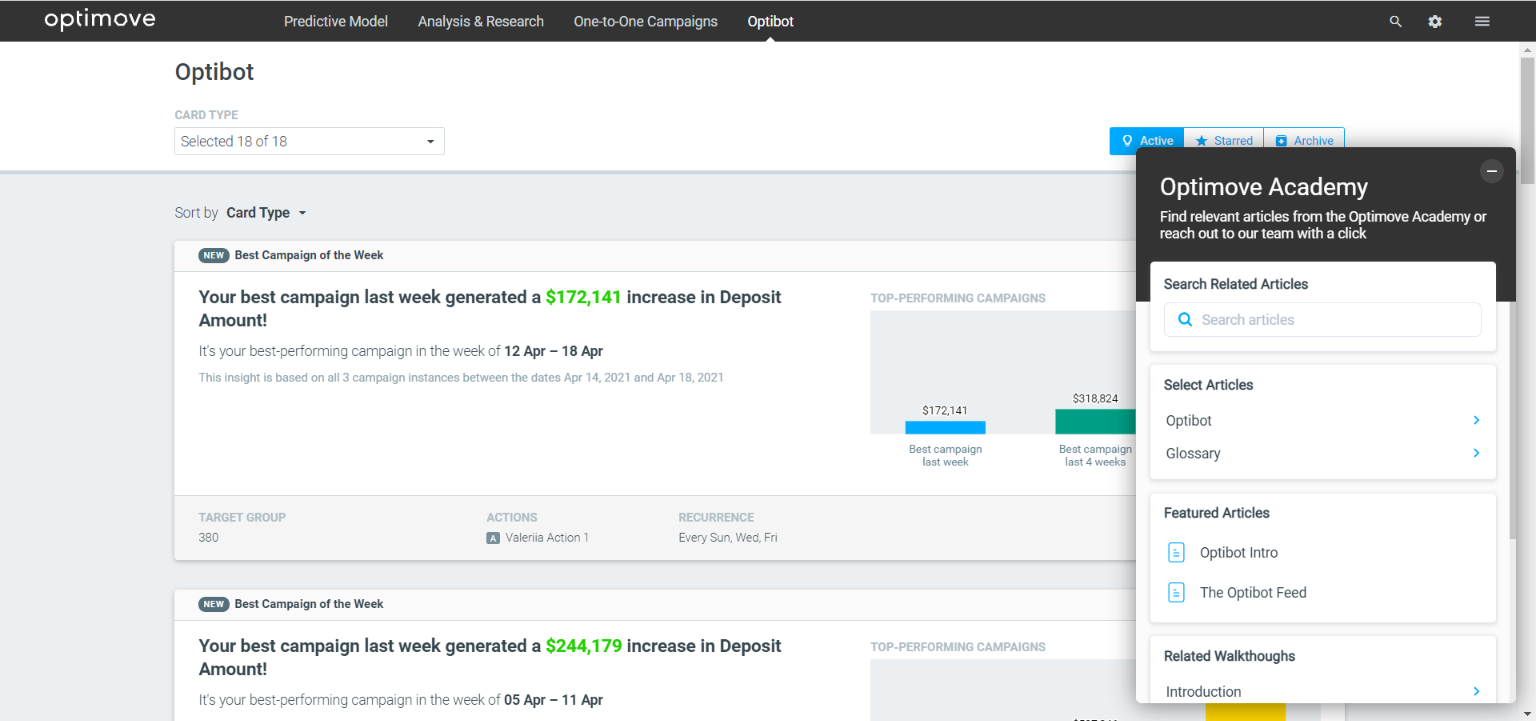
The widget dynamically filters contextual articles to allow you to:
- Enjoy an on-site reading experience of any academy article!
- View images, and watch videos while staying on the site.
- Search for in-context articles.
- Drag the widget around to tailor the experience to your needs.
- Launch guides and tooltips for a quick, on-demand overview of the page.
- Contact Support or Customer Success with a click of a button.
Watch the video below for a quick overview:
Video Transcript
Hey there, welcome to our academy widget overview video. In this video, I will walk you through the capabilities and use cases of this powerful tool.
Using the academy widget, you can first and foremost enjoy an on-site reading experience of any academy article. Read or watch videos while staying on your Optimove site and implementing the step-by-step processes instantly.
Drag the academy widget to build an entirely in-app academy experience tailored to your needs.
You can also search in-context articles from within the academy, easily.
Another capability of the widget is the ability to launch guides and tooltips on-demand for a quick overview of the page and its elements.
You can also contact Support or your customer success manager with a click of a button.
When approaching your Customer Success manager, make sure to use the right email address.
To launch a category on the academy website itself, right-click the category name and choose open in a new window.
If you haven't found the article you need, simply navigate to our homepage and use the main academy search bar.
Thanks for watching.
The Widget’s Sections
The widget is customized per page and therefore, the content sections will only present feature-specific articles, based on the page you’re on. For example, the widget that appears on the Campaign Builder page will show only campaign-related articles.
Some pages have an extended widget with additional categories, such as the Dashboard.
Search
Search for page-related articles to learn about relevant features and use cases. As mentioned above, the widget will only show page-related or feature-specific articles in the search results.
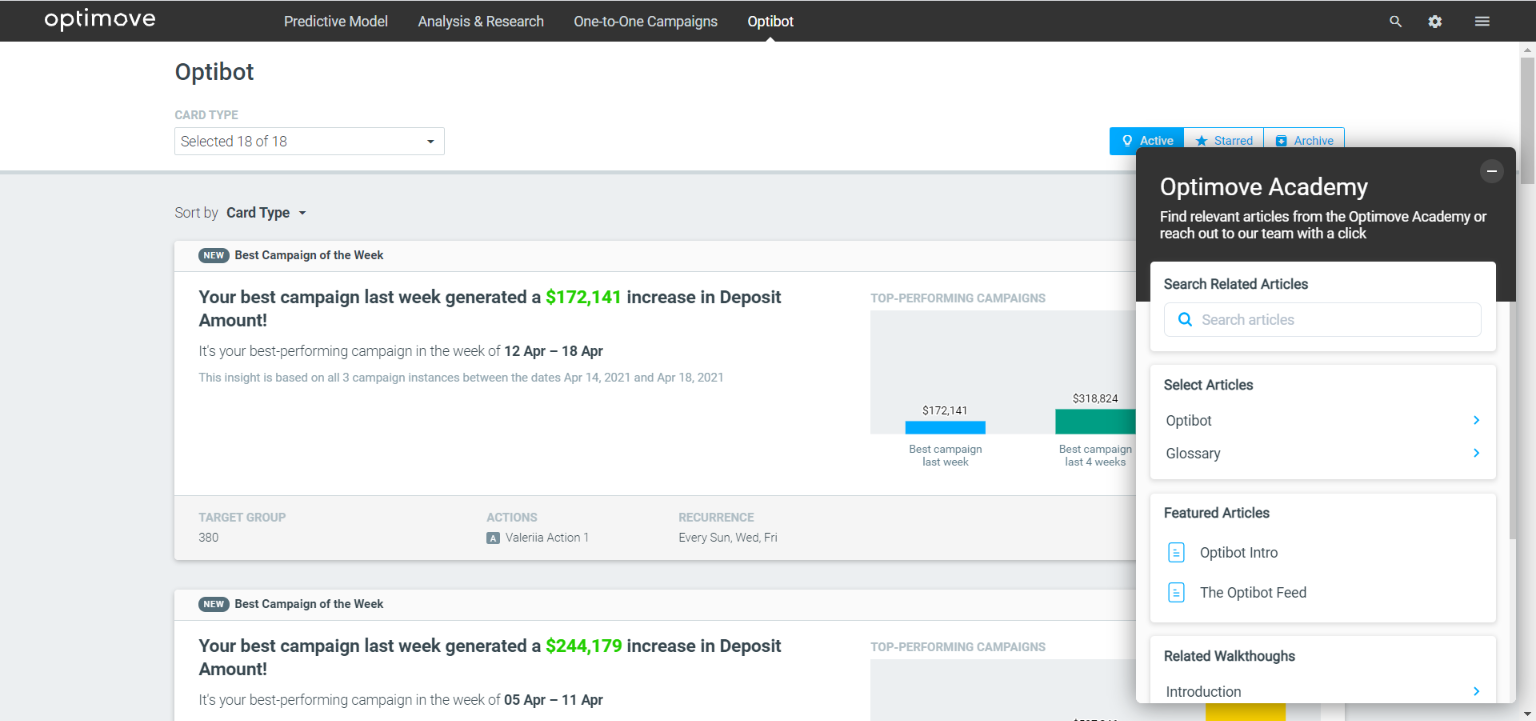
Related Categories
This section presents categories that are related to the page, to help you get some context and expand your knowledge on relevant topics.
Featured Articles
Featured articles that you should read, are recommended by our team of Optimove experts.
|| How do I open an article in a new window?
Right-click the article's name and choose "Open link in new tab".
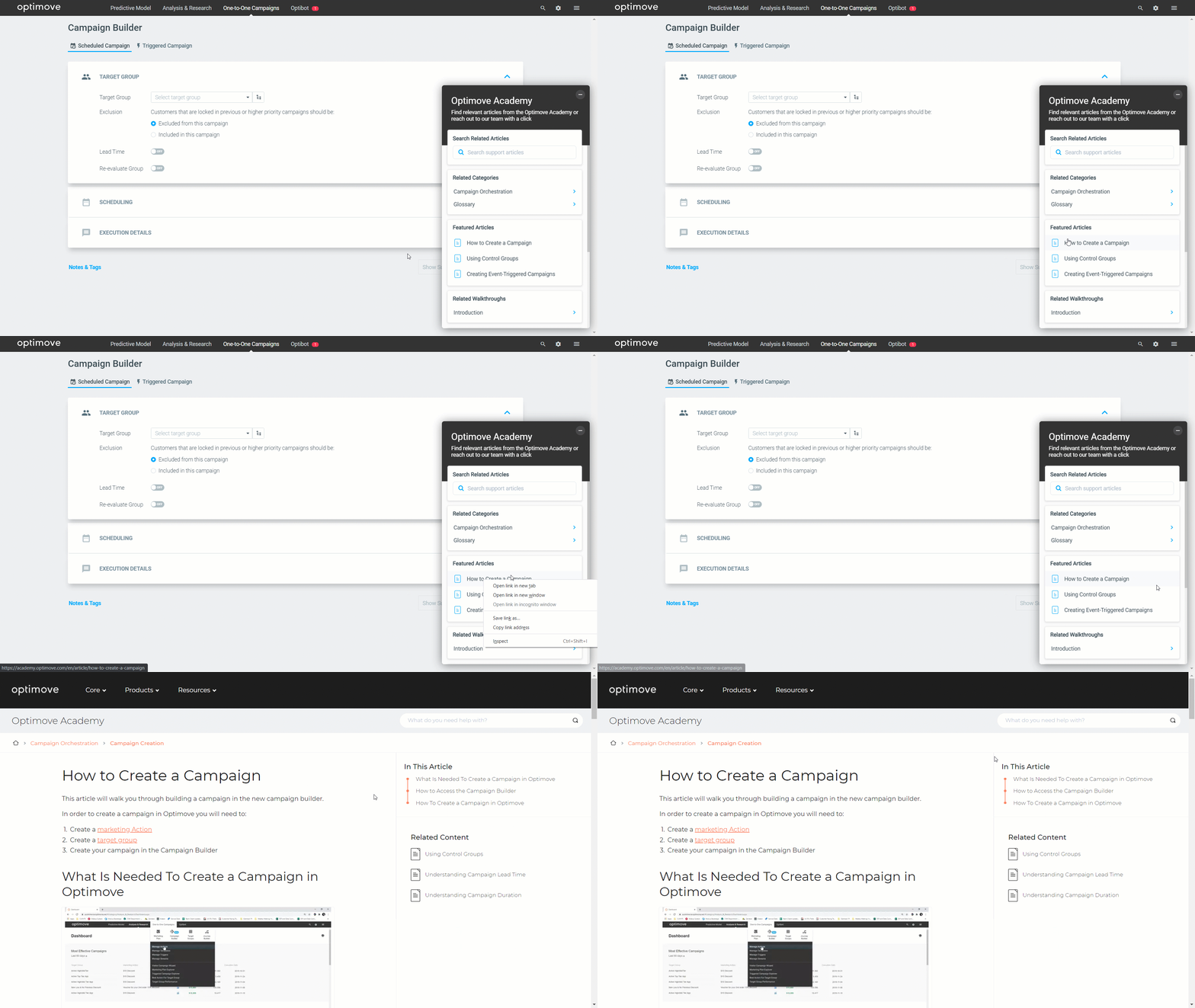
Related Walkthroughs
Launch guides and tooltips that are related to the page.
- What’s New – will launch guides that point out new additions and page changes.
- Introduction – will launch overview guides so you can learn about a feature's elements and capabilities.
Contact Us
In the Contact Us section, you can reach out to;
- Support - in case you encounter a technical issue.
- Customer Success - in case you have a product / strategic question. Please make sure to insert your Customer Success email address.