
Archived target groups are previously used target groups that are no longer used for executing campaigns.
Over time, many obsolete target groups may accumulate; because target groups used for previous campaigns cannot be deleted, it is sometimes useful to archive groups and remove them from all campaign-related views (Priority List, Marketing Plan, Run Campaign, etc.). Filtering out unused target groups and folders can declutter the Optimove user interface and make it easier for you to work with these views.
Archived groups are still visible and editable in the Archived folder, but they cannot be used to run new campaigns. Note that defined target groups that were never used in any campaign can be deleted, entirely removing them from the system.
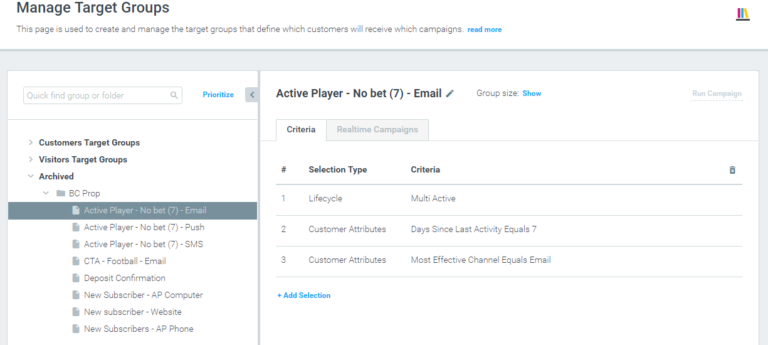
How to Archive a Target Group
You can only manually archive a Target Group that has never been used in a campaign.
You can archive a Target Group in two ways:
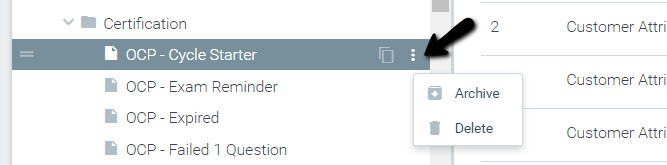
1. Click the three dots that appear when hovering over a Target Group, and click Archive.
2. Drag it into the Archive category (or any Archive folder).
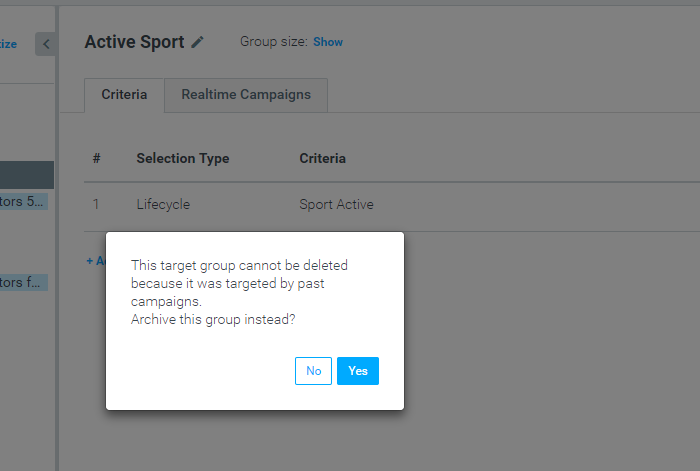
You can also archive a Target Group by answering Yes to the question that appears when you try to delete a Target Group that has been used with a previous campaign.
|| Target groups cannot be manually archived in these situations:
- The Target Group has previously been used in a campaign. (Target groups that were used in a campaign but not within the last 90 days are eligible for auto-archiving — see below.)
- The Target Group is included as a criterion within another Target Group (using the Campaign History criterion).
How to Restore an Archived Target Group
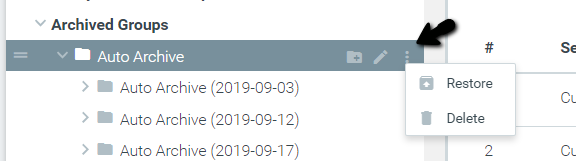
To restore a Target Group or a folder from the Archive (so that you can use it once again), hover over the relevant Target Group or folder, click the three dots, and choose Restore.
Customer Target Groups must be placed back within the Customer category, and Visitor Target Groups must be placed back within the Visitors category.
Restored groups will once again appear everywhere where Target Groups are shown. Note that restored Target Groups are placed at the bottom of the priority list by default.
Auto-Archiving of Target Groups
Optimove automatically archives Target Groups that have not been used recently when all of the conditions are met:
- The Target Group is not included as a selection criterion for another Target Group.
- More than 90 days have elapsed since a campaign was sent to the Target Group.
- More than X* days have elapsed since the last time the Target Group was modified
*X is the value of the "Days to Auto-Archive" parameter, which is set for your Optimove instance by your CSM.