
Customer attributes also known as data points, are traits and characteristics that represent any data point, raw or calculated, that you may have on your customers and which is reflected within Optimove. For example, country.
Although you have various customer attributes, you can always add more by asking your CSM.
Viewing all customer attributes
In order to view a list of all customer attributes available to you follow the below steps:
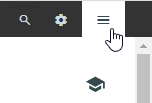
1) Go to the Optimove Menu at the top right corner of your screen.
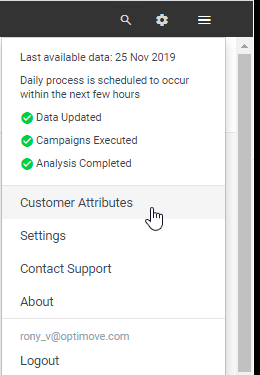
2) Click on “Customer Attributes.”
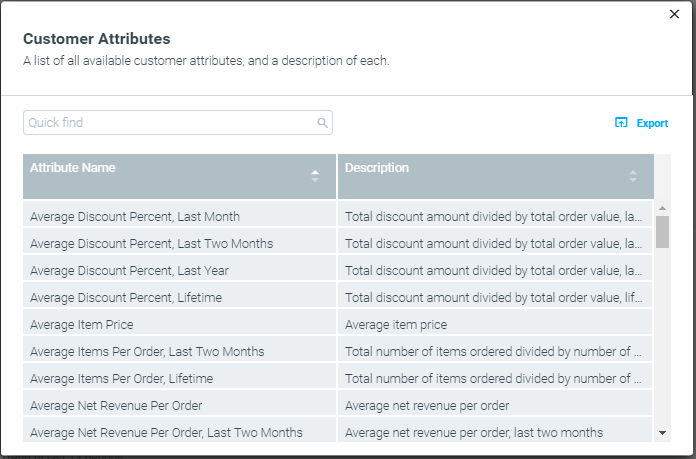
3) Search or scroll to find a specific attribute or export the complete list as a CSV.
Types of Customer Attributes
Customer attributes are either numerical, categorial, or date types. Depending on the data type of each, the attribute’s condition might defer. Below is a list of the most common conditions as well as examples of attributes that leverage them.
Numerical
Examples: Average number of monthly deposits, Days since registration, Risk of churn, Total order value, etc.
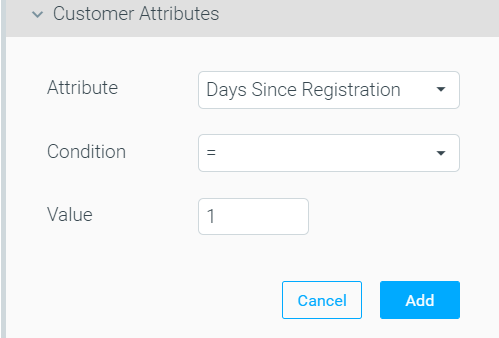
Condition details:
|
Operator
|
Meaning
|
|---|---|
|
=
|
Equals
|
|
<>
|
Does not equal
|
|
>
|
Greater than
|
|
>=
|
Greater than or equal to
|
|
<
|
Less than
|
|
<=
|
Less than or equal
|
|
Between
|
Between
|
Categorial (Textual)
Examples: Email, Preferred category, Most effective channel, Source.
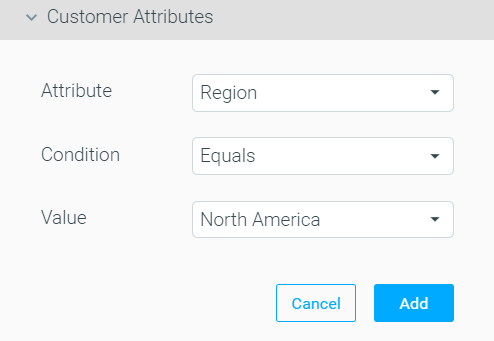
Condition details:
|
Operator
|
|---|
|
Begins with
|
|
Contains
|
|
Does not contain
|
|
Does not equal
|
|
Ends with
|
|
Equals
|
|
Not one of
|
|
One of
|
Date
Examples: Last store visit, Last NPS score, Last order date, Last login date.
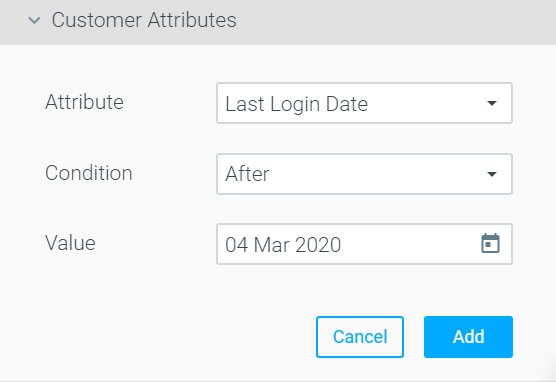
Condition details:
|
Operator
|
|---|
|
After
|
|
Before
|
|
Between
|
|
Does not equal
|
|
Equals
|
|
This week
|
|
Today (Read more about using the “Today” condition below)
|
|
Tomorrow
|
|
Yesterday
|
Using the "Today" operator
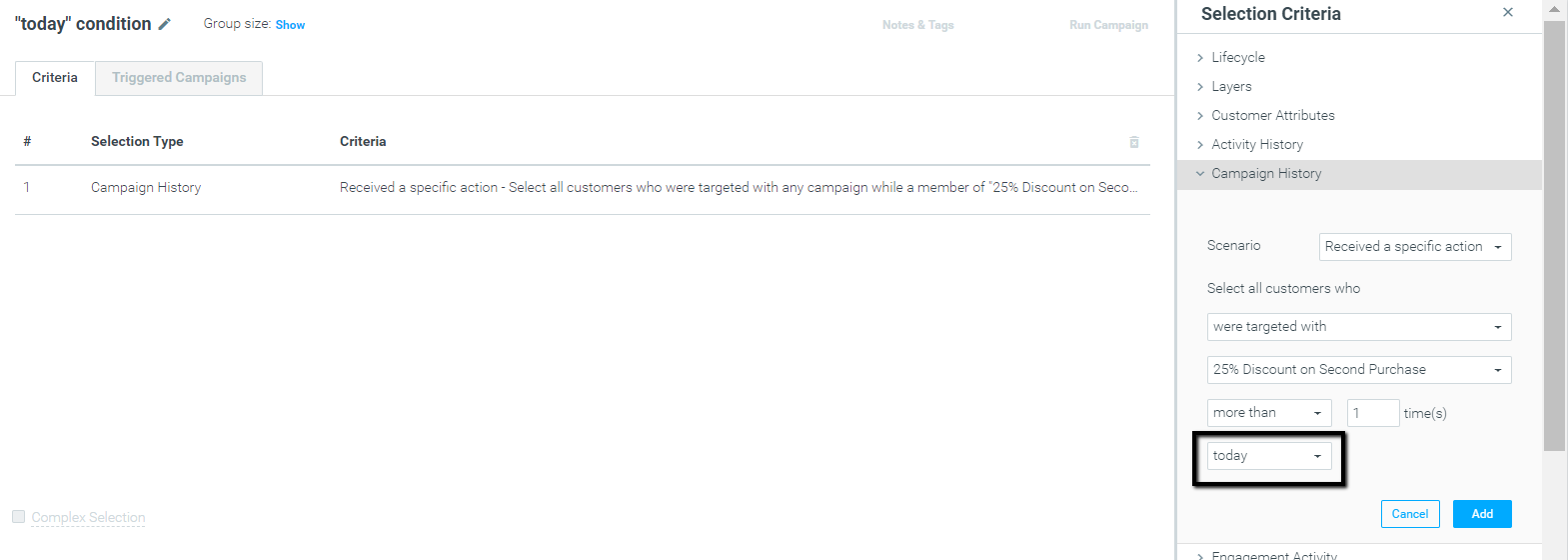
In Optimove, the “Today” date range refers to the time between two Batch Data Updates and not to the calendar day (Today).
Before or after the Batch Data Update? That is the question
During the Batch Data Update, target groups are populated, and campaigns are prepared for execution.
See for example the above screenshot. We created a target group that includes customers who were targeted with the action “25% Discount on a Second Purchase”.
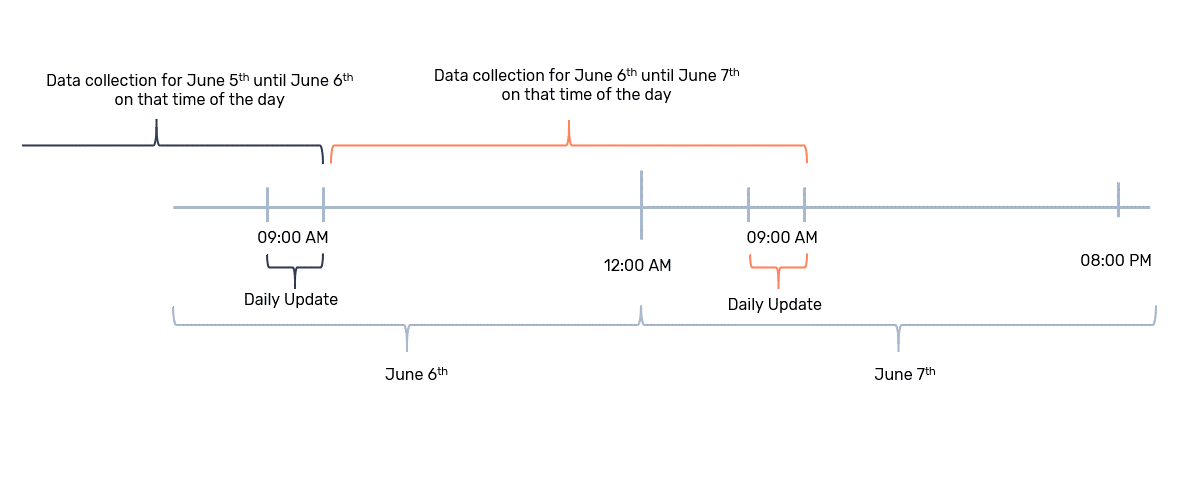
A customer who received the action “25% Discount on a Second Purchase” after the Batch Data Update of your site, and before the campaign’s execution time, will not be included in that target group.
That is because each Batch Data Update, collects data since the last update, and up to the moment when it runs again, as presented in the timeline below:
There is, however, a way to launch a campaign that will target all customers that performed an action on a specific day, regardless of the Batch Data Update, which we will cover under the “Example use cases”, and “Same day, ad-hoc campaigns”.
Example "Today" use cases
Different days, ad-hoc and recurring campaigns
A campaign is scheduled for June 6th. The campaign’s target group includes the “today” date condition. The execution time for that campaign is June 7th.
In this case, any customer that meets the “today” criteria between June 6th’s Batch Data Update and June 7th’s Batch Data Update will be included in the target group, while customers that perform the required action on June 7th, after the Batch Data Update, will not be included.
This case is relevant for both Scheduled (ad-hoc) and Recurring campaigns.
Same-day, ad-hoc campaigns
A campaign is scheduled for June 7th. The campaign’s target group includes the “today” date condition. The execution time for that campaign is June 7th.
In this case, the target group is calculated immediately, and all customers that meet the “today” date condition will be included in the target group. However, this target group will be the lowest priority that day. Therefore, you should take into consideration the include and exclude options of that campaign.
This case is relevant for Scheduled (ad-hoc) campaigns.
Read more about using the “Today” condition as part of the “Campaign History” and “Engagement Activity” selection criteria:
- Campaign History: Targeting customers who were targeted with a campaign today, with a same-day follow-up campaign.
- Engagement Activity: Targeting customers who clicked/opened an email today, with a same-day follow-up campaign.
Customer Attributes Update Frequency
Customer Attributes update daily or in real-time, based on your settings. Read more about the update frequency here.