
When using control groups, also known as holdout groups, you will always want to maximize the percentage of customers who actually receive your campaign without compromising the measurement of the campaign’s impact. Since each new campaign occurrence provides new insights into how that campaign is performing, why not use today’s data to determine tomorrow’s control group size?
Optimove does so automatically using “Control Group Optimization”. On average, it takes only three campaign occurrences to begin seeing a reduction in the control group size, and only 57 occurrences to reduce the group by between 16% and 20%.
As test groups outperform control groups, driving statistically credible higher uplift, the system gradually reduces the campaign’s control group size, allowing more customers to receive the campaign. The control group will never reach zero, as you always want to be able to measure the campaign’s uplift and keep an eye out for changes in these results.
On the other hand, if the opposite is true, and a campaign shows signs that it is no longer working, the control group size will increase. Increasing the control group can help determine whether the campaign is truly ineffective or if you are encountering a false alarm.
How to use the Control Group Optimization
Optimove algorithmically determines the ideal size of the control group for each iteration of your campaigns, taking into consideration all relevant factors. With each campaign iteration, additional data regarding the Target Group characteristics is collected, allowing Optimove to set the optimum control group size.
By default, Control Group Optimization is turned on for each newly created campaign. When turned on, Optimove automatically adjusts the control group size for each campaign run. To override this option, toggle the “on” button to “off” and enter the desired percentage in the Control Group field. Note that by turning off optimization, your campaign will always use the same control group percentage, even when a smaller one could have been more effective.
If you later want to let Optimove select the optimum control group size for the campaign, toggle the "Control Group Optimization" button above the "Control Group percentage" field in the Campaign Builder.
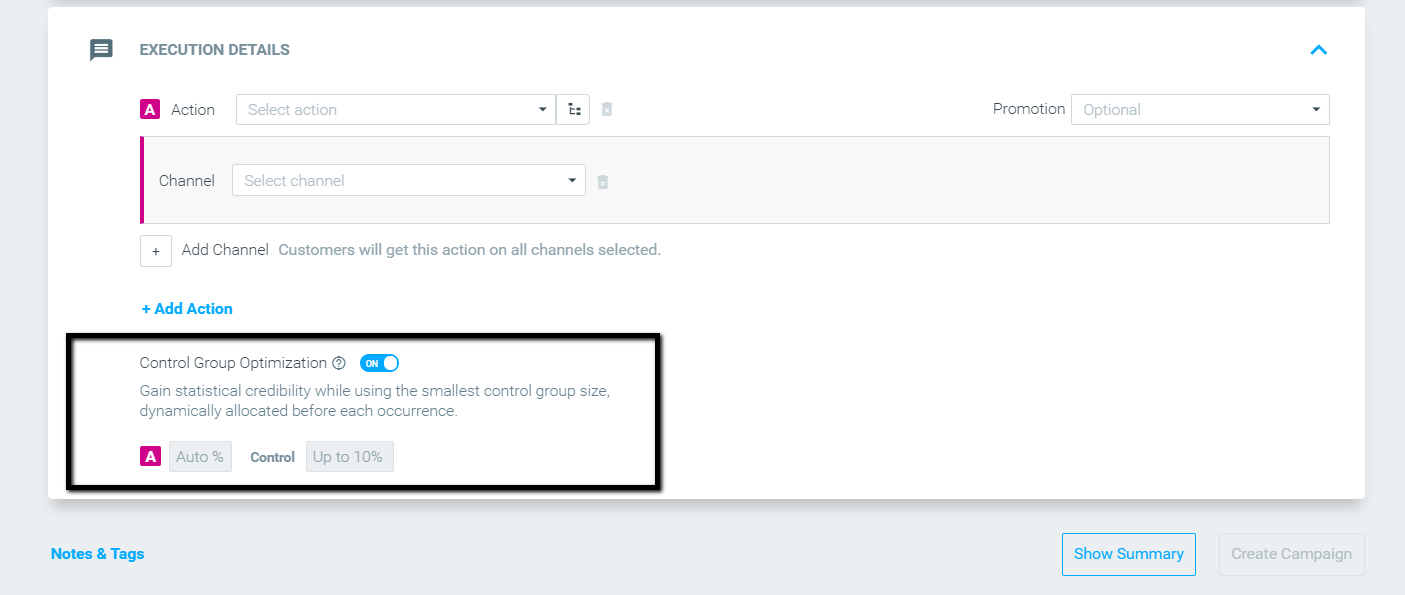
The maximum control group percentage, set to 10% by default, will be used in cases where Optimove lacks sufficient information to determine the ideal control group size, as well as in instances where a large control group size is required.
It’s essential to note that in Triggered Campaigns, the test and control group ratio is set at the Target Group level, rather than at the campaign creation level, as described above. Read more here.