
Personalizing with Content Intelligence
How to set up Auto Priority
By default, each new Target Group will be set as an auto priority upon its initial save. However, you can use the Target Group Prioritization window on the Manage Target Groups page to set existing Target Groups to auto-priority.
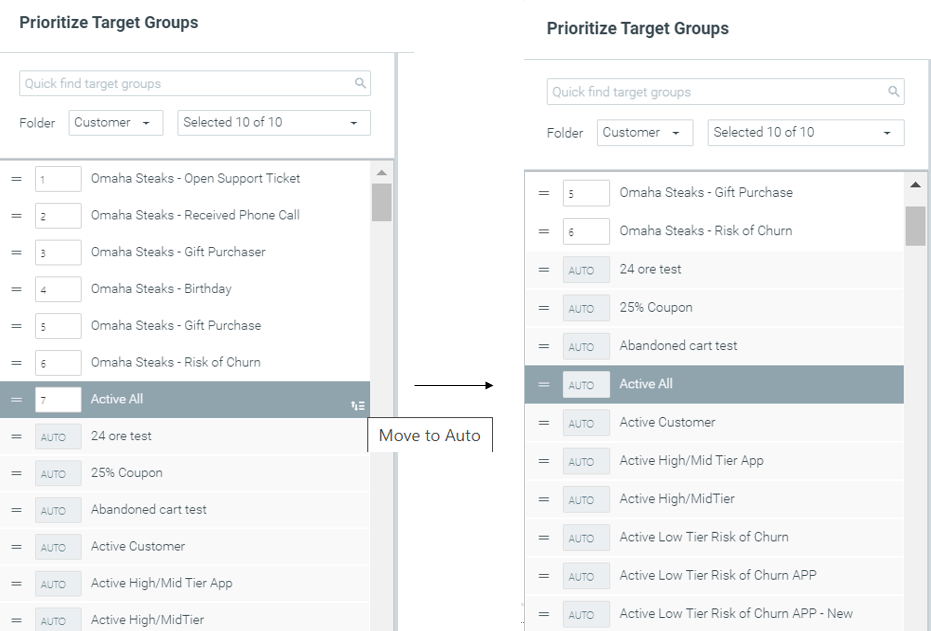
- Please note that, by default, new Target Groups will always be prioritized lowest on the list, as “Auto”.
- Auto Priority Target Groups are organized alphabetically on the Prioritize Target Groups page.
- When both manually prioritized and auto-priority Target Groups exist, manually prioritized Target Groups will appear above the Auto Priority ones on the Prioritize Target Groups page.
- When executing campaigns with auto-priority Target Groups, lead time cannot be set.
Read more about AI Journey Decisioning Agent best practices here.
How Auto Priority works
Let’s review this concept by looking at a specific example that focuses on an individual customer, i.e., John Smith:
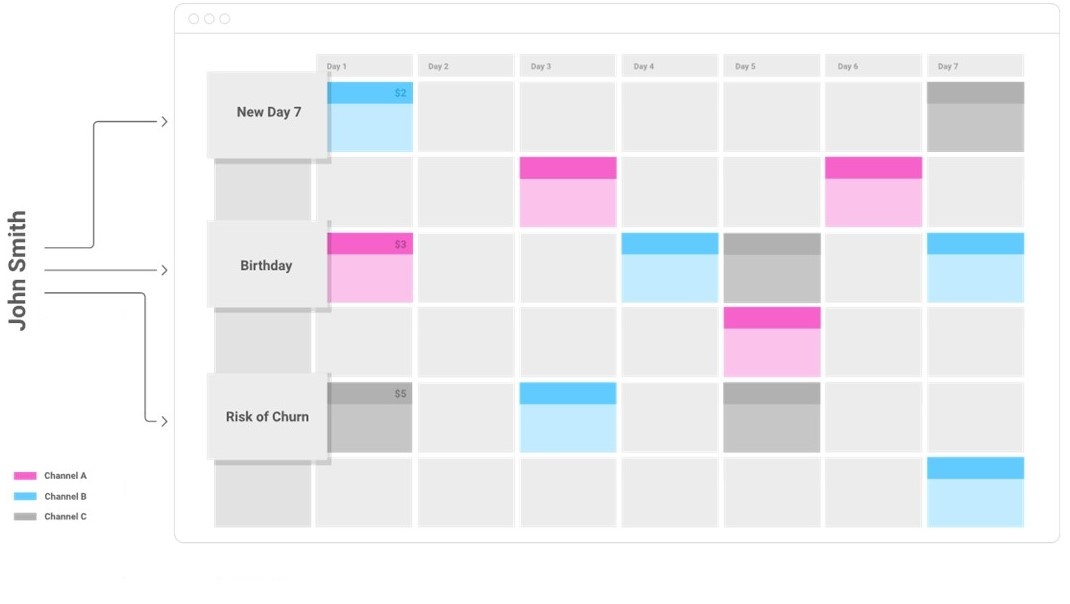
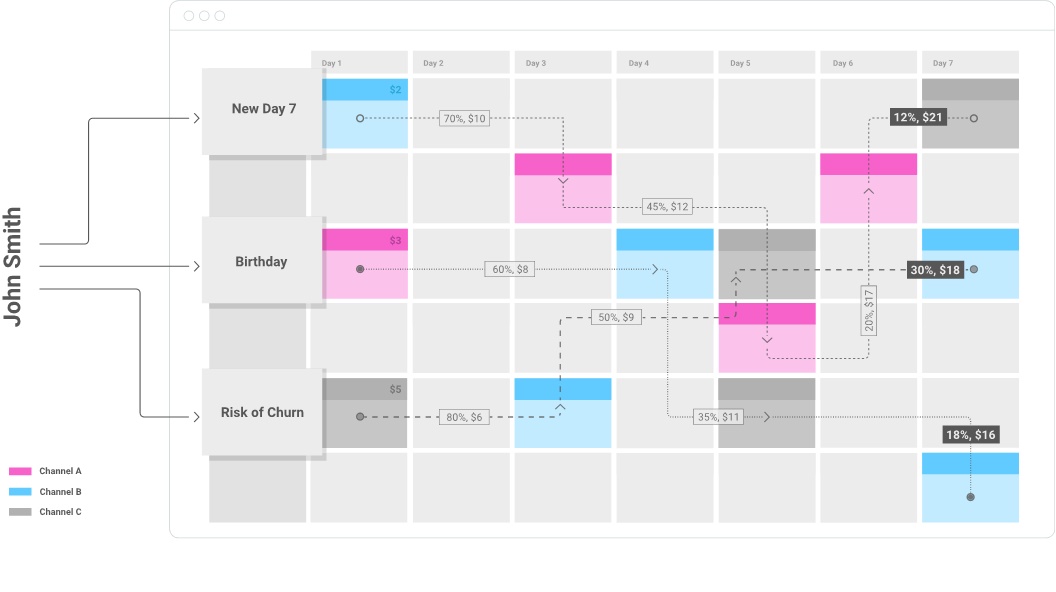
Example Use Cases
- Campaign A is auto-prioritized and has “Included in this campaign” selected.
- Campaign B is auto-prioritized and has “Excluded in this campaign” selected.
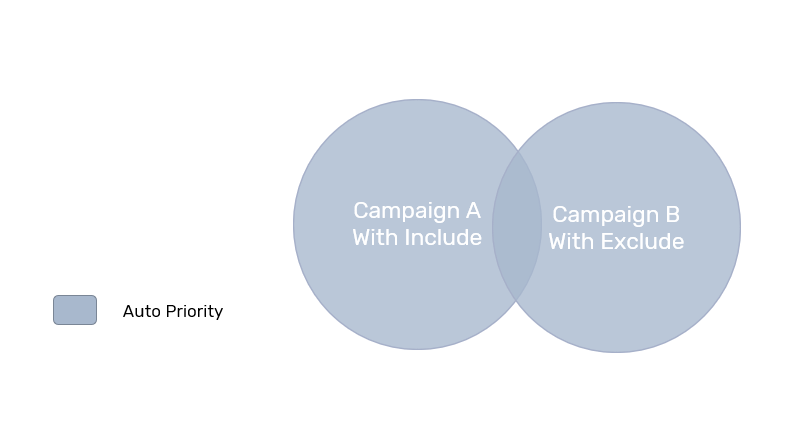 How does Auto Priority come into play? And what happens to customers that overlap between the Target Groups?
- Campaign A is auto-prioritized and has the “include” button selected. All customers in Campaign A will receive this campaign.
- Campaign B is auto-prioritized and has the “exclude” button selected. Customers in campaign B that do not overlap with other Target Groups will receive only campaign B.
- Customers from Campaign B who are also eligible for Campaign A (overlapping) will receive Campaign B and Campaign A.
- To solve the conflict between overlapping auto-prioritized campaigns, the customer allocation process will first allocate customers to campaigns that use the “exclude” option and only then allocate customers to a campaign that uses the “include” option.
- Campaigns that were set with the “include” option will always be delivered to the customers eligible for them, while campaigns with the “exclude” option will only be delivered to customers who are not eligible for higher prioritized campaigns. Since in the above example, Campaign A was set with “include”, all eligible customers will receive it.
- Campaign A is an SMS campaign. Exclusion Type: Include Optimail
- Campaign B is an Optimail campaign. Exclusion Type: Exclude All
- Campaign C is a Push campaign. Exclusion Type: Exclude All
Optimove first prioritizes the campaign each customer should get.
Next, our models will examine the exclusion type of each following campaign in order of prioritization to determine which campaigns the customer is eligible to receive.
Scenario A: The SOJ algorithm determines the following prioritization of campaigns for an individual customer:
- Campaign B
- Campaign A
- Campaign C
Results
- Customer receives Campaign B, as it has the biggest impact on the customers' Future Value
- Optimove examines the exclusion criteria of Campaign A – Customer receives Campaign A as customers that are receiving OptiMail campaigns are still eligible for the campaign.
- Optimove examines the exclusion criteria for Campaign C – Customer will not receive Campaign C as the exclusion criteria for Campaign B is Exclude All.
Scenario B The SOJ algorithm determines the following prioritization of campaigns for an individual customer:
- Campaign A
- Campaign C
- Campaign B
Results
- Customer receives Campaign A
- Customer will not receive Campaign C, as Campaign A excludes customers receiving campaigns across all channels apart from OptiMail
- Customer will not receive Campaign B, as Campaign C excludes all customers
Prioritization between Auto Priority and manually prioritized target groups
- Campaign A is manually prioritized and has “Included in this campaign” selected.
- Campaign B is auto-prioritized and has “Excluded from this campaign” selected.
- Campaign C is auto-prioritized and has “Excluded from this campaign” selected.
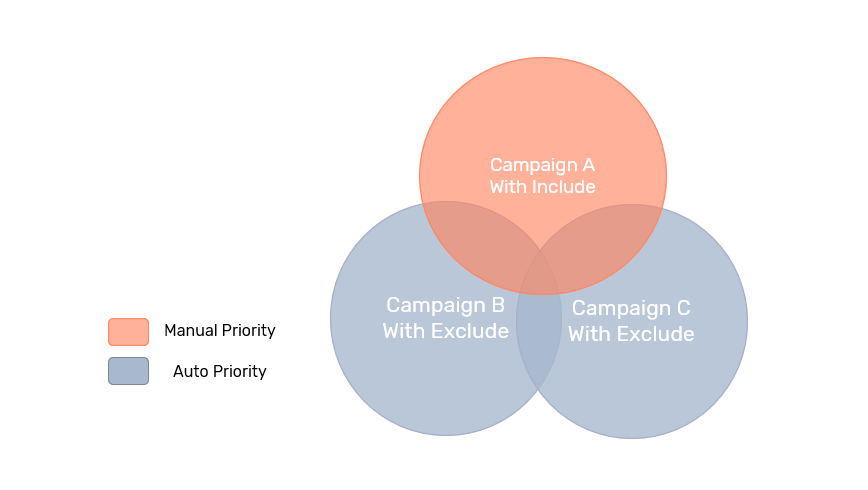
How does Auto Priority come into play? And what happens to customers that overlap between the Target Groups?
- Campaign A is manually prioritized, and the “include” button is checked, so all the customers in Campaign A’s Target Group will be included in the campaign, even those who are “locked” in previous campaigns.
- Campaigns B and C are both auto-prioritized and have the “exclude” button checked. Customers that have been included in Campaign A’s Target Group will not be included in either B or C.
- Customers eligible for both campaigns B and C will get only one of them, since the exclude button is checked. Optimove’s AI Journey Decisioning Agent (formerly Self-Optimizing Journeys) will determine the best campaign for each customer that overlaps between campaigns B and C.
- Customers eligible only for Campaign B (not overlapping with other Target Groups) will receive only campaign B. Customers eligible for Campaign C (not overlapping with other Target Groups) will receive only campaign C.
- Campaign A is manually prioritized and has “Included in this campaign” selected.
- Campaign B is auto-prioritized and has “Excluded from this campaign” selected.
- Campaign C is auto-prioritized and has “Excluded from this campaign” selected.
How does Auto Priority come into play? And what happens to customers that overlap between the Target Groups?
- Campaign A is manually prioritized, and the “include” button is checked, so all the customers in Campaign A’s Target Group will be included in the campaign, even those who are “locked” in previous campaigns.
- Campaigns B and C are both auto-prioritized and have the “exclude” button checked. Customers that have been included in Campaign A’s Target Group will not be included in either B or C.
- Customers eligible for both campaigns B and C will get only one of them, since the exclude button is checked. Optimove’s AI Journey Decisioning Agent will determine the best campaign for each customer that overlaps between campaigns B and C.
- Customers eligible only for Campaign B (not overlapping with other Target Groups) will receive only campaign B. Customers eligible for Campaign C (not overlapping with other Target Groups) will receive only campaign C.
- Campaign A is manually prioritized and has “exclude from this campaign” selected.
- Campaign B is auto-prioritized and has “Include in this campaign” selected.
- Campaign C is manually prioritized and has “Include in this campaign” selected.
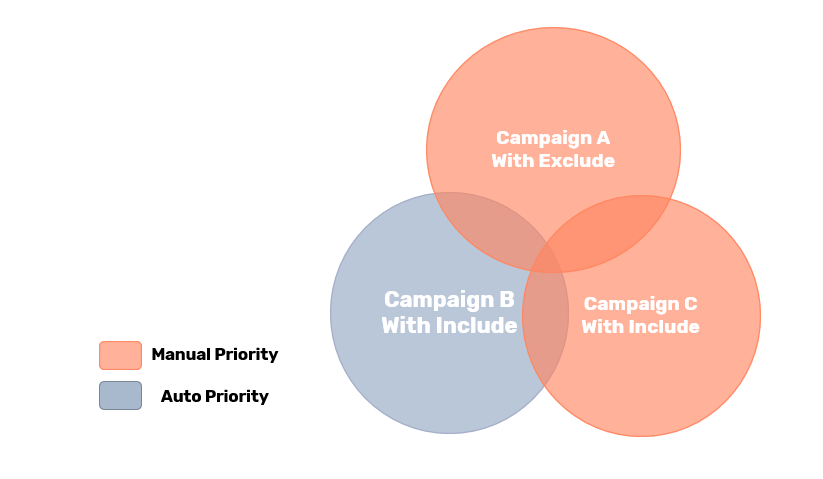
How does Auto Priority come into play? And what happens to customers that overlap between the Target Groups?
- Campaign A is manually prioritized, and the “exclude” button is checked, so all customers in campaign A’s Target Group will be included in the campaign, except for those who are “locked” in previous campaigns.
- Since the “include” button is checked for both campaigns, all customers that are eligible for both campaigns B and C will receive both campaigns. Customers that are eligible for all three campaigns will receive all 3 campaigns.
- Campaign A is manually prioritized as 1st priority and has “Excluded from this campaign” selected.
- Campaign B is manually prioritized as 2nd priority and has “Included in this campaign” selected.
- Campaign C is auto-prioritized and has “Excluded from this campaign” selected.
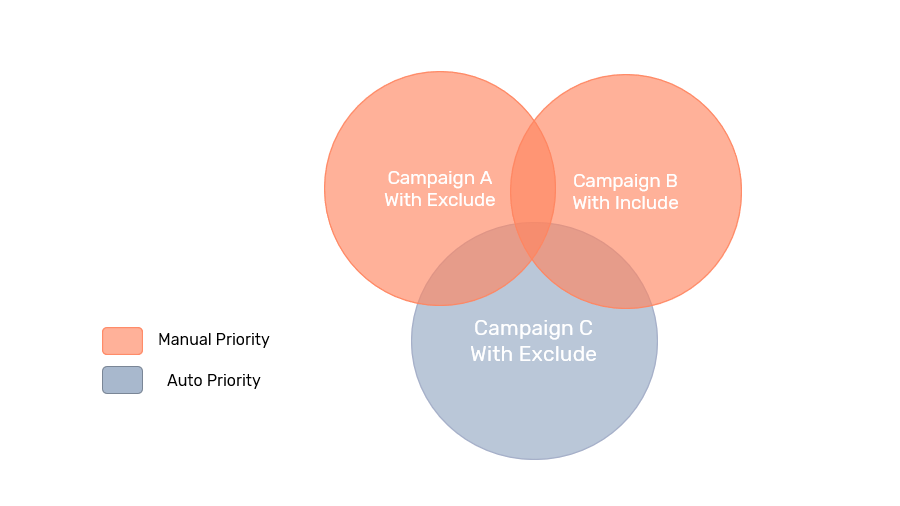
What happens to customers that overlap between the Target Groups?
- Campaign A is the 1st priority, so all of the customers in campaign A’s target group will receive campaign A.
- Campaign B is the 2nd priority, but the “include” button is checked, so overlapping customers will receive campaign B as well as campaign A.
- Campaign C is auto-prioritized, and the “exclude” button is checked, so overlapping customers from A and B’s target groups will be excluded from the campaign.