
- In cases where campaign execution takes a number of days such as campaigns being sent via direct mail.
- For campaigns scheduled to be executed after midnight, before the batch update has been completed.
Please Note: When using Lead Time with Optimail, the limitation is three days.
Lead Time Examples
Campaigns being sent via direct mail
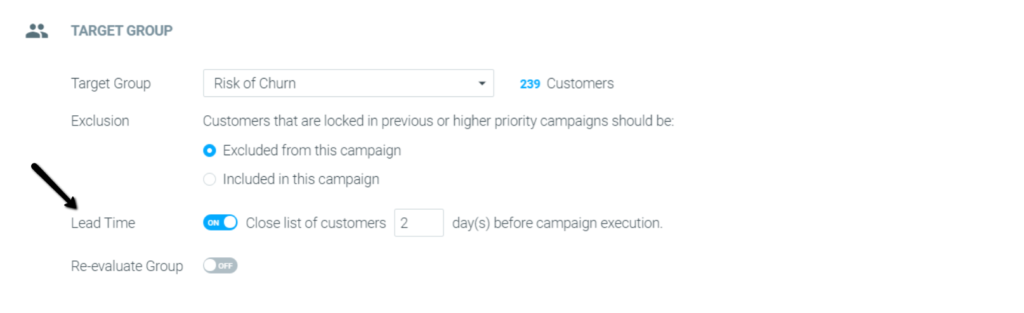
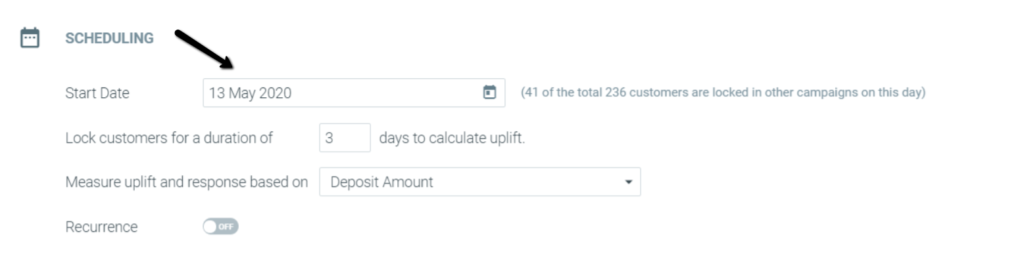
Campaigns executed after midnight before the batch update is completed
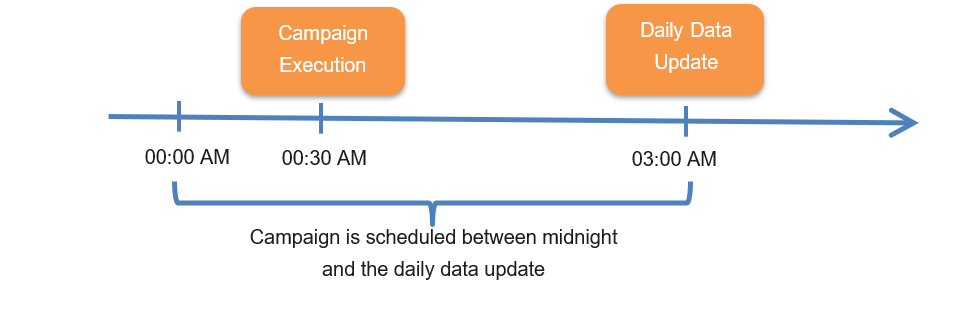
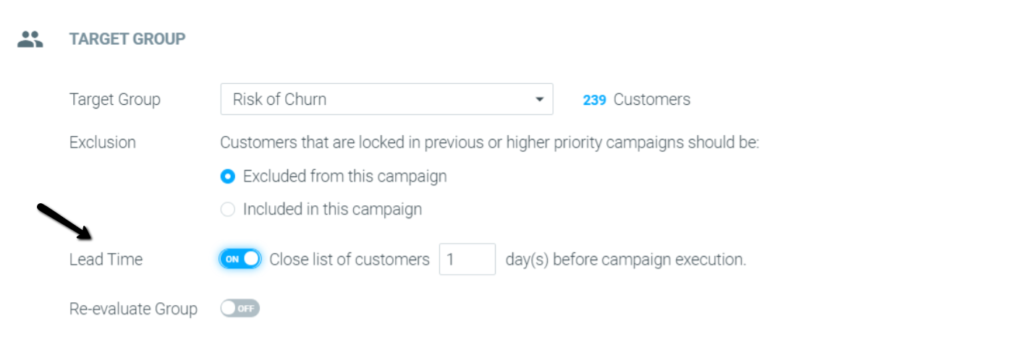
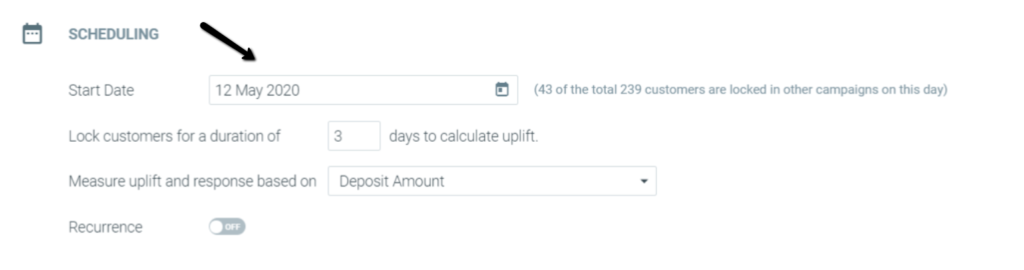 The above setup will result in the target group being calculated on Monday, May 11th, 2020 while the campaign execution takes place on Tuesday, May 12th, 2020, and its measurement continuing for as long as the campaign duration is set (in the above, 3 days).
Lead Time FAQs
How are lead time campaigns taken into account in terms of campaign priority?
What happens if the data batch process did not run on the day before my lead time campaign is scheduled to be executed?
- A campaign for customers at risk of churn was set up with 1 day lead time as seen below:
- The campaign execution was set for Tuesday, May 12th.
- This setup will result in the target group being calculated on Monday, May 11th, 2020.
- If on Monday, May 11th, the batch-data process failed and the campaign execution phase didn't happen, we will not calculate the target group size, and as a result, the lead time campaign scheduled for Tuesday, May 12th will not run.
- If on Sunday, May 10th, the batch-data process failed and the campaign execution phase didn't happen, the campaign will run as long as the batch-data process on Monday, May 11th is completed successfully.
Since this campaign was set with 1 day lead time, if no failures occurred on Monday, May 11th, the target group calculation day, the campaign will be sent as planned.
What should you do in such a case?
If the campaign execution phase did not happen on the day of the target group calculation but the lead time campaign schedule date has arrived, delete the campaign and schedule a new one for today, without lead time.
What happens if the campaign execution phase failed on the lead-time campaign's execution day?
What is the Lead Time Campaign Deletion Behavior?
Lead Time campaigns are useful for preparing campaigns in advance, ensuring they’re ready to go even if there are delays in data processing. However, it's important to know that Lead Time campaigns cannot be deleted on the day they’re scheduled to run.
Why can't Lead Time campaigns be deleted on the execution date?
The system finalizes (locks in) campaign details a few days before they’re sent. This is called the isolation date—it’s the point where the audience and data are prepared.
- For regular campaigns, the isolation date is the same as the execution date, so you can delete them up until they’re sent.
- For Lead Time campaigns, the isolation date happens earlier, which means the campaign is locked in before its execution date.
Once the isolation date has passed, you cannot delete or change the campaign, even if it hasn’t been sent yet.
How to avoid issues with Lead Time campaigns:
- Double-check campaign details early – Make sure templates, audiences, and schedules are correct before the isolation date.
- Plan ahead for changes – If you think you might need to edit or cancel a campaign, do it before the isolation date.
- Use ‘Run Anyways’ carefully – For critical campaigns like Black Friday or Cyber Monday, evaluate whether using the ‘Run Anyways’ option is a better fit to avoid timing issues.