
Please note:
To unlock this capability, you will need to have added DynamicMail to your Optimove package. If you can’t see this feature in your Optimove instance, contact your CSM to find out more.
Entice your users with a surprise element to keep them engaged in your email.
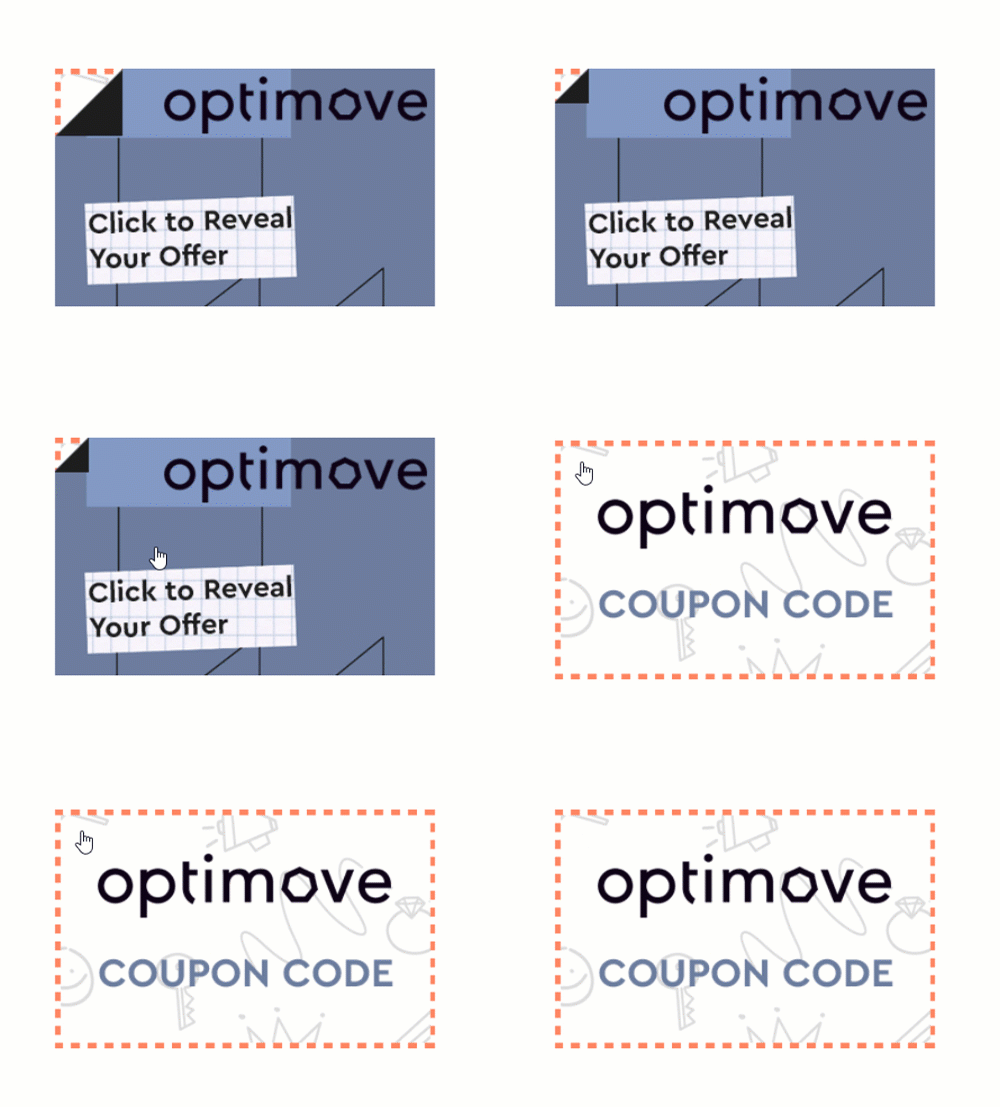
The "Reveal" component lets recipients discover a hidden image, behind another image, to encourage engagement in a unique way.
This component is only available for iOS Native.
Settings Configuration
To set up the “Reveal Coupon” Component:
- Go to “Create Component”.
- Choose “Reveal Coupon”.
- Give your newly-created component a unique name.
- Fill in the rest of the details, including:
- Responsiveness type
Choose "fluid," to stretch the component to fit the width of the screen, or "fixed" to maintain the specified width of the component in all devices. - The top image
- The bottom image
Images can be used once they are uploaded to the File Manager (from your computer or a URL). Please note that images must have the same dimensions. - Click-through link (optional)
- An alternative fallback image
- Responsiveness type
- Click on the "Update Preview" button to update the content in the preview section.
- Click “Generate Code” to generate the embed code.
- Input your email address under “Email Test” to send yourself an email with the component.
Common Use Cases
Use the Reavel Coupon component to promote and encourage the redemption of offers by displaying an image in the email with an engaging "click to reveal coupon" message.
Custom Development
The following scenarios can be supported by our team through Custom Development:
Personalized offer
Content can be personalized for each user based on any data elements provided to the DynamicMail team. Or, we can use different forms of personalization to deliver exciting content, handpicked for each user.
HTML Reveal
Instead of a bottom image, Optimove can create a custom HTML section to be displayed.
Recommendations
It is recommended to add instructions on the top image (or hint to the image below). For example, an animation with a peeling effect in a corner, or a text that states "Click here to view your offer,".
Fallback Behavior
For email clients where the full functionality is not supported, the bottom image is displayed. An alternative fallback can be used instead. For the list of components and their supporting ESPs, click here.