Combining attributes from different selection criteria can help you create powerful and hyper-focused target groups. Below are but a sample of examples of how you can combine selection criteria to target your customers.
Potential VIP Gamified Campaign
You want to target all your high-tier active casino players that are not VIPs with the objective of enticing them to become VIPs. For this, you decide to create a campaign that describes the benefits of joining the VIP club and offers membership to each player that deposits a total of $1000 or more over the next 30 days. Once the 30 days have elapsed you would like to send a campaign to all those who reached the thresholds, welcoming them to the VIP club.
Selection criteria to be used:
- Lifecycle Stage
- Customer Attributes
- Activity History
- Campaign History
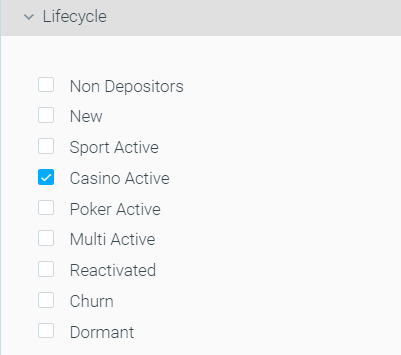
For the first campaign, use the Lifecycle Stage Casino Active to target only players who prefer casinos.
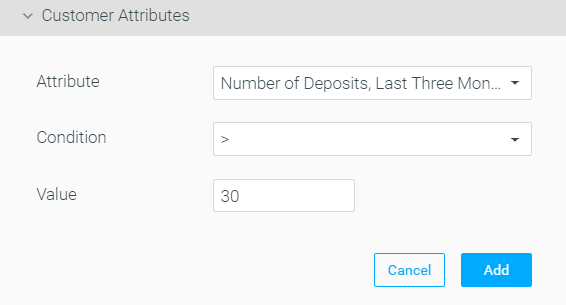
Since you define high-tier active casino players as those who have deposited over 30 times in the past three months, you add that customer attribute as well.
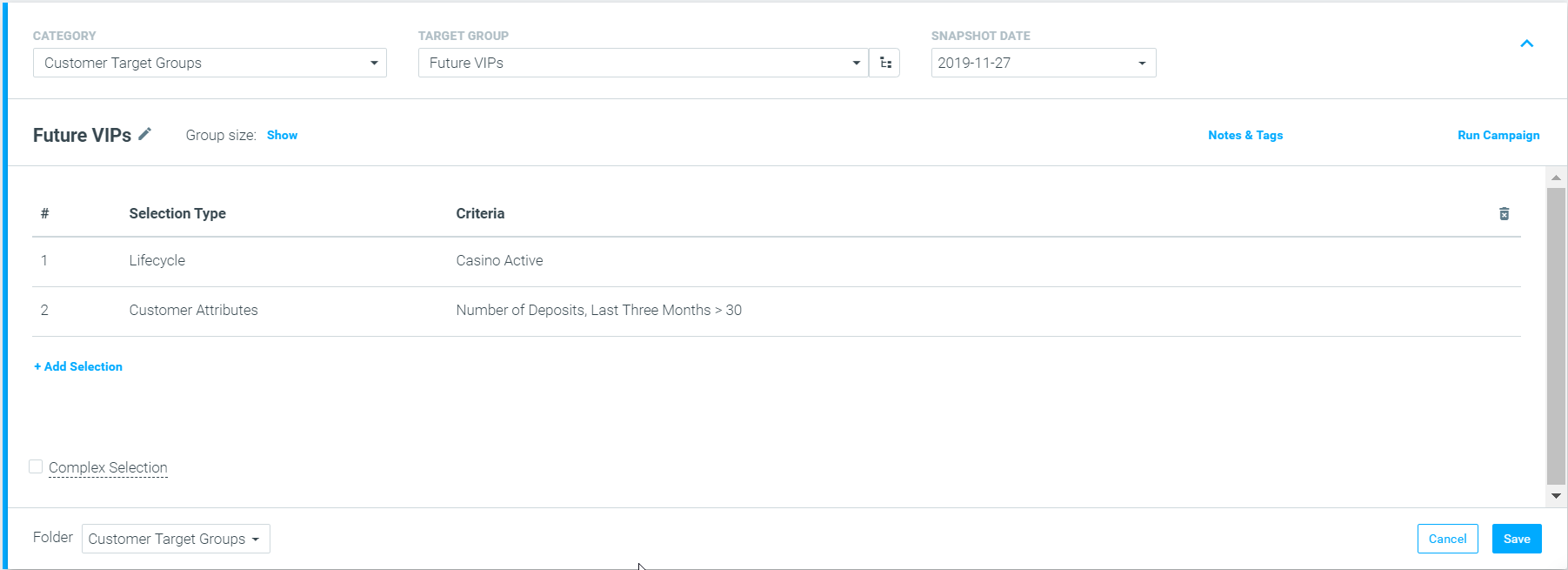
The resulting target would look like the below:
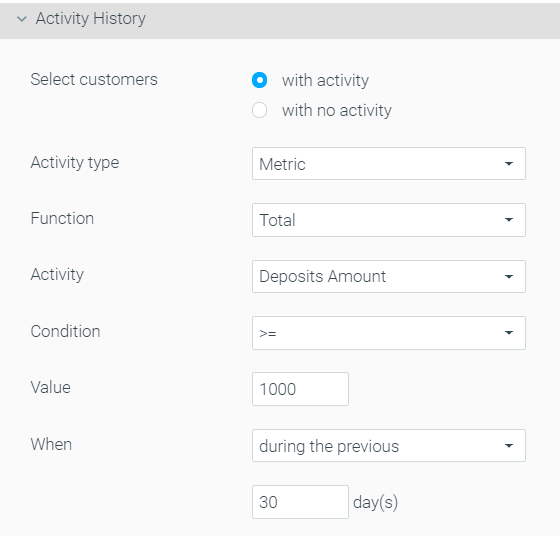
For the second campaign, using the Activity History selection criteria, you can select customers who meet the thresholds of deposits over $1000 in the past 30 days as seen below:
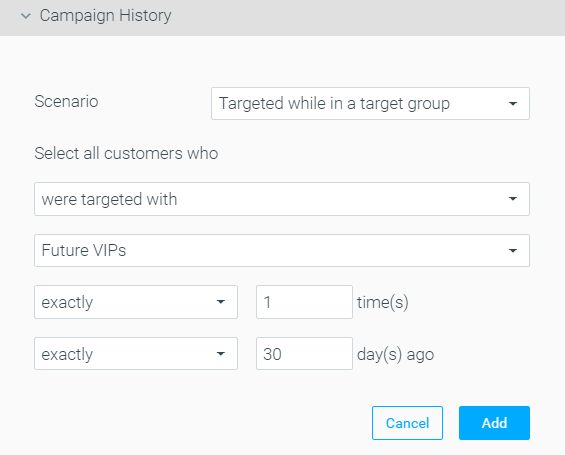
Then, use campaign history in order to ensure that only those who received the original campaign, were sent to the “Future VIPs” target group 30 days ago.
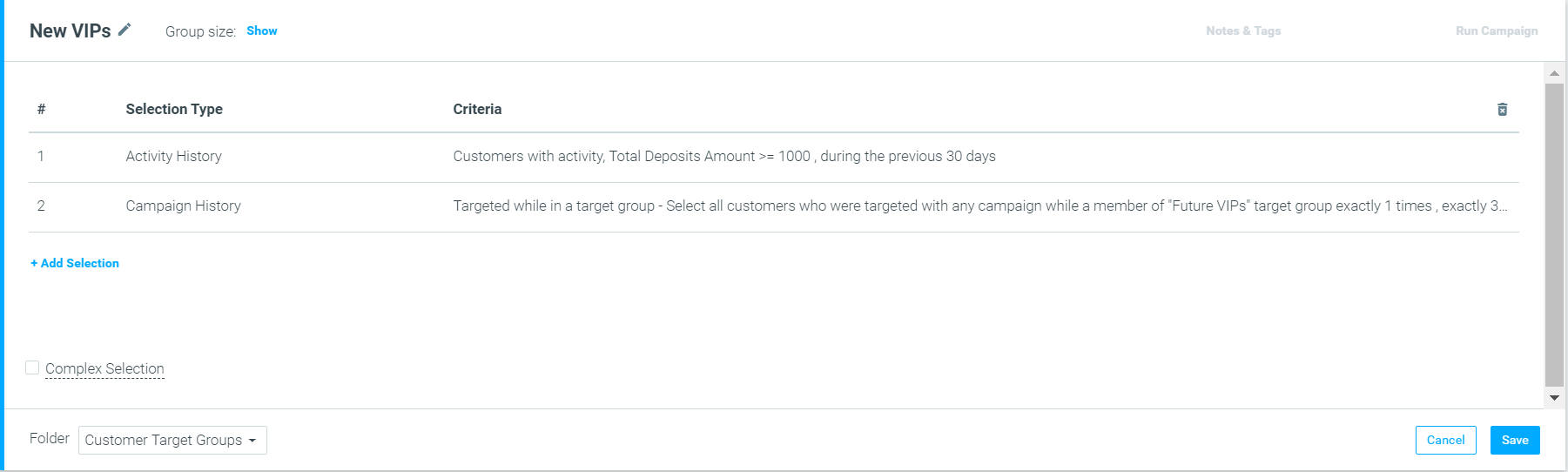
The resulting target group would look like the below:
Flash sale announcement
You are planning an online flash sale for new customers interested in bags. You would like to send campaigns across channels to all your new customers who have viewed bags online but have not purchased from that category over the past two weeks.
Selection criteria to be used:
- Web & App Activity
- Purchase History
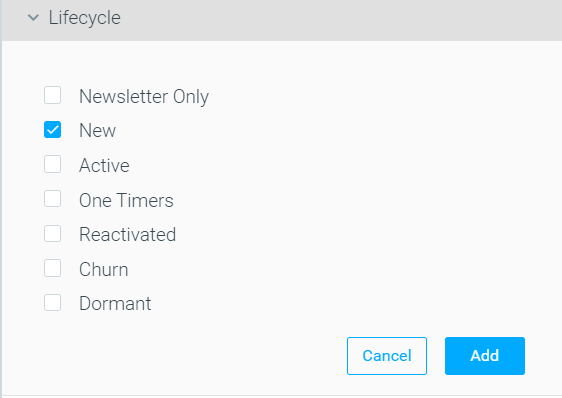
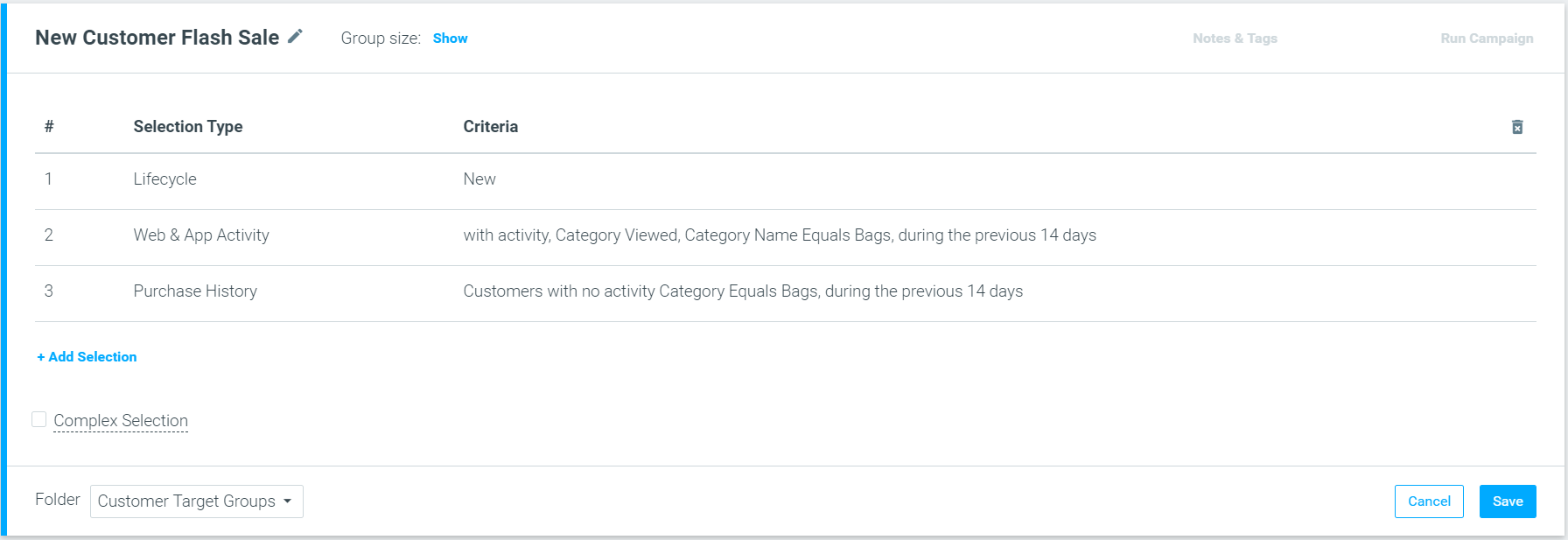
The first thing you should do is use the New Lifecycle Stage to ensure only your new customers receive this offer.
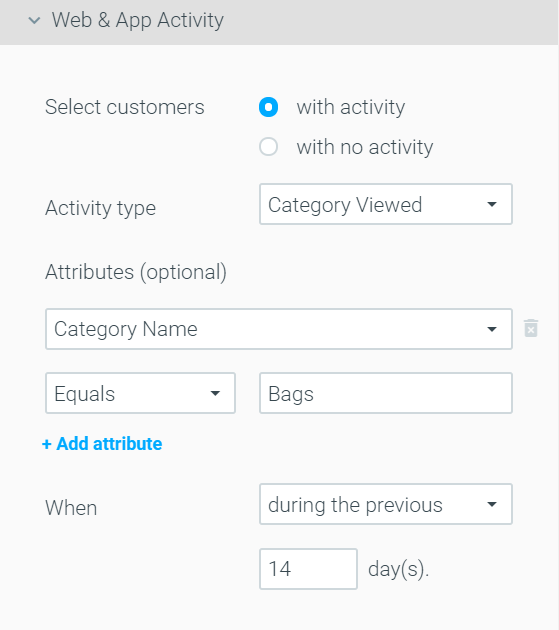
Using Web & App Activity you can segment customers who have, over the past 14 days, visited webpages that fall under the “Bags” category.
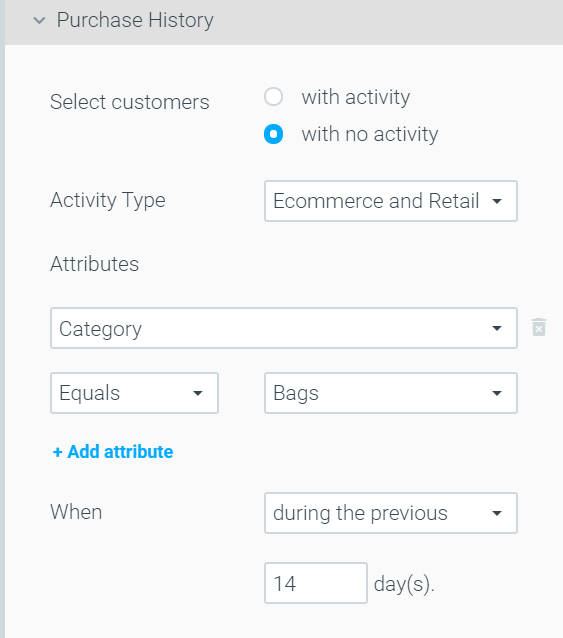
You can then use purchase history to select only customers who have not purchased bags across online and retail stores during the same period, as seen below.
The resulting target group would look like the below:
Reactivation Follow-Up Campaign
You want to create a weekly recurring reactivation campaign offering a buy 1 get 1 free promotion to churned customers who have opened your emails in the past 7 days. However, you want to ensure that customers receiving this campaign have not received a similar promotion over the past month.
Selection criteria to be used:
- Lifecycle Stage
- Engagement Activity
- Campaign History
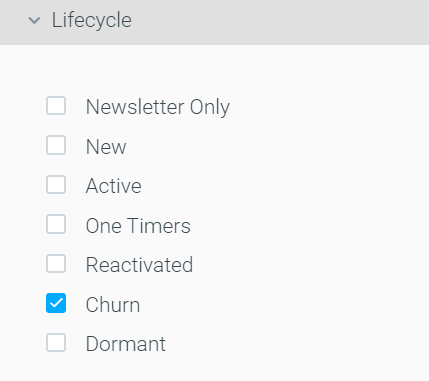
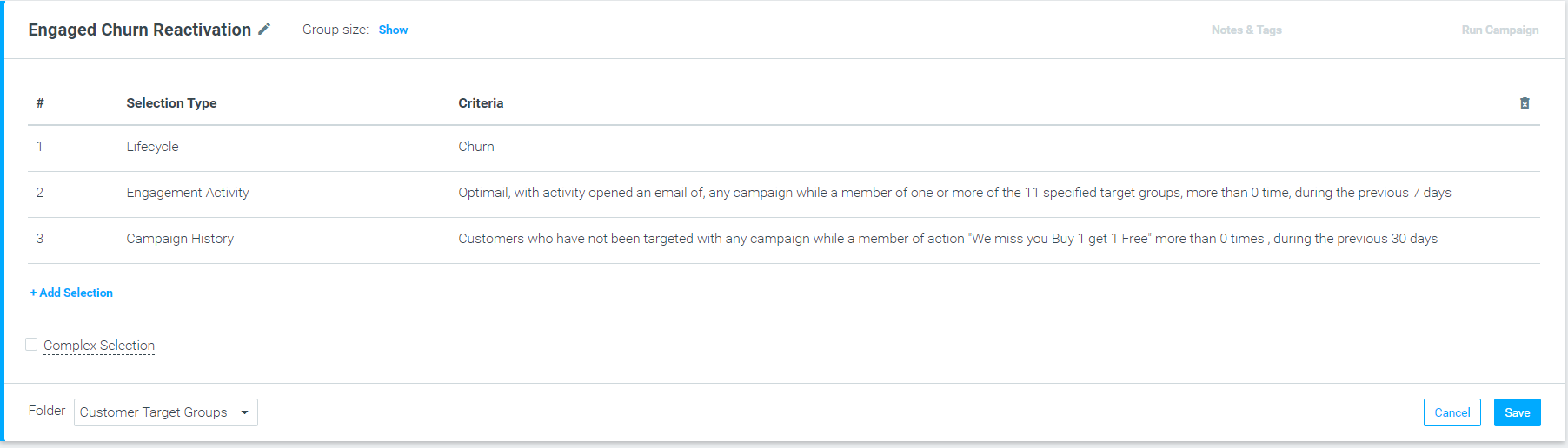
To ensure you only target churned customers you first should use the Lifecycle = Churn criteria.
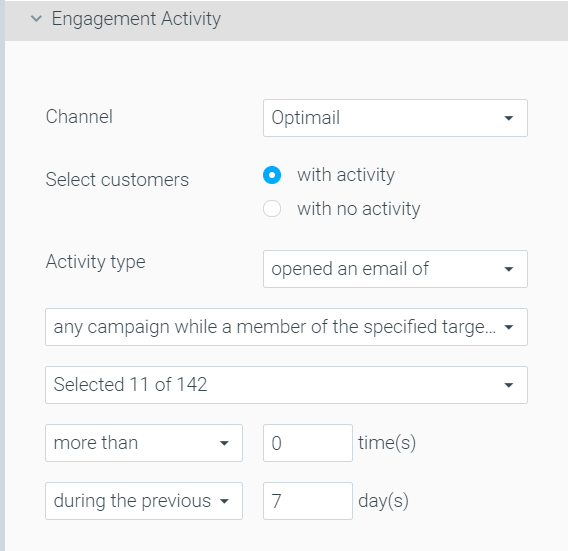
Then, to target only churned customers who opened an email in the past 7 days, use Engagement History as seen below. Note that you should select all the email campaigns sent to churned customers. In this case 11 campaigns.
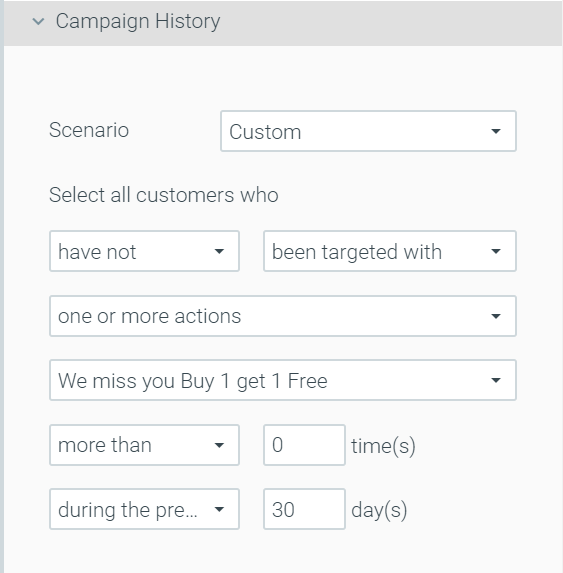
Finally, to ensure customers who receive this new email have not received the buy 1 get 1 free promotion over the past 30 days, use Campaign History as seen below:
The resulting target group would look like the below: