Delayed Pop-up Campaigns in Track & Trigger
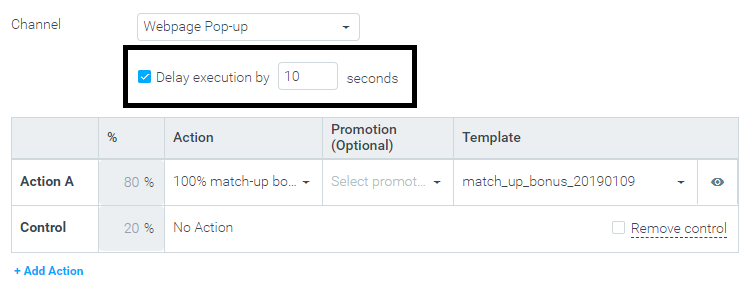
You can now configure triggered webpage pop-up campaigns to be executed following a certain pre-configured delay. For example, you can choose to have the pop-up appear 10 seconds after the user’s actions activate the trigger.
This is especially useful when configuring pop-ups to appear after a page load event – a slightly delayed pop-up is less intrusive than one that appears immediately when the page loads.
A delay of 1-300 seconds can be specified for each triggered pop-up campaign.
Triggered pop-ups are available when using Optimove’s Track & Trigger add-on product – learn more in
Track & Trigger Use Cases or contact your CSM for more information.
New Optibot Insight: Conversion Benchmark (Gaming)
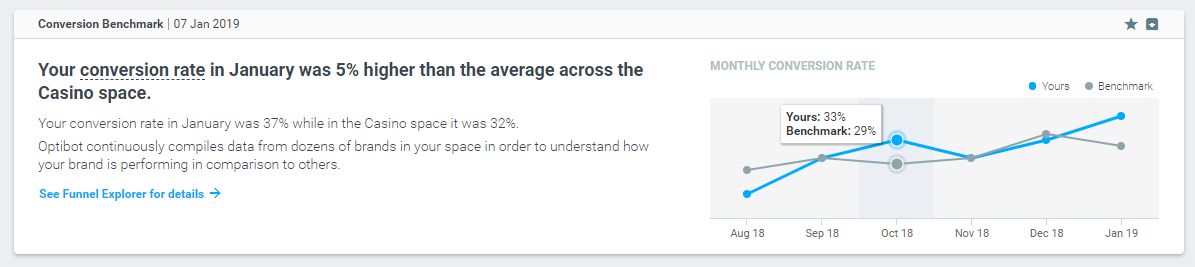
Optibot continuously analyzes the performance of dozens of brands in the gaming space to obtain a deep understanding of how they are performing in terms of conversion.
Once a month, a new Optibot insight will highlight the performance of your brand as compared with other brands in your space, allowing you to compare your conversion performance to other brands in your industry.
Improved Uplift Measurement for Triggered Campaigns
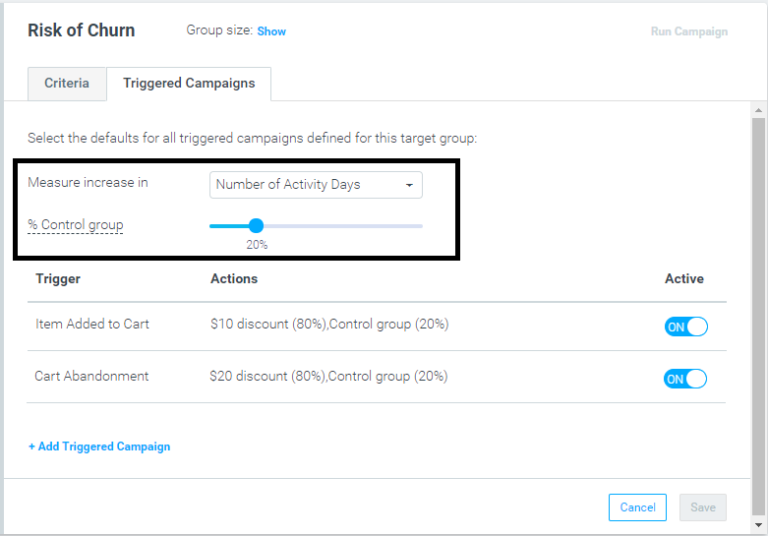
When running multiple simultaneous triggered campaigns for a target group, Optimove now maintains a single control group across all the triggered campaigns. In other words, the entire set of concurrent triggered campaigns is considered a single marketing treatment for that target group. Using a single test/control ratio for all of a target group’s triggered campaigns ensures that the measured uplift generated by this set of campaigns is always attributed to the correct group (test or control).
Once an individual customer’s activity activates any of the triggers defined for the target group, that customer is assigned to the test group or control group and will remain there so long as the customer is still part of the target group and the triggered campaigns continue to run (or until 30 days have elapsed).
The Triggered Campaigns panel reflects this change by allowing you to select the “increase in” KPI and control group percentage per target group, as seen here (until now, these were selected per trigger/action):
Support for Unity Apps in the Optimove Mobile SDK
|| Support for Unity has been deprecated as of the 29th of March 2020.
Unity is a cross-platform mobile development platform, most often used for mobile games. Optimove’s mobile SDK is now available for iOS/Android mobile apps developed using the Unity platform. You can use the Unity SDK to track user activity in mobile apps, trigger real-time campaigns and execute mobile push campaigns using Optipush, Optimove’s native mobile push messaging channel.