
The Optimail Preference Center
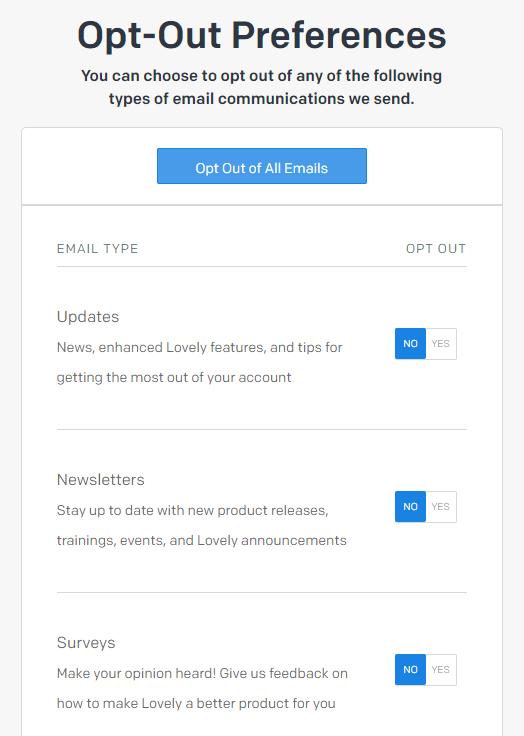
The Optimail Preference Center allows your customers to easily choose which types of email communications they receive from you, and to update those choices at any time. Providing customers with this flexibility helps you maintain a healthy communication cadence with your customers. And, because they can selectively opt in or out of different types of emails (as opposed to clicking a blanket unsubscribe link), the chances are better that you will still have permission to keep in touch with your customers via certain types of emails.
Conditional Clauses for Triggered Optimail Campaigns
Conditional clauses are now supported for triggered campaigns sent via Optimail, just as they have been for scheduled Optimail campaigns. You can use conditional clauses to customize email text, images, and subject lines in Optimail templates, based on any customer attribute/activity, using if/then and if/then/else clauses.
Tracked Event Values Now Available for Triggers and Target Group Criteria
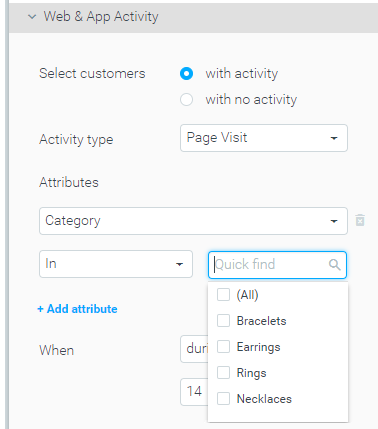
All parameter values provided with tracked website/app events are now automatically available for selection when building triggers or selecting Web & App Activity target group criteria.
New Optibot Insight: Reactivate Recently Re-Engaged Customers
A new Optibot insight now identifies churned customers who visited your website or your mobile app during the past week and suggests ways to re-engage them through a new campaign.

Two E-Commerce Verticals Added to the Optibot Conversion Benchmark Insight
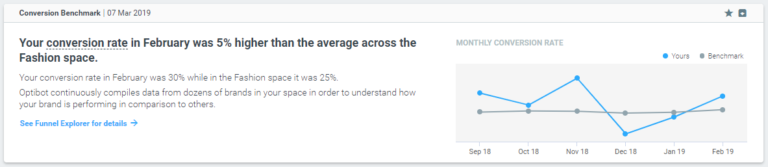
Optibot continuously analyzes data from dozens of brands to obtain a deep understanding of their conversion performance. Until now, only brands from the Gaming space were included. In this version, Optibot also tracks brands in the Fashion Health & Beauty e-commerce categories.
Streams Analysis Improvements
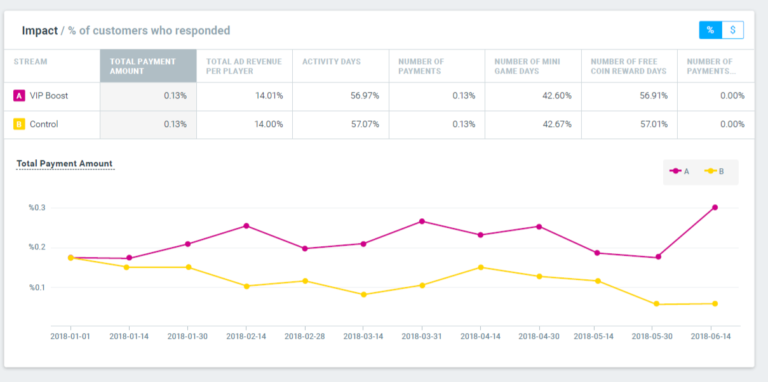
In the Streams Analysis page, you can now see the impact of your experiment in two different terms: average response of responding customers and percent of responders.
Optimail Personalization Tags – Support for Future Dates
The group of date-based personalization tags now supports a new option to specify a date in the future, using a combination of the [%CURRENT_DATE%] tag plus a function that adds X days to the current date at the time the email is sent.
New API Option to all Control Group Members per Campaign
The API function GetCustomerExecutionDetailsByCampaign has a new option enabling the extraction of all customers in the control group for a specific campaign. See this function’s documentation for details.
Retroactive Uplift Calculation for New Campaign KPIs
You can now add new “increase in” KPIs to the list of available campaign analysis metrics, providing you with additional ways to analyze the performance of your marketing plan. Once a new KPI is added, all existing campaigns that have run in the past 30 days will be retroactively analyzed using the new KPI. To add KPIs to your Optimove instance, contact your CSM.