
Percentage Values for Customer Attributes
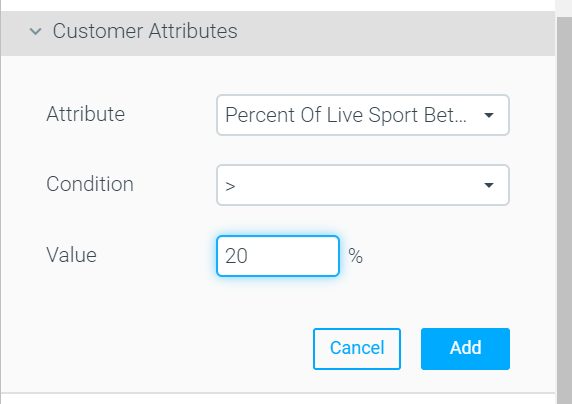
The Value fields for all percentage/ratio customer attributes in the Manage Target Group area are now percentage figures, instead of decimal figures (e.g., 20% instead of 0.2), making it easier to use.
Optipush
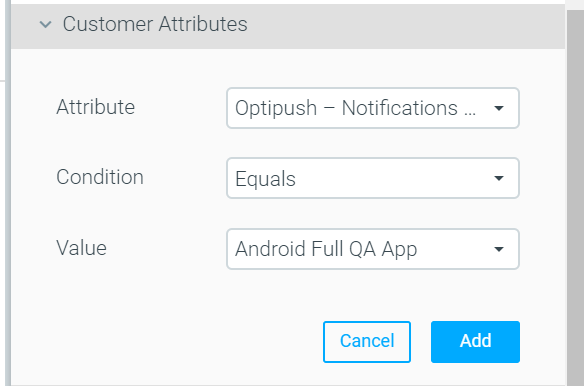
Apps with Notifications Enabled
Optipush users can now target/analyze customers based on the app(s) they have enabled to receive push notifications. The values for this attribute include the app names for which the customer may have allowed notifications. This should be used when defining target groups for push notification campaigns, to show an accurate group size.
Copy & Paste Self-Optimized Campaigns
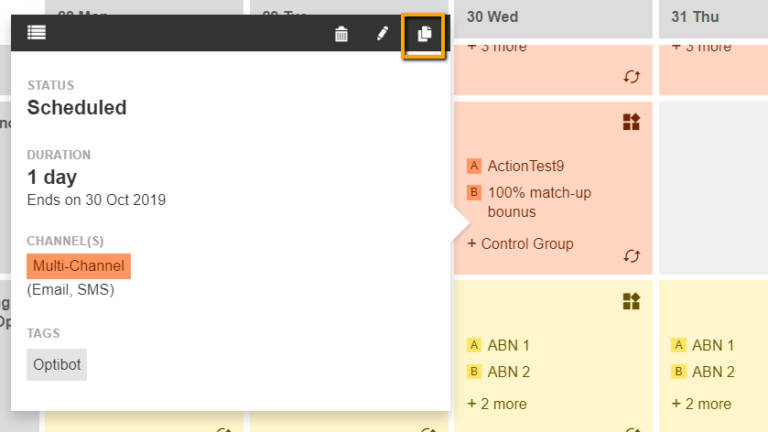
You can now copy and paste Self-Optimized Campaigns in the Marketing Plan, just like any other campaign.
Manage Target Groups – New Optitree
The new tree, while maintaining the same functionality, loads the data within it in a more dynamic way. Resulting, for some clients, in a 95% improvement in page and data loading times.
New Optibot Insight: Keep a Winning Stream
Drop the losing stream with a single click, so that all customers will receive the winning strategy moving forward.
Optimail
Seed List
- You can now attach one or more seed list/s to your Optimail campaigns.
- A seed list is a list of email addresses. This list can optionally be attached to a campaign. The moment the campaign is sent, all the email addresses on the list will receive a copy of the campaign’s content.
- You can use seed lists to track delivery times, to review the delivered message on various email platforms or simply to keep co-workers in the loop.
- Important NotesAny deliverability metrics that are correlated with these email addresses are excluded from campaign analysis results.
If the template, that is sent to these email addresses, contains personalization tags / conditional language, they will be populated with data of a random customer from within the target group. - For more information on how to configure seed lists in your site, contact your CSM.