
Track & Trigger Events Now Support Up to 50 Parameters
You can now configure Track & Trigger events with up to 50 parameters, allowing for more data to be appended to each event tracked by Optimove.
Parameters appended to events can be used to personalize the triggered campaigns executed via Track & Trigger, or used later to create new customer segments based on this data. For example, you can append details on the specific products that customers abandoned in their shopping carts, and include those details in an email sent a few hours after the cart-abandonment trigger. You can use the product details to target customers who abandoned specific products or types of products.
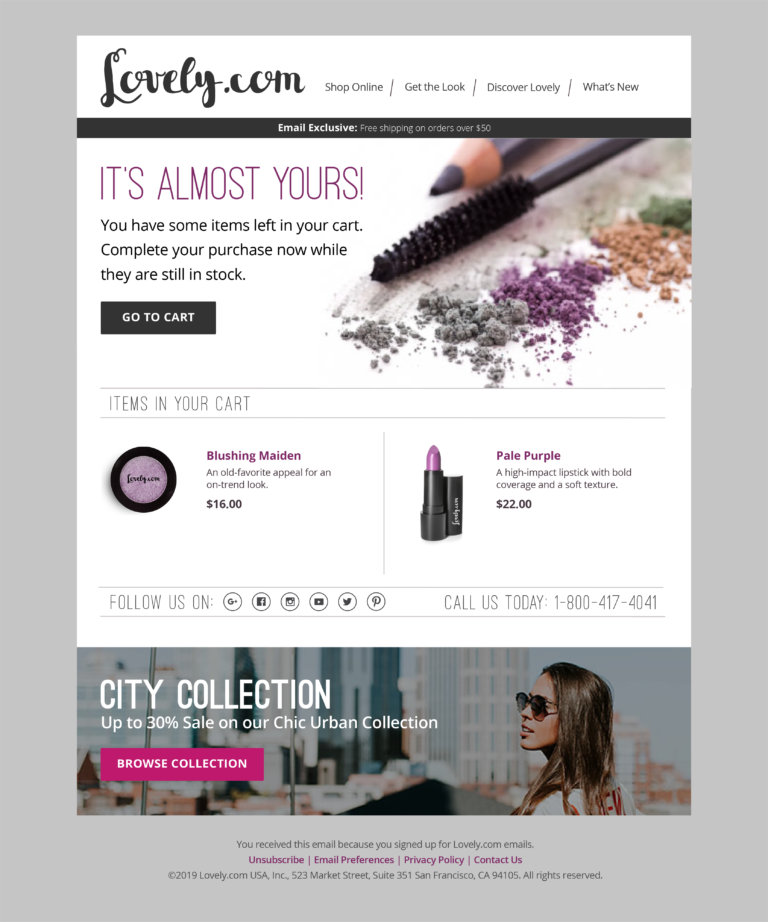
Learn more about Track & Trigger usage scenarios here or contact your CSM for more information.
Schedule Optimail Campaigns for Visitors
You can now use Optimail to send scheduled email campaigns to visitor groups.
In the campaign wizard for visitor campaigns, you will see a new option, "Retargeting via email", where you can configure a scheduled campaign for all visitors who provided their email addresses.
For example, you can build a scheduled campaign for all visitors who left items in their shopping cart, offering them an incentive to return to the store and complete their purchase.
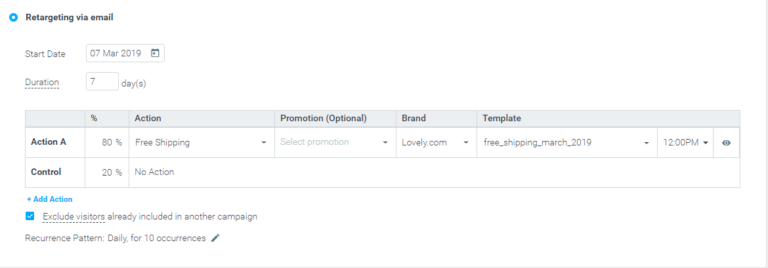
The template list will include all templates of type "Scheduled Campaigns" which do not include any Customer Data personalization tags.
As an email address is not available for all visitors, but only for those who provided it at some point during their journey, it is recommended to use the Email attribute as a target group condition. This will ensure that your target group is populated exclusively with visitors with a known email address, allowing accurate campaign performance analysis.
This new capability is available to Optimove clients using both Track & Trigger and Optimail.
Triggered Campaigns Included in Campaign History Conditions
Target group conditions of type Campaign History now also include triggered campaigns, in addition to existing support for scheduled campaigns.
You can use Campaign History conditions to build target groups of those customers who were targeted with a certain triggered campaign, to define follow-up campaigns for that group. For example, all customers who received a cart abandonment campaign two days prior (and have not completed a purchase since) can be targeted to receive a follow-up email campaign, with an extra reminder to complete their purchase.
New Edit and Delete Options for Streams
The following new functionality was added to Streams experiments:
- You can now edit the date range of scheduled experiments.
- You can now edit the end date of a running experiment.
- You can now delete a scheduled experiment in its entirety before its execution has begun.