Customer Explorer
View Trend
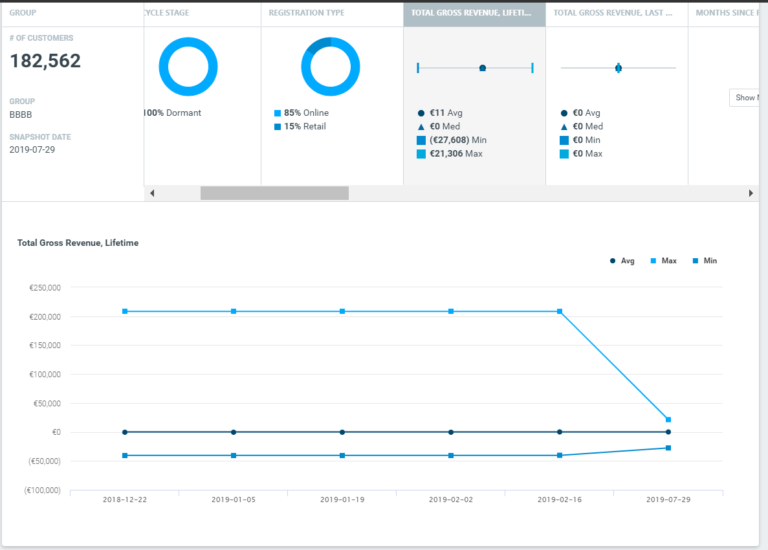
There is a new option to view a metric’s trend over time. This makes it easy to compare how a particular metric compares for the current group of customers versus a similar historical customer group.
Historical Snapshots
Previously, selecting historical snapshots was not available when exploring a target group using Activity, Campaign, and Purchase history conditions. This limitation has been removed, making it easy, for example, to compare groups of customers who purchased a specific product this month to a similar group who purchased it at any time in the past.
Optimail
New Deliverability Report
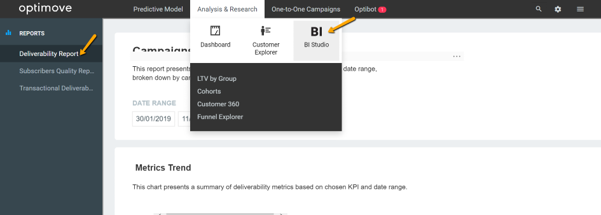
Optimail users can now track and analyze deliverability performance for a selected timeframe, whether for a single campaign or for the entire marketing plan. This new report can be found in the BI Studio section of the Analysis & Research tab.
|| Note: this BI report is open to all Optimail customers.
Optibot
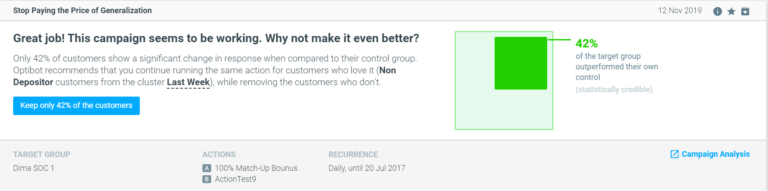
New Optibot Insight: Stop Paying the Price of Generalization
Analyzing a campaign’s performance based only on average figures can be misleading. As customers respond differently to each marketing action, even actions that win, overall, might not be relevant for specific customer sub-segments. Optibot now analyzes campaign performance for numerous recipient sub-segments, looking for results that are statistically credible for individual sub-groups.
- Easily convert a campaign without statistically credible results into one that is statistically credible.
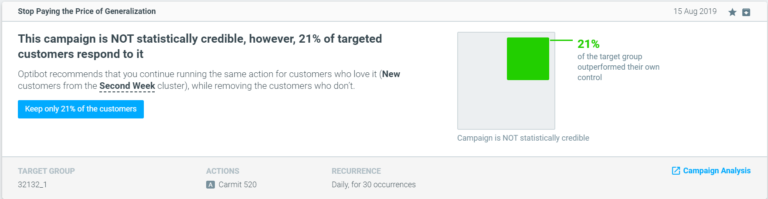
- Improve the performance of a statistically credible campaign.
Inclusion of Triggered Campaigns
Optimove’s AI-powered marketing bot now surfaces insights and makes recommendations also for your triggered campaigns, helping you optimize these campaigns.
Optipush
Improved Validation of Deep Links
When Optipush validates templates, it now also checks any personalization tags within deep links.
Manage Templates – Quick Find For Personalization Tags
You can now search, quickly find and use the personalization tags you have available.
Optitree New Functionalities
The Optitree is the hierarchical folder structure found on the left side of the management target groups, templates, and actions pages.
- Resize – You can now change the ratio between the left and right panes, allowing for increased visibility and easier management. Note: Currently not available for the Optimail channel within the Manage Templates page.
- Right-Click Menu – You can now perform actions such as add/rename/delete through a new right-click menu.
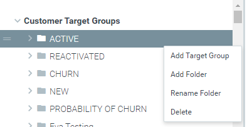
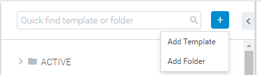
- External Button – You can now use the external button to either create a folder or create a new target group/template/action.