Track & Trigger
The New Triggered Campaign Builder
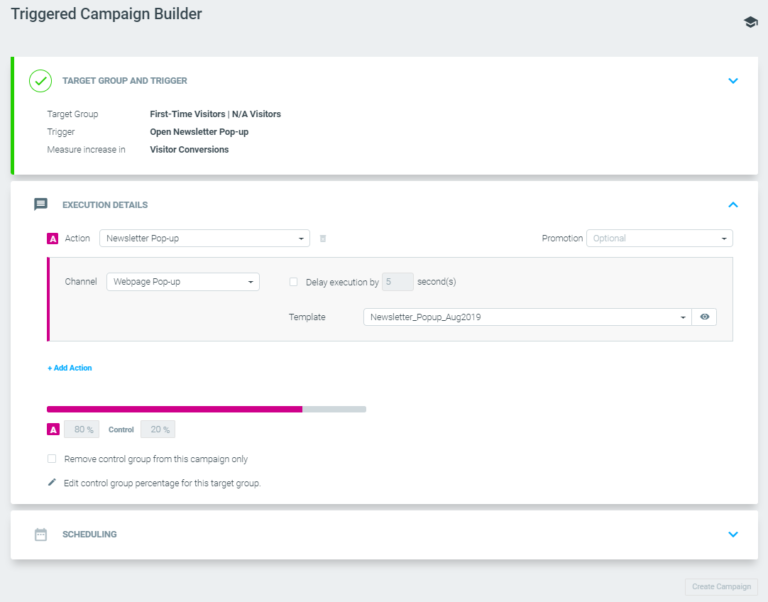
The new builder allows for a faster and easier triggered campaign-building experience. It provides a clearer and more user-friendly UI, along with visibility into the status and errors at each stage of the campaign-building process.
Unlimited Timer for Triggers
Using Track & Trigger, you are no longer constrained to a maximum of 180 minutes to trigger uncompleted sequence (e.g. abandoned cart) campaigns. You can leverage this capability to:
- Trigger follow-up campaigns to previously executed ones with relative times, such as exactly 24 hours later, and not generic “next day” campaigns
- Trigger campaigns that include details such as item names, pictures, and prices the day after the event. This type of personalization granularity can not be achieved via scheduled campaigns
Trigger Support of Value Ranges
You can now trigger events based on ranges of values for attributes, instead of based on exact values only. For example, players whose wallet drops to between $50 & $100 or customers who added an item to their cart for a value greater than $100.
"From Name" Personalization
You can now Personalize the form name that your customers will see when receiving an email from you. For example, should you have a [%Brand%] tag, when using it in the from name field, each of your customers will see the email as if it came from the brand assigned to him.
Conditional Language Expansion (15×15)
You will now be able to apply 15 conditional clauses and 15 conditional sub-clauses when building Optimail templates. This is an expansion on the existing 10×10 conditional clauses capability.
Optional [TEST] prefix
You will now have the option to remove the [TEST] prefix when sending test emails through the manage templates page.
Visual Editor – Custom Rows
You can now create a row, populate it with content, save it, and reuse it across multiple templates (e.g. header/footer).
Visual Editor – Default Rows
You will now be able to use pre-built rows, which are based on email best practices, within your templates.
Streams
Analysis result re-design
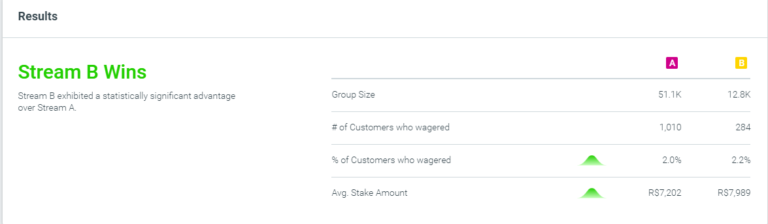
Additional information is given while analyzing monetary KPI experiments.
Inclusion of triggered campaigns
Discover the most effective combination of triggered and prescheduled campaigns as well as whether a series of triggered campaigns or one of the prescheduled campaigns performs better for a given goal.
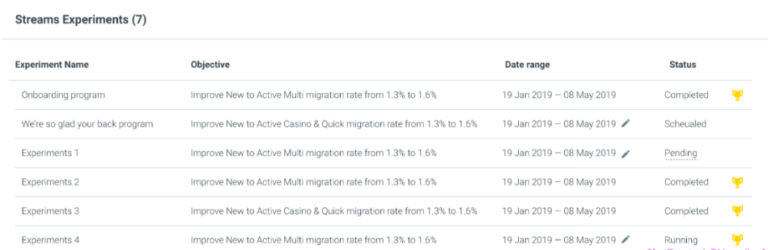
Stream winner indication on Manage Streams
Get results much more quickly straight from the Manage Streams page, instead of reviewing each experiment one by one.
Optibot
Potential Increase
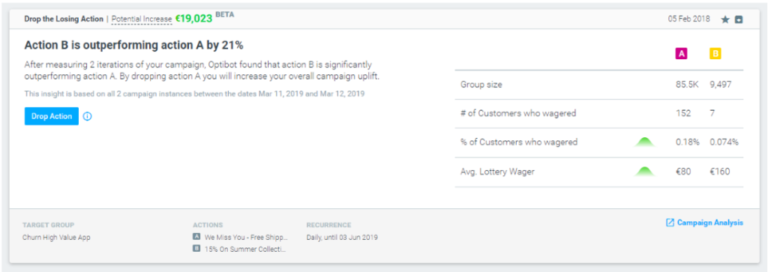
The Potential Increase allows clear visibility of the predicted monetary increase taking the recommended action will provide. Further, evaluating and prioritizing insights turn easier by knowing which one is more valuable.
|| Initially, the Potential Increase metric will be only available for the “Drop the Losing Action” and “Focus on Best Responders” cards.
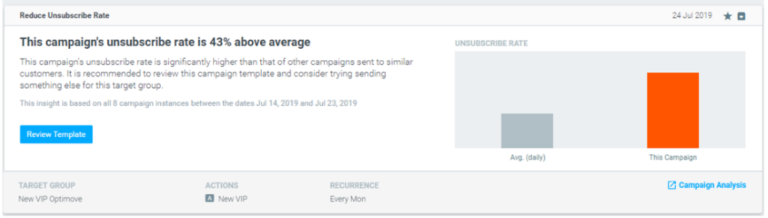
New Optibot Card – Reduce Unsubscribe Rate
Optimail users are now alerted of campaigns that lead to higher unsubscribe rates than average for a given customer lifecycle stage. With one click, you will be redirected to the relevant template to begin reviewing and updating the email in question.
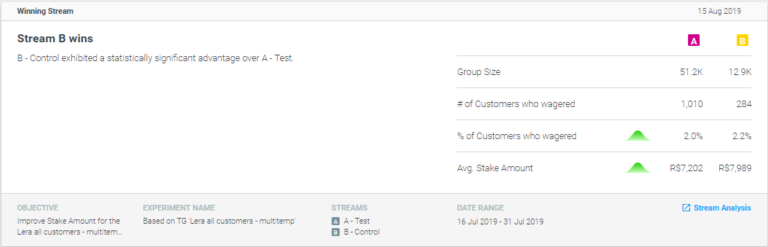
New Optibot Card – Winning Stream
Surfacing experiments with a significant winner.
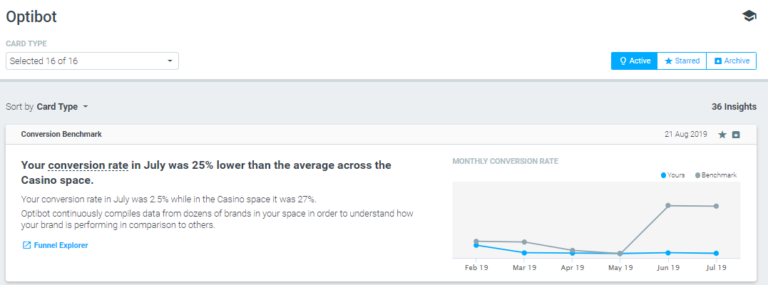
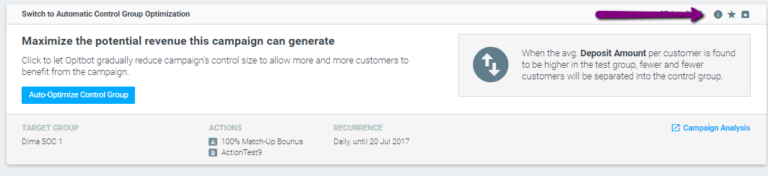
Optibot facelift
- 3 main tabs – Active, Starred, Archive
- Sort by dropdown
- Indication for the number of insights in the feed
- Related links for further analysis are now found at the bottom of every insight
Optipush
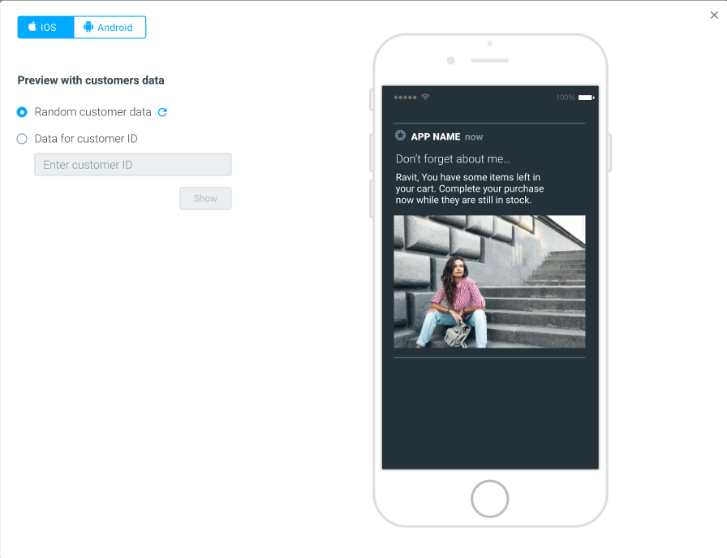
Add rich media within Optipush notifications
Including rich media within notifications enables you to communicate with your app users in a more creative and interactive way by adding images.
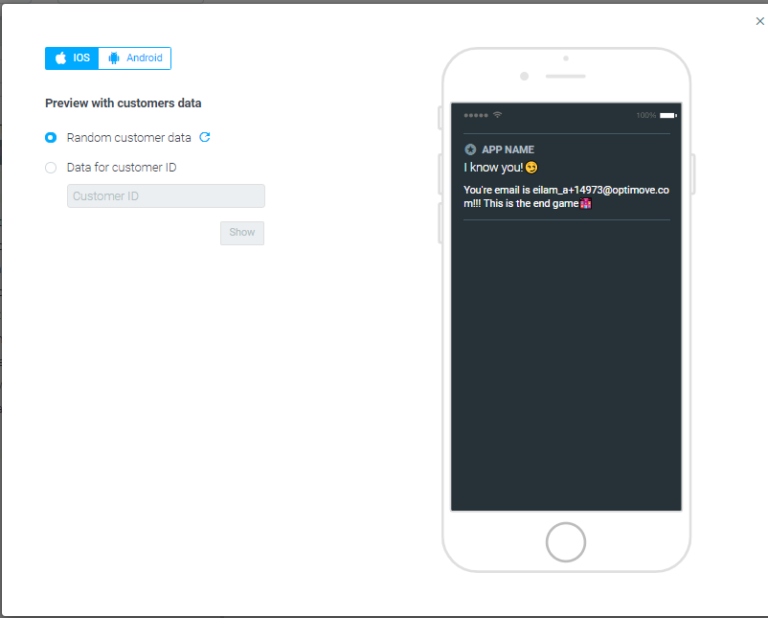
Preview and Test Push with Personalization Data
In the Manage Templates page, the template preview and send test options now include customer personalization data, either from a specific customer or random data. Any personalization tag or conditional clause included in the template will be rendered using the data available for the selected customer, and the result is a sample version of the template, as that specific recipient will see it.
You Asked We Listened
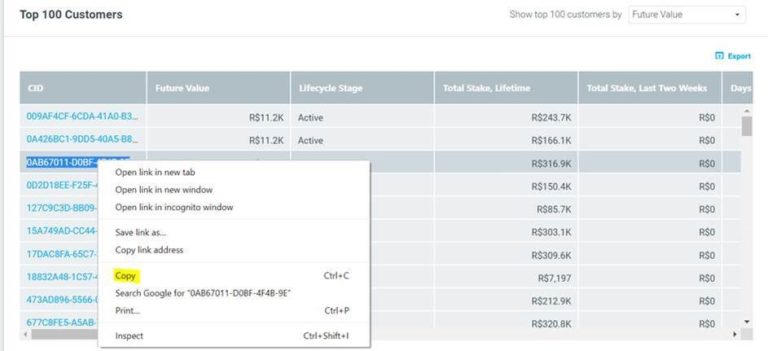
- You can now copy a cell value in the Customer Explorer by right-clicking on it.
- Easier insight discovery and faster analysis are now possible, as each drill-down activity opens in a new browser tab. For example, while reviewing your marketing plan, you can open a campaign analysis in a new tab and keep the marketing plan open in the first tab.
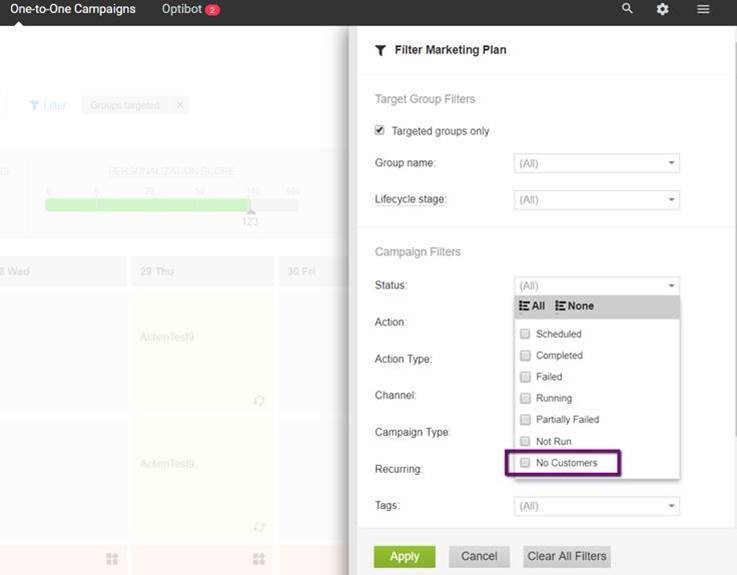
- You can now filter your Marketing Plandisplay to show or hide campaigns that had no customers matching the target group criteria at their execution time.
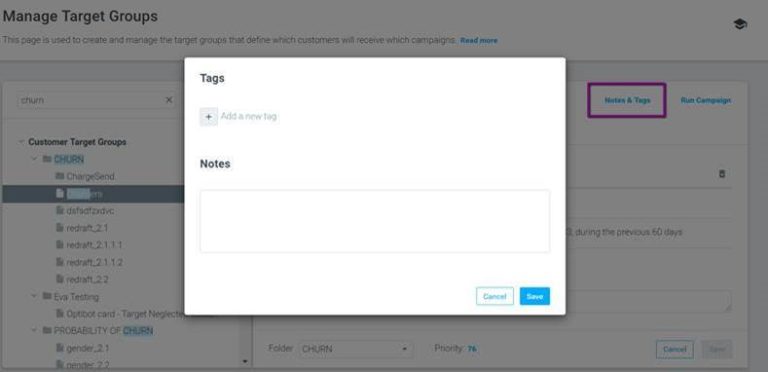
- You can add notes and/or tags for target groups (not just campaigns) and then easily filter your marketing plan using these tags.
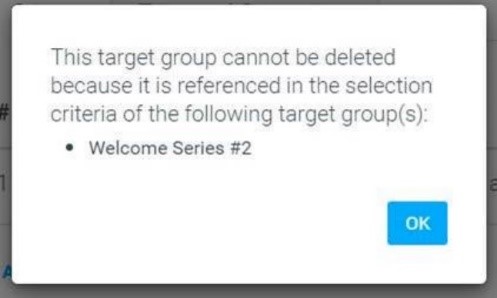
- When trying to delete or archive a target group currently targeted by one or more campaigns, dependencies are displayed for easy identification.
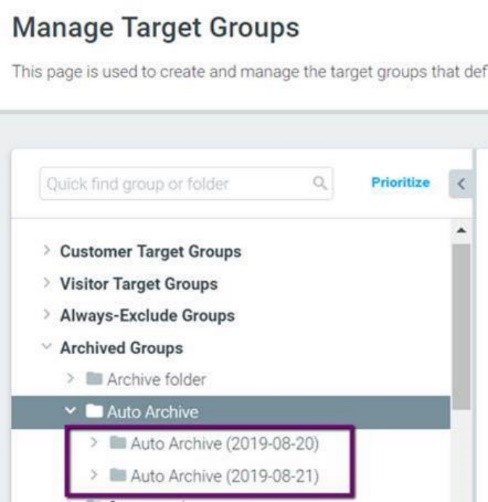
- Target group management has become easier, as the auto-archive process now archives target groups into sub-folders with dates.
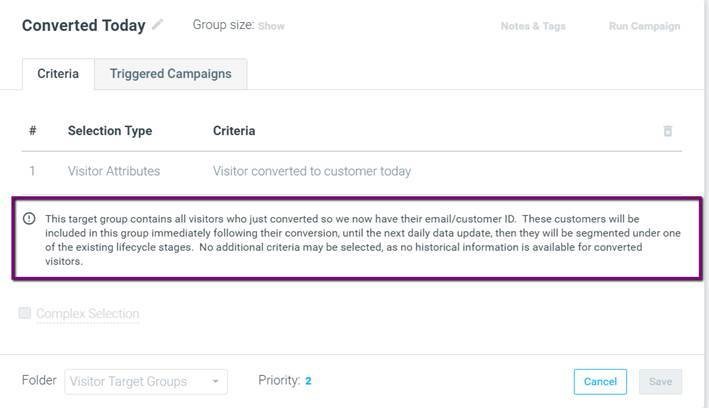
- Gain a better understanding of how to use pre-defined Visitor groups with new, highly detailed group descriptions.
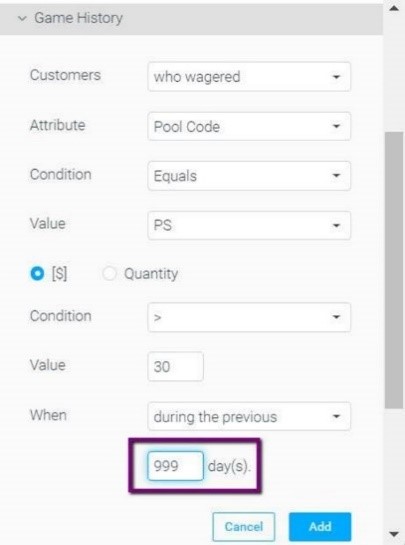
- If available, target group Game/Product history selection criteria can now look back at more than 2 years (730 days) of historical user activity data.