Visual Stream Builder
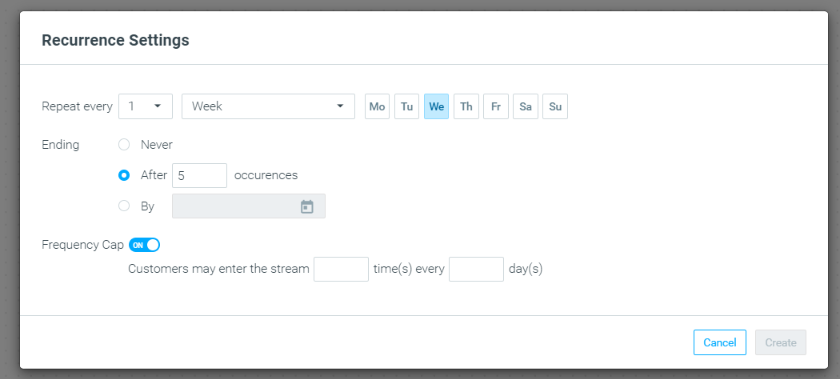
Define Frequency Cap
With the new Frequency Cap setting, you can limit the number of times a customer can enter a stream. Once defined, a relevant Campaign History criterion will be added to the stream's target group.
Optipush
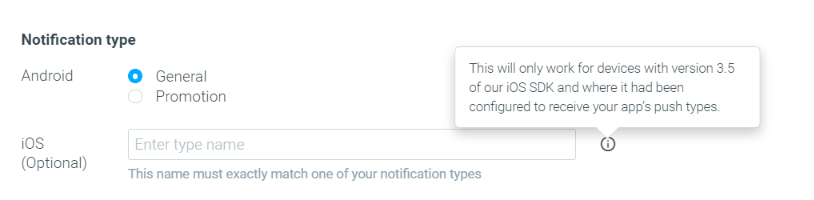
iOS Destination Types Added
You can now label Optipush templates as promotional or general notification types for both Android and iOS. Doing so ensures that if your customers set their preferences to receive only a specific type, they will automatically be excluded from others, improving customer experience.
Optimail
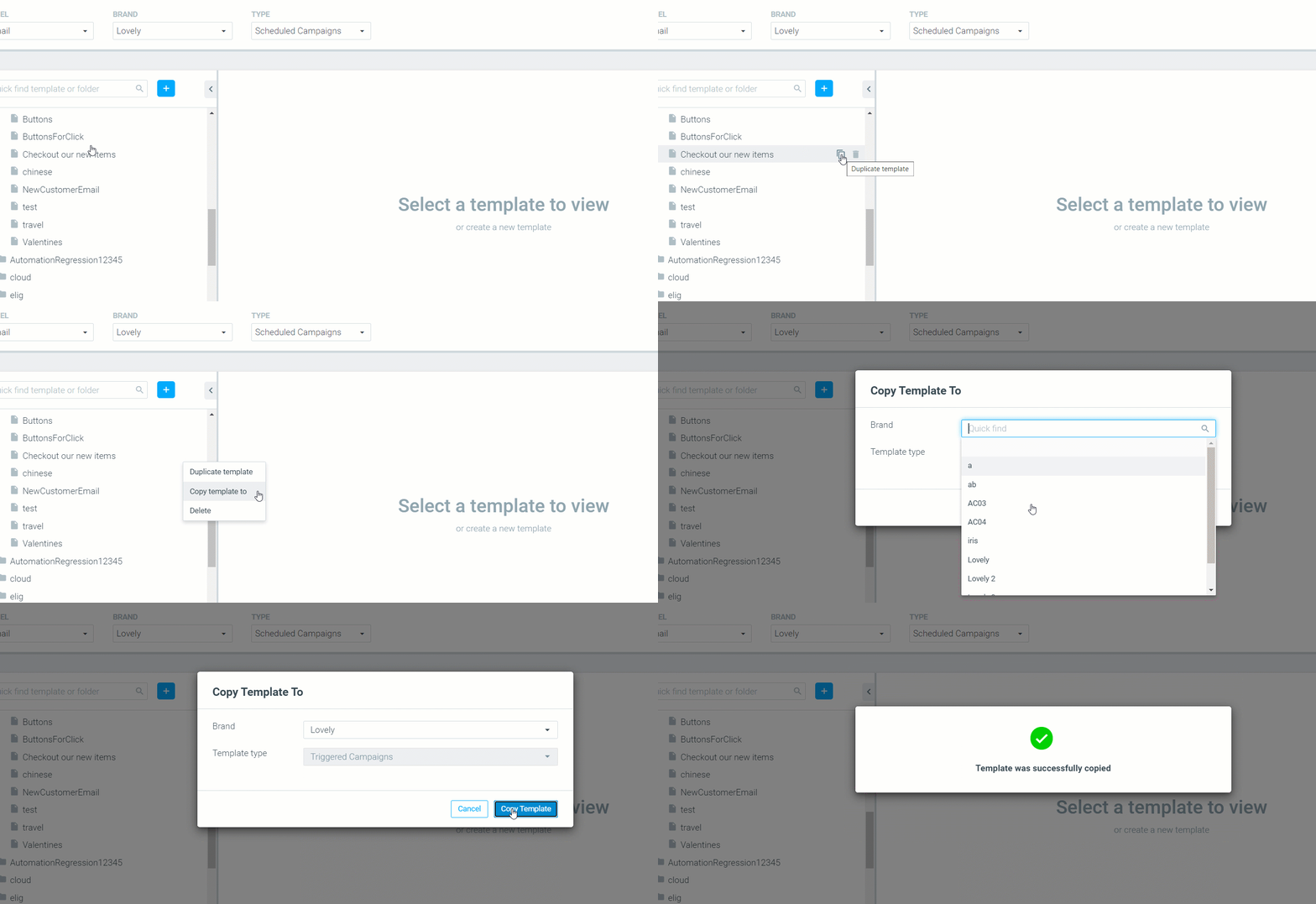
Copy Templates Between Brands
You can now seamlessly copy a template across template types or brands.
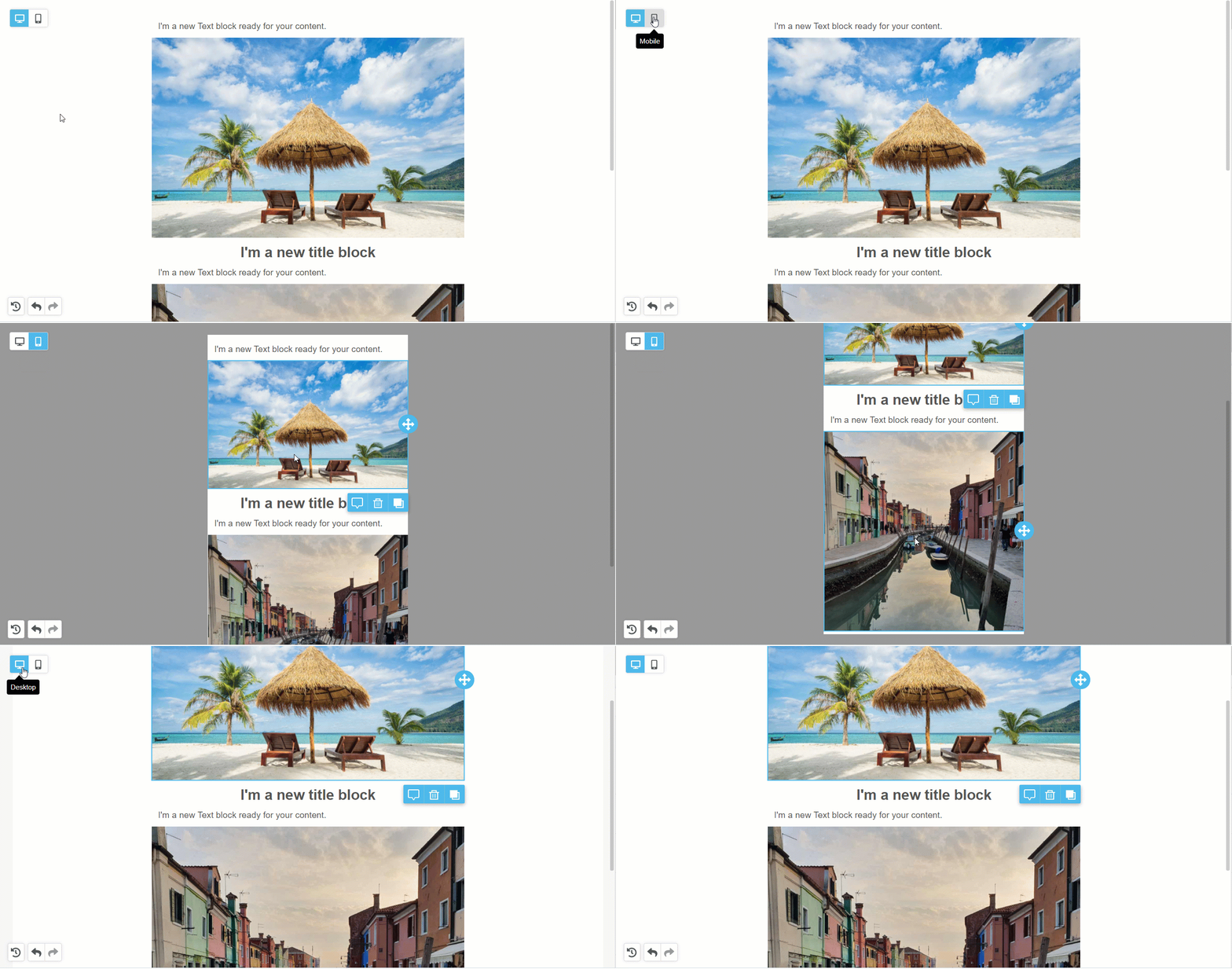
Mobile Design Mode Added
See what your content looks like on mobile without having to preview it. Switch between Desktop and Mobile views via the icons on the top left corner of your template.
Mission Control
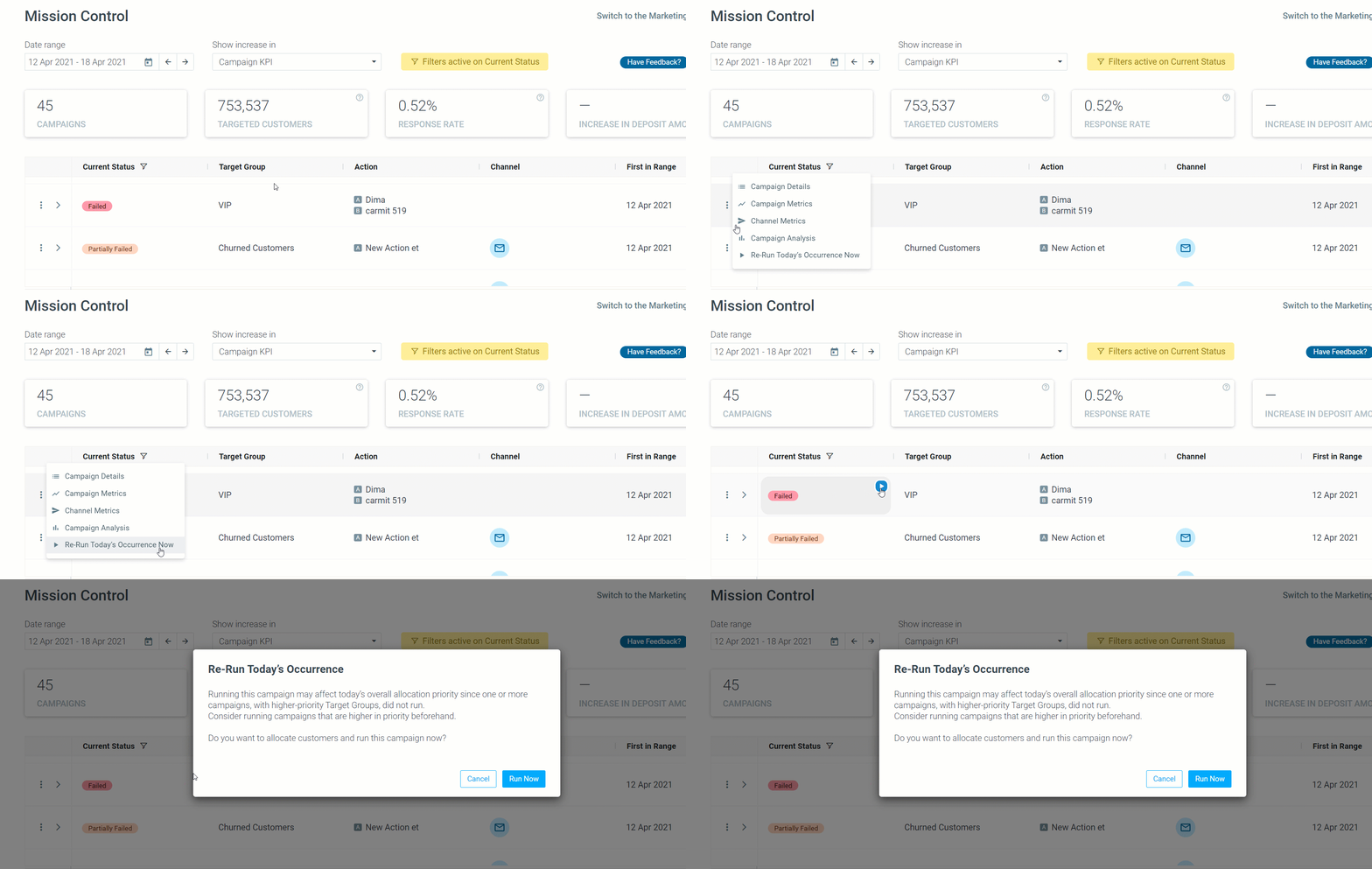
"Run Now" Added to Mission Control
Execute today’s occurrence for "Failed", "Partially Failed", or "Not Run" campaigns by hovering over the campaign's status and clicking the triangle icon (or, by clicking the three grey dots menu on the left of every campaign).
API Updates
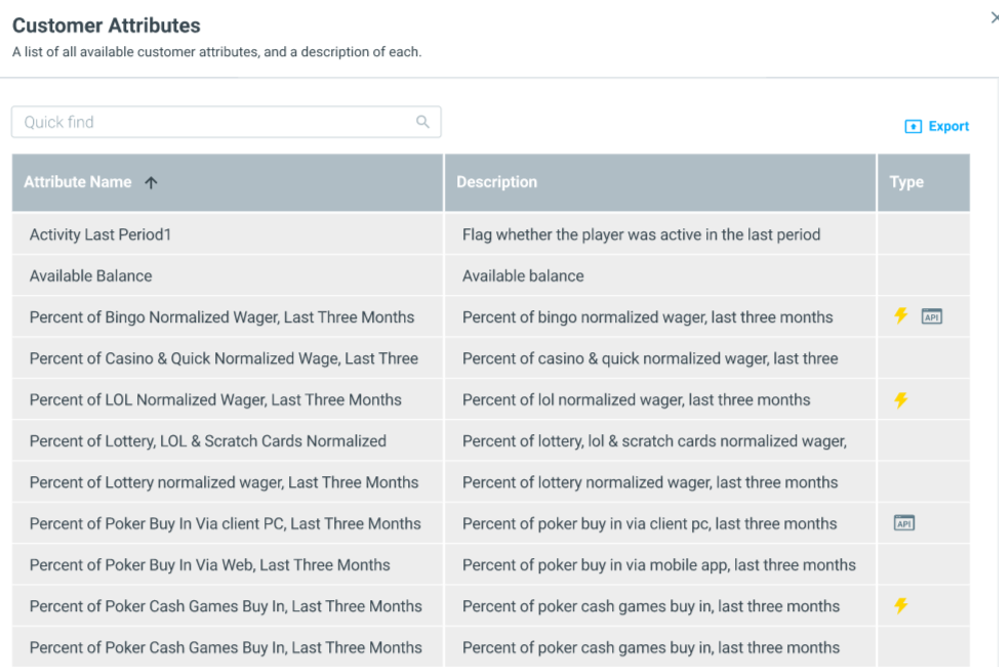
Create New Customer Attributes
As part of our efforts to allow our customers more flexibility and powerful targeting, we introduced the option to add new customer attributes to your site, on your own, using the newly added "AddCustomerAttribute" API call.
- Create the API call to add the attribute using "AddCustomerAttribute".
- Use the “UpdateCustonerAttributes” API call to update the customer attribute's values. Otherwise, it won't update.
Track & Trigger
Flexible Trigger Delivery
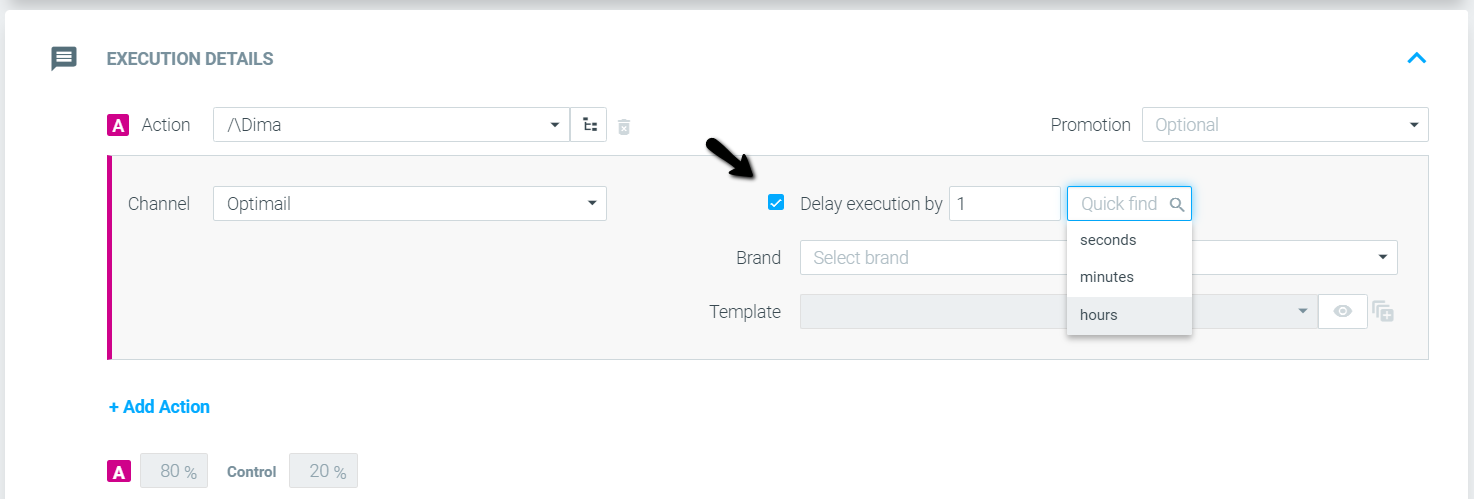
Delay Triggered Campaign Delivery
In February, we added the option to define a trigger hour activation range as part of our efforts to increase flexibility when it comes to triggering delivery.
Collect Information About Customers in a Triggered Campaign’s Control Group
You can now receive information about customers in a triggered campaign’s control group via the API.
Manage Target Groups
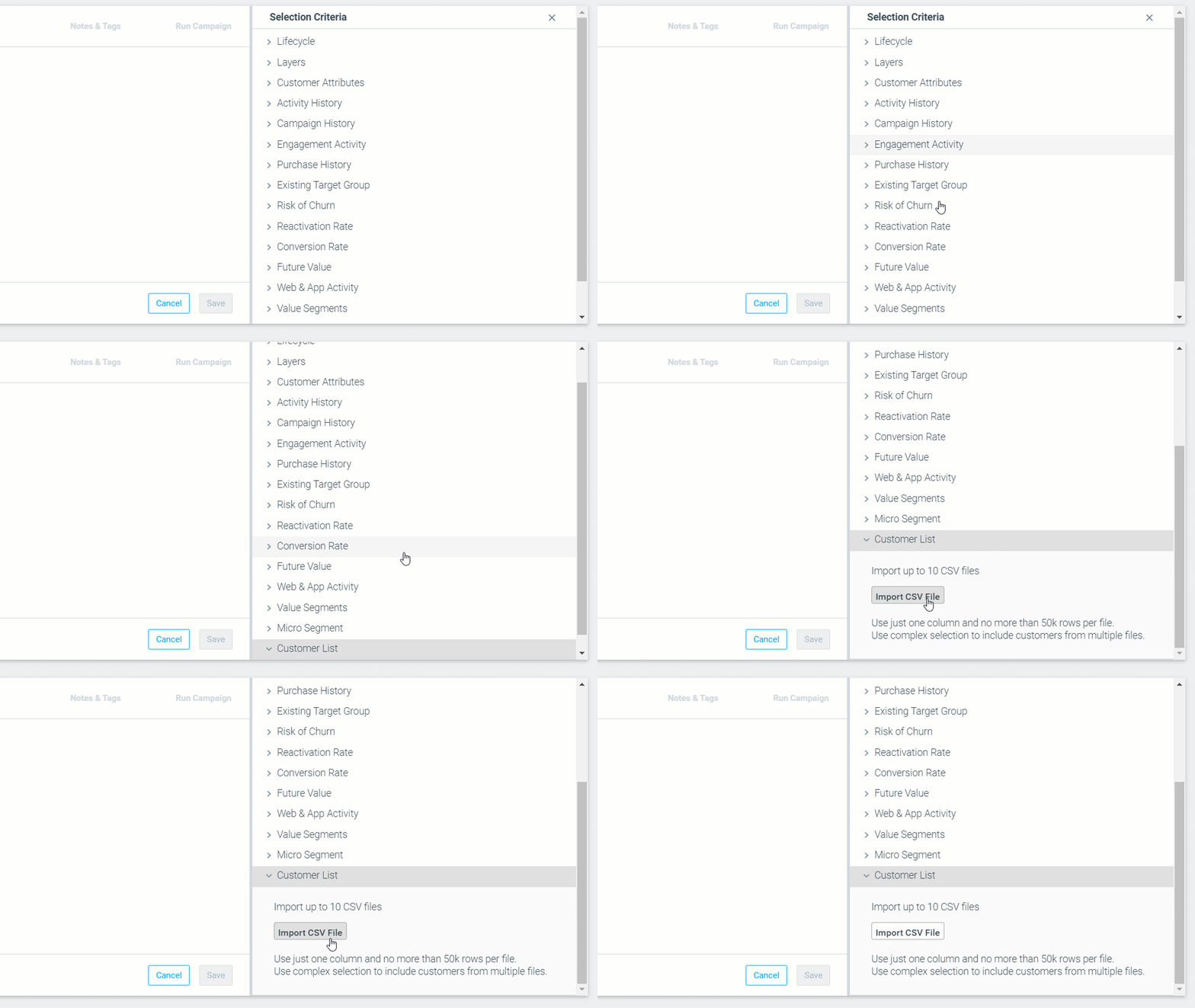
Customer List Criterion Added
Upload a CSV list of your customers to create a dedicated target group, or to add additional attributes from the list available on your site.
Read more about the Customer List criterion here.