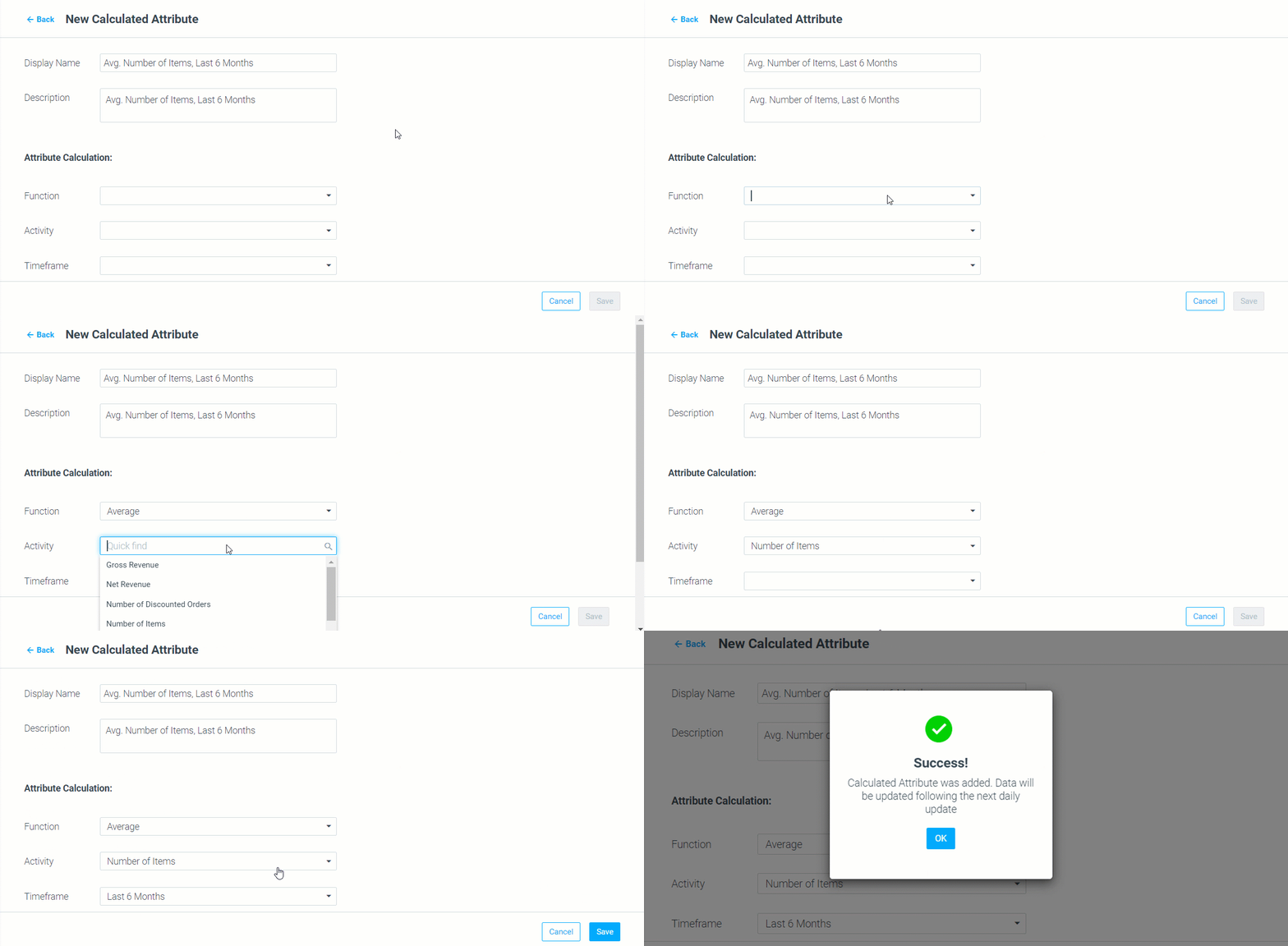
Introducing Calculated Attributes
Utilize existing customer data to gain a higher level of segmentation, personalization, and analysis with the new Calculated Attributes capability!
Independently create a custom attribute, based on your customers' Activity History data, from a preconfigured list of calculations. Read more about Calculated Attributes.
Mission Control
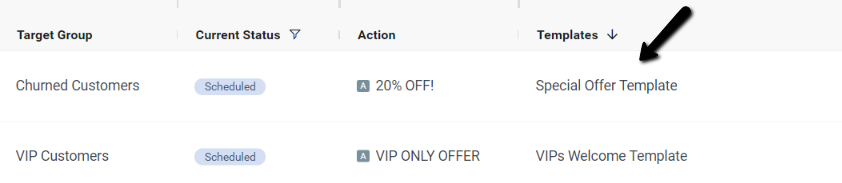
New Templates Column Added
Easily view and filter campaigns according to their associated templates. Find the new column under Columns > Set up > Execution Details, or simply search "Templates".
Duplicate Campaigns
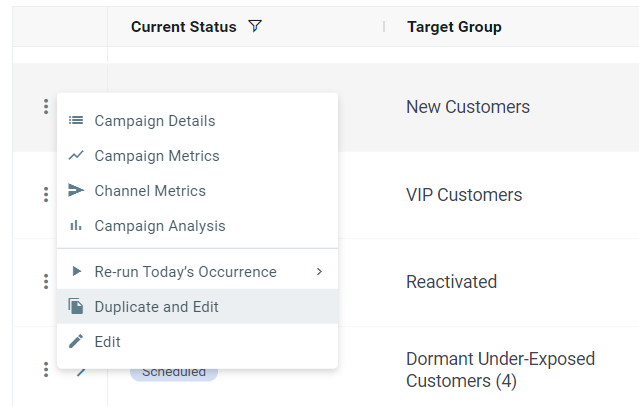
Copy and paste campaigns in Mission Control!
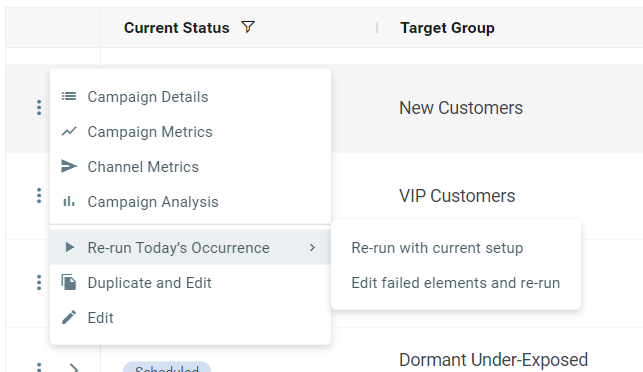
Click the campaign menu via the three grey dots on the left of each campaign and choose “Duplicate and Edit”. The Campaign Builder will open in a new window to allow you to make changes, instantly.
Duplicating a CSV Campaign
All of the CSV campaign's information will be duplicated, except for the target group and the Start Date field.
"Run Now" for "Partially Failed" Campaign
Re-run campaigns with a “Partially Failed” status.
Click the campaign menu via the three grey dots on the left of each campaign, and choose “Re-run Today's Occurrence". Then, choose between two options:
- “Re-run with current setup” – executes the campaign immediately using its current setup.
- “Edit failed elements and re-run” – lets you edit the campaign in the Campaign Builder and execute it immediately.
DynamicMail
DynamicMail, Optimove's dynamic content creator, has been updated with fresh new branding and some cool new features! To celebrate, we've added a whole new category to Optimove Academy.
|| Not using DynamicMail? Contact your Customer Success Manager to learn more!
Visit the DynamicMail academy category to learn more, or watch the video below:
Track & Trigger
Automatic, Realtime Personalization Tags
Track and Trigger and Optimail users, we have some great news!
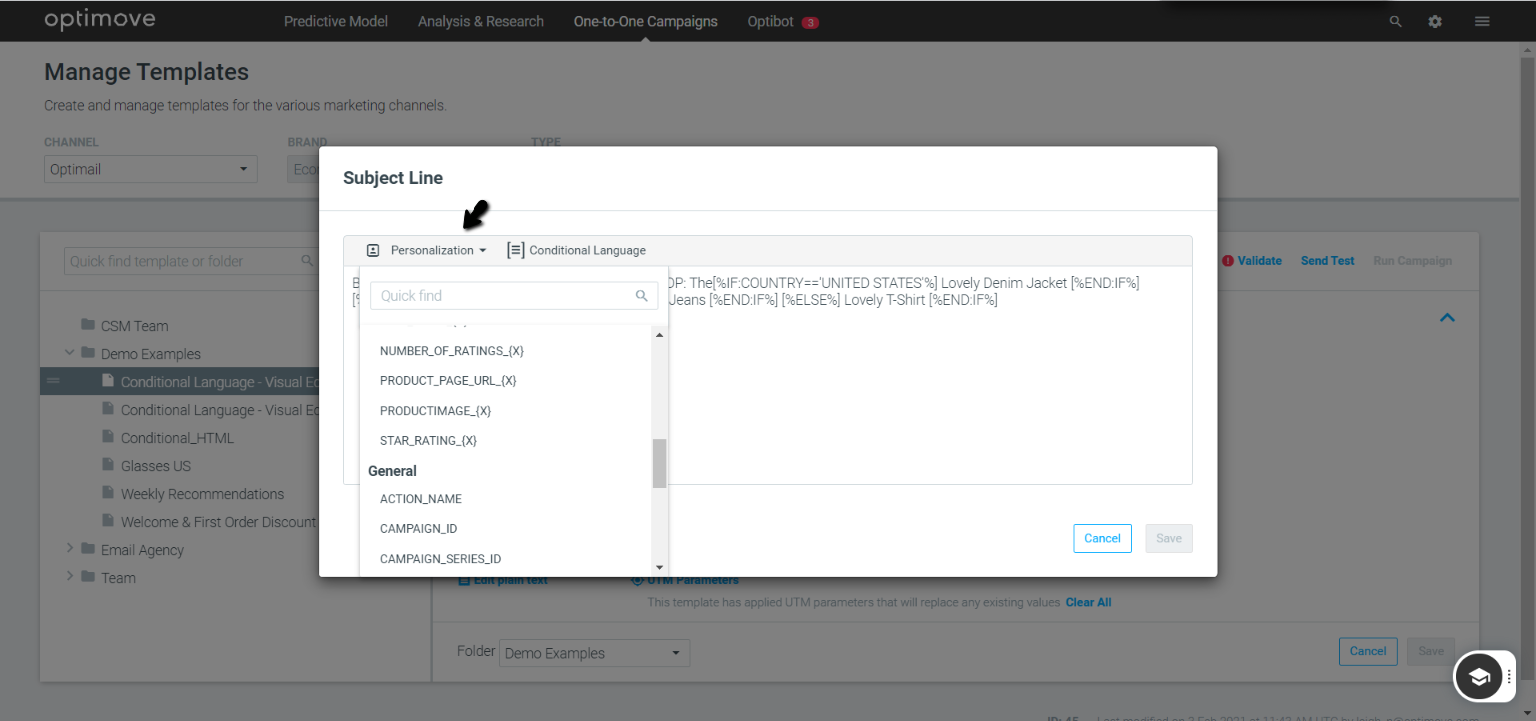
You can now easily personalize your Optimail templates with real-time personalization tags automatically derived from any real-time event parameter.
Every event parameter you create will automatically generate a personalization tag that's easily accessible via the personalization tag drop-down in your Optimail template. The tags can also be used for conditional language.