
Manage Target Groups
Historical Criteria - Additional Timeframes Added
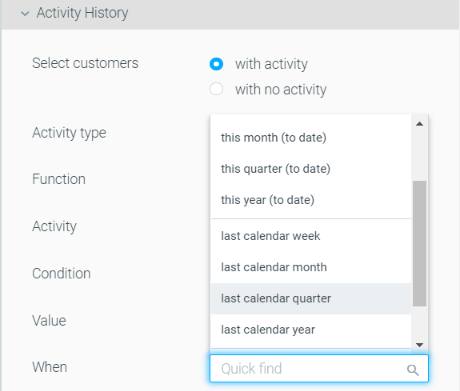
Activity History, Campaign History, Engagement Activity, Purchase / Game History, and Web and App Activity timeframes were updated, so you can increase the accuracy and granularity of your targeting.
- During the previous / exactly (number of days) ago - customers who were targeted over the past X number of days or exactly X number of days ago.
- This week (to date) – customers who were targeted during the week (Mon-Sunday).
For example, if today is Wednesday, this timeframe will include Monday and Tuesday’s customers. - This month (to date) - customers who were targeted during this month.
- This quarter (to date) - customers who were targeted during the current quarter.
- This year (to date) - customers who were targeted during this year.
- Last calendar week – customers who were targeted last week.
For example, if today is Tuesday, August 29th, "last week" would be Monday the 16th – Sunday the 22nd. - Last calendar month - customers who were targeted last month.
- Last calendar quarter - customers who were targeted during the previous quarter.
- Last calendar year - customers who were targeted during last year.
- On this date - customers who were targeted on a specific date.
- In this date range - customers who were targeted on a specific date range.
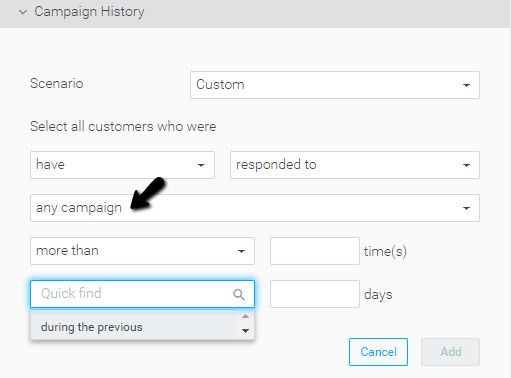
|| Please note: when using "any campaign"', the only available timeframe is "during the previous" X days.
Optimail
Collapsible Side Bar and Social Icons Added
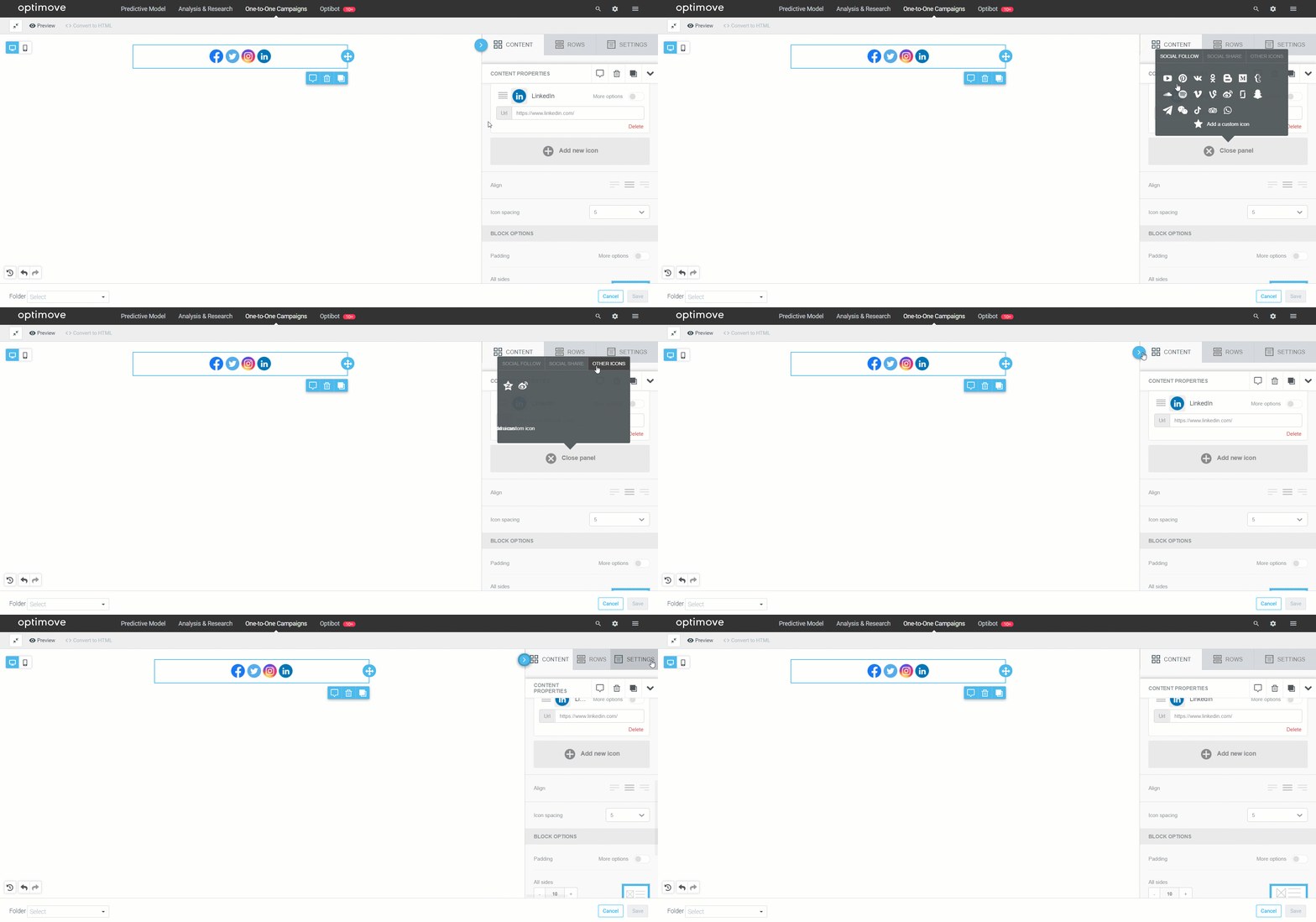
- Collapsible sidebar: utilize more of your screen space when creating and editing templates.
- New Social Icons: direct your customers to additional social channels, including TikTok and Snapchat.
Mission Control
Deletion of Future Campaign Occurrences Added
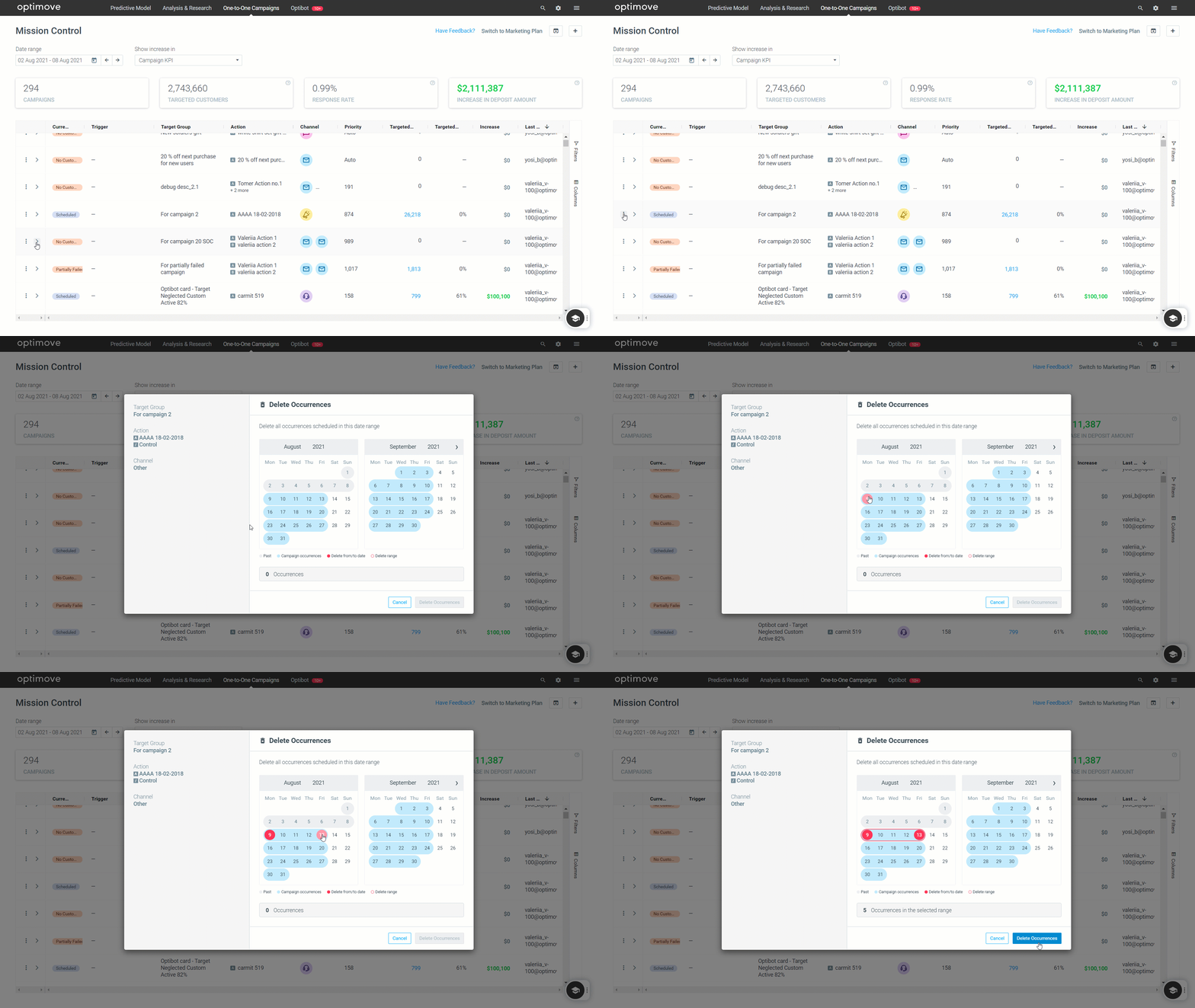
Gain greater control over your marketing plan by easily deleting single or multiple campaign occurrences, directly from Mission Control. At this stage, you can delete future campaign occurrences.
- Go to the Campaign Menu
- Click on "Delete Occurrences"
- A popup will appear, surfacing future occurrences that can be deleted
- Choose single, or multiple occurrences within a date range
UI Updates
Users' first and last names are now displayed in the column "Modified By," instead of their email addresses.

Campaign Builder
Introducing Run Anyway
This new feature allows you to run a campaign even if batch data processing has not yet been completed. Like any other campaign, "Run Anyway" campaigns affect the overall allocation priority and exclusion rules.