Triggered Campaigns
Updated Campaign Statuses
Campaign statuses help you understand when a campaign is “listening” to events to trigger a campaign in response.
The new campaign statuses provide greater clarity into active real-time campaigns as well as faster time-to-activation.
DynamicMail
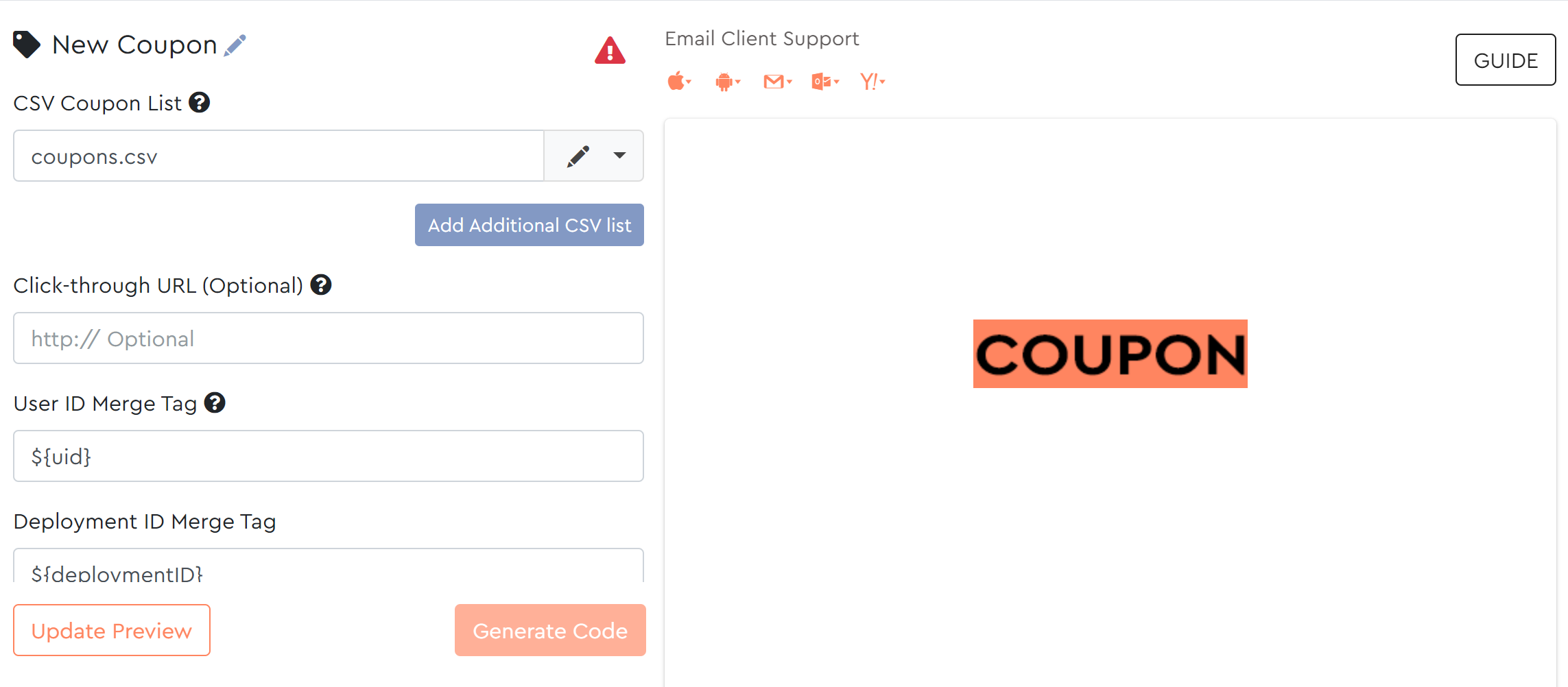
Embed Personal Coupon Codes in Emails
You can now create personal coupon codes for your customers using the new Coupon feature.
The coupon component uses real-time functionality to create unique, one-time codes that will be assigned directly to your customers.
The coupon feature allows you to:
- Upload up to 100,000 codes in a single batch with a simple CSV file
- Create a fallback image in case you run out of codes
- Receive timely email reminders before you run out of codes
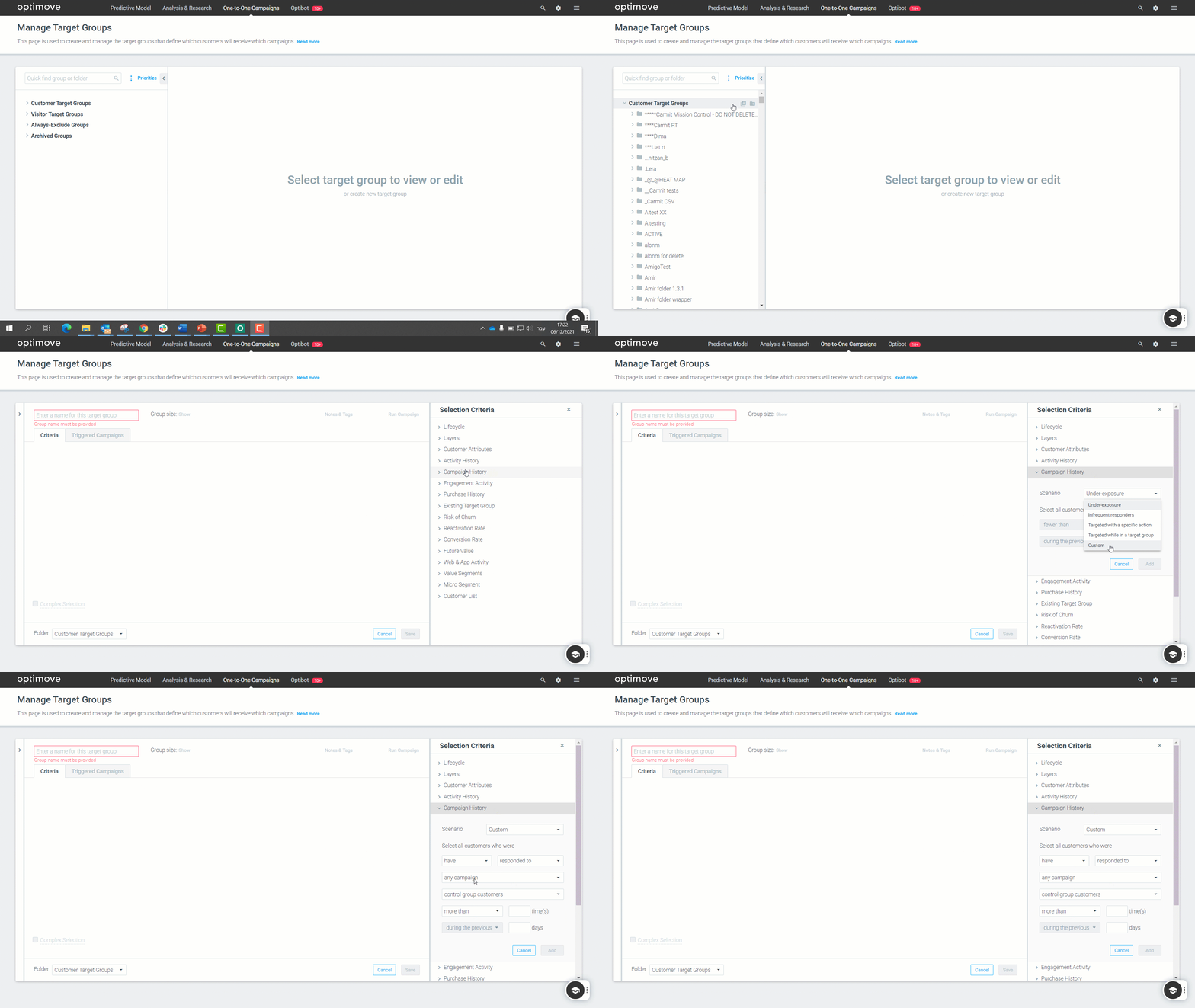
Target Groups
Target control groups from a custom scenario
You can now create a target group from customers that were part of a control group via a custom scenario. Build better target groups with different timeframes and rules when creating a scenario.
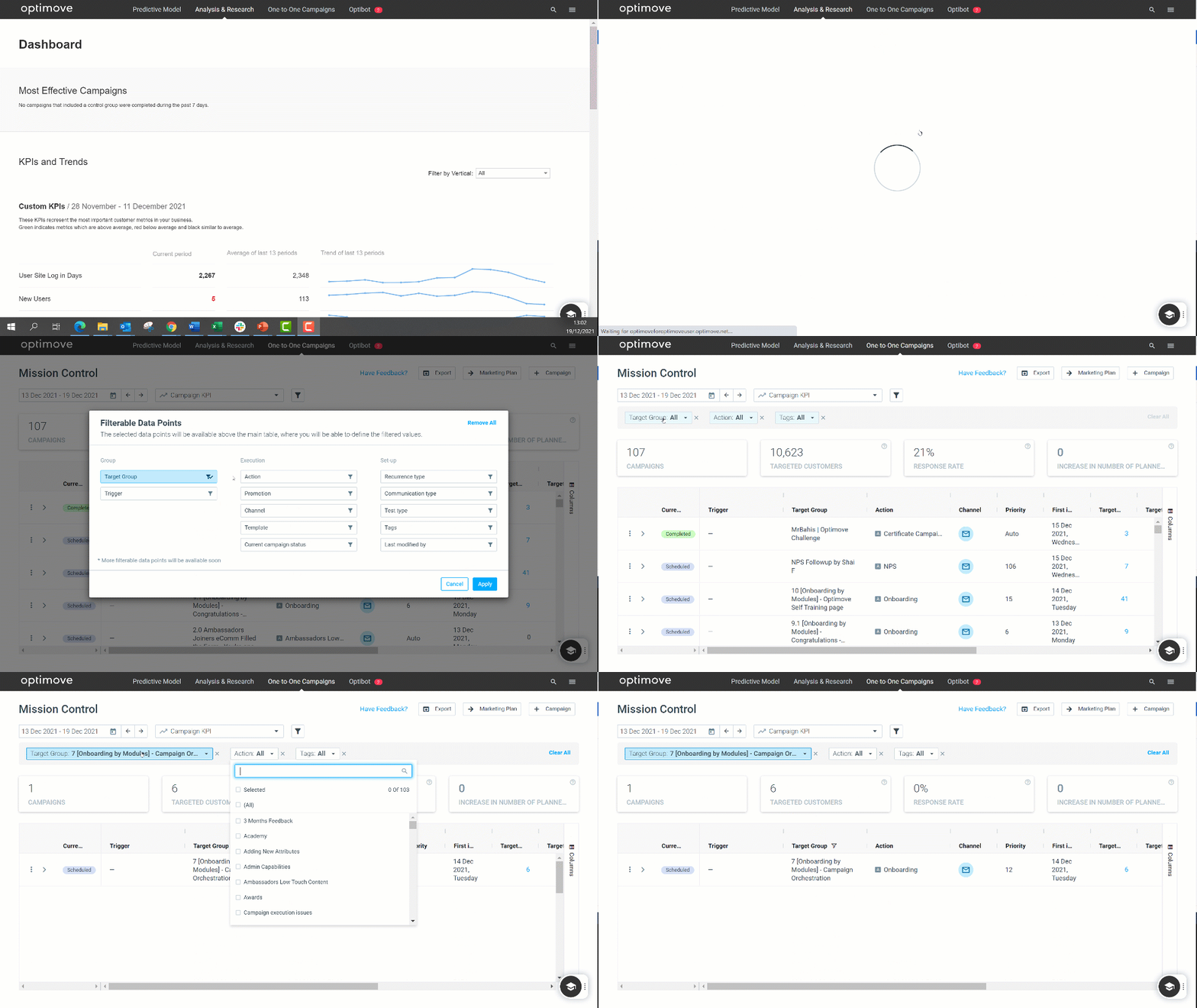
Mission Control
Filterable Data Points Added
Mission Control, the Marketing Plan’s younger (and cooler) brother, is getting stronger by the day.
As we are all getting ready for it to replace Marketing Plan shortly, we are working HARD to complete missing features, add even more value and solve substantial pain points that some of you have shared with us during the user research and feedback phase.
This month, we are happy to announce the release of Filters!
Now, you can slice and dice the data you want to be presented and create an even more customized dashboard, including a few more additions:
- Filtering any target group, even those without associated campaigns
Remember this little requirement from the Marketing Plan? Well, NO MORE. - You get fast access to your most-used filters
- And better visibility of your current active filters/data points
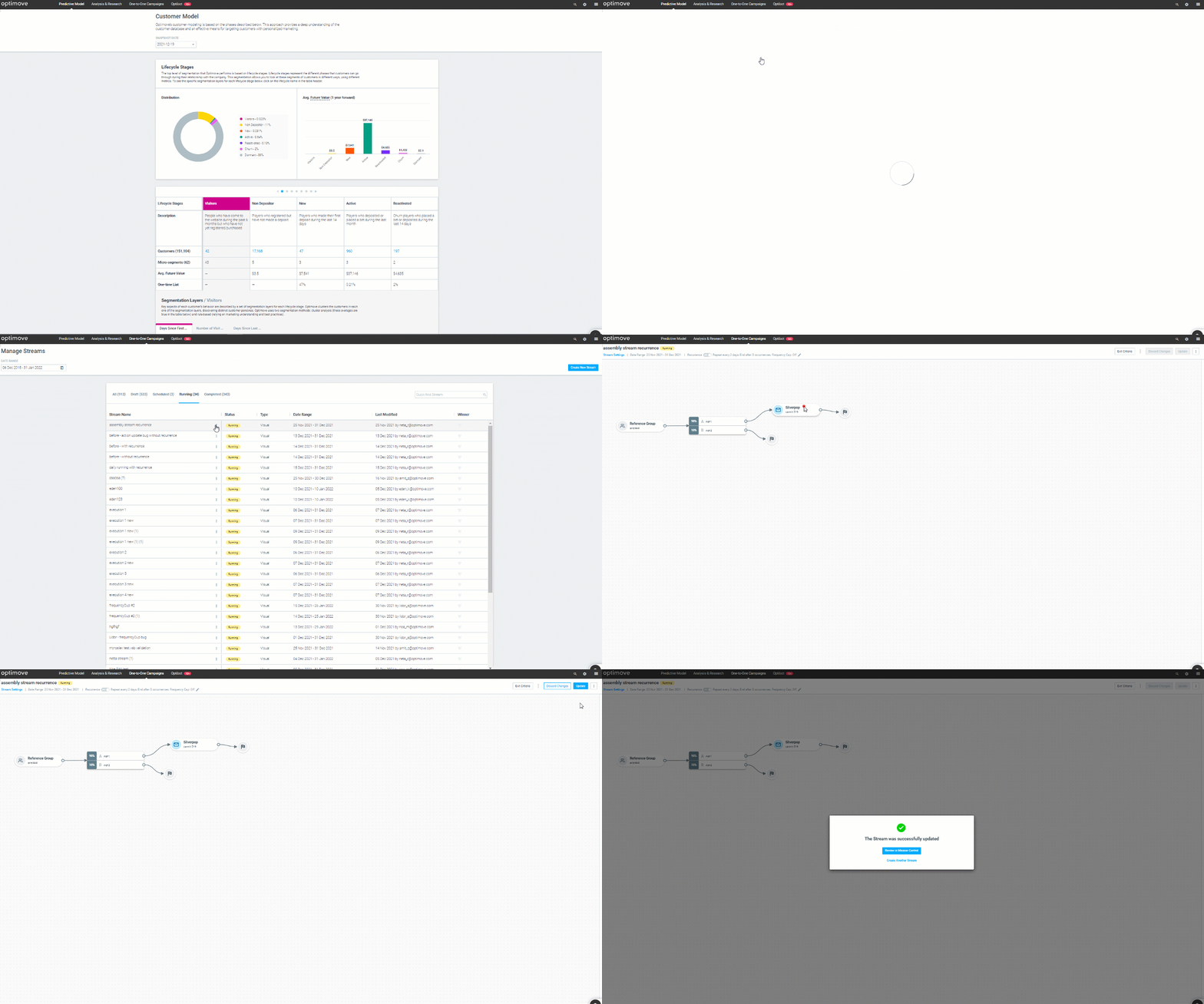
Visual Stream Builder
New Editing Capabilities
Visual Stream Builder, Optimove’s multi-channel journey planner, is getting some new functionality.
You can now update your streams’ recurrence and their campaigns directly from within the Visual Stream Builder.
This means you can control your stream’s campaigns whenever you need to, and even set the occurrence for the stream in a matter of clicks.
- Change campaigns within an active/scheduled stream
- Edit recurrence for streams, number of repetitions, and end dates per stream