
Manage Target Group - Campaign History
Select Customers Who Were Part of a Test or Control Group
A small change with a big impact! We have added the option to target customers who were part of a test group, a control group, or both.
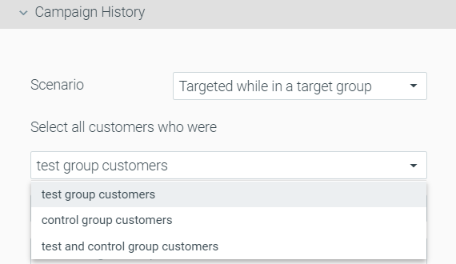
> What changes will be made to existing campaigns that make use of "Targeted while in a target group"?
Existing campaigns that make use of the previous "Targeted while in a target group" (responded to/were targeted with) will maintain the default behavior - targeting test group customers. The corresponding behavior will be updated based on the previous setup (responded to/were targeted with).
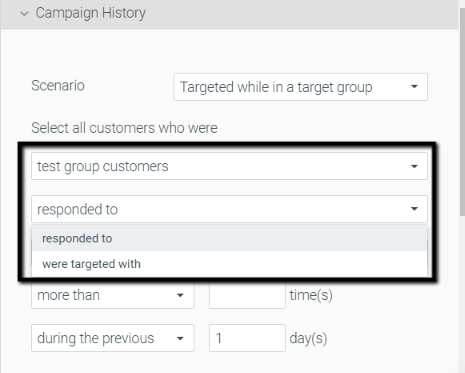
> When selecting "control customers who responded to" (targeting control customers who have never received the campaign), what would be considered a response?
If a control group customer impacted the campaign's KPI, they will be considered as "Responded".
Campaign Builder
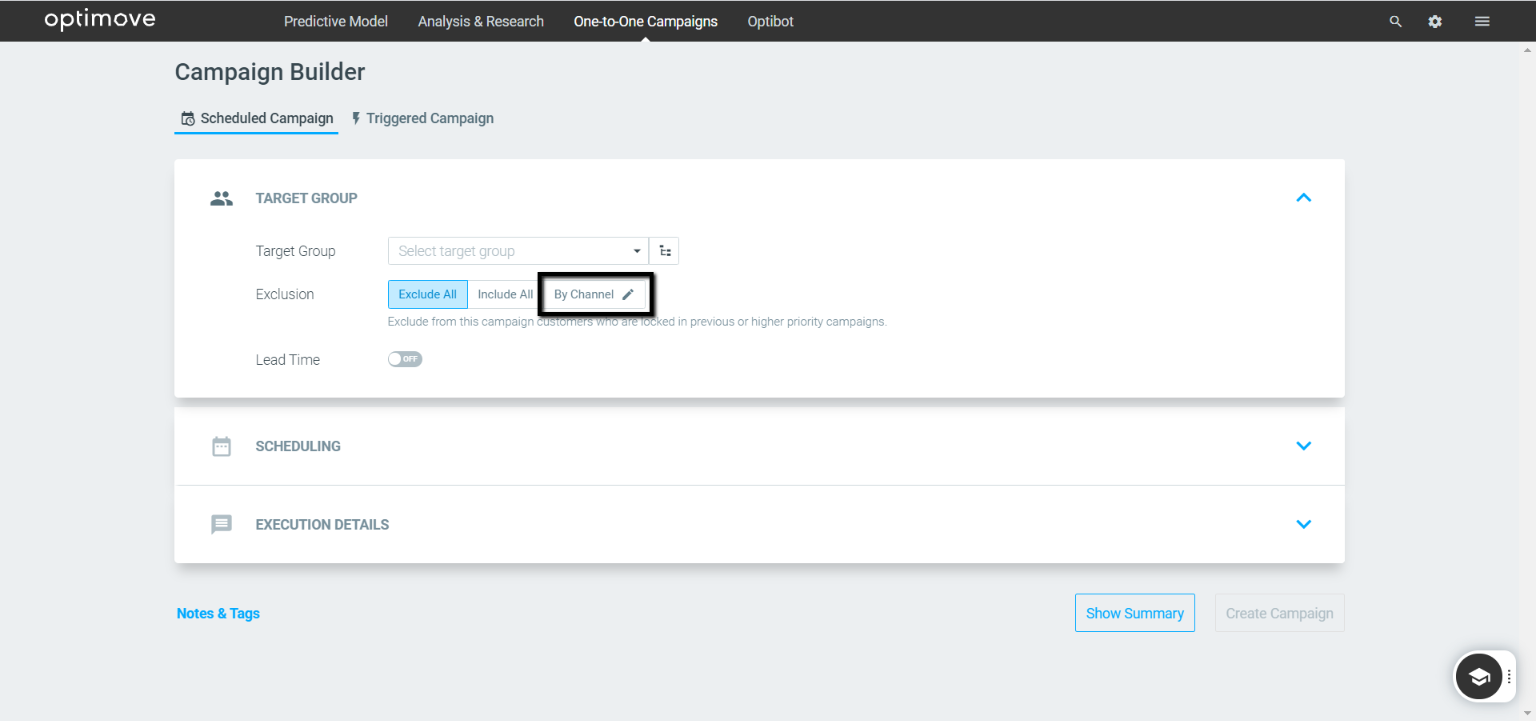
Exclude by Channel
We've added the ability to include or exclude customers who are part of a higher-prioritized target group, based on the communication channel that was used.
Mission Control
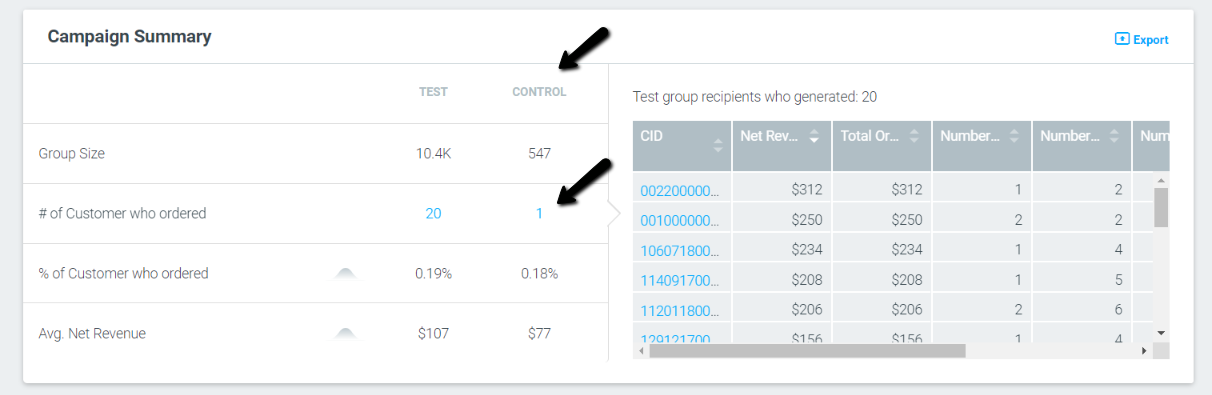
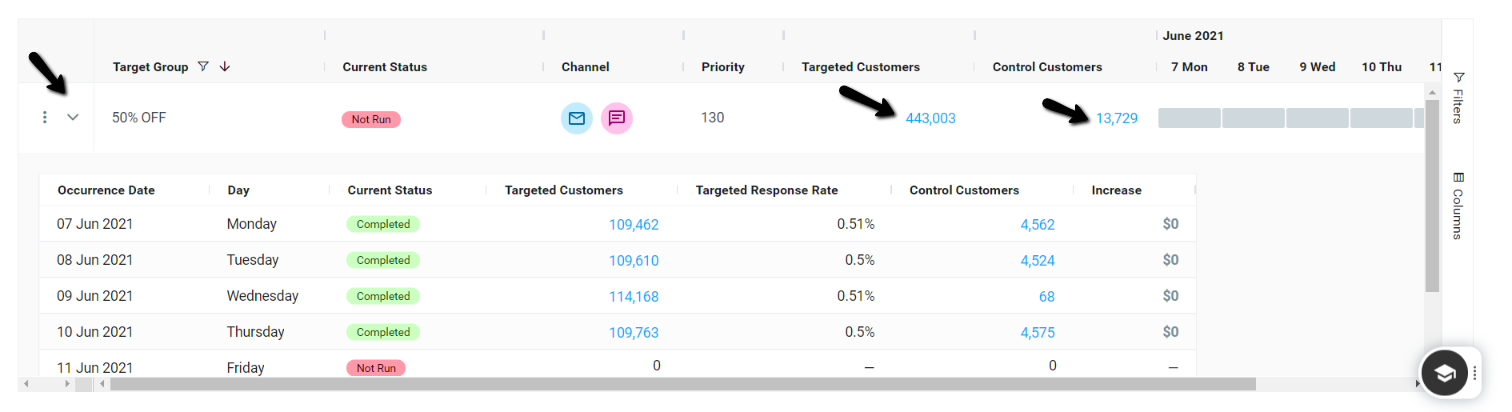
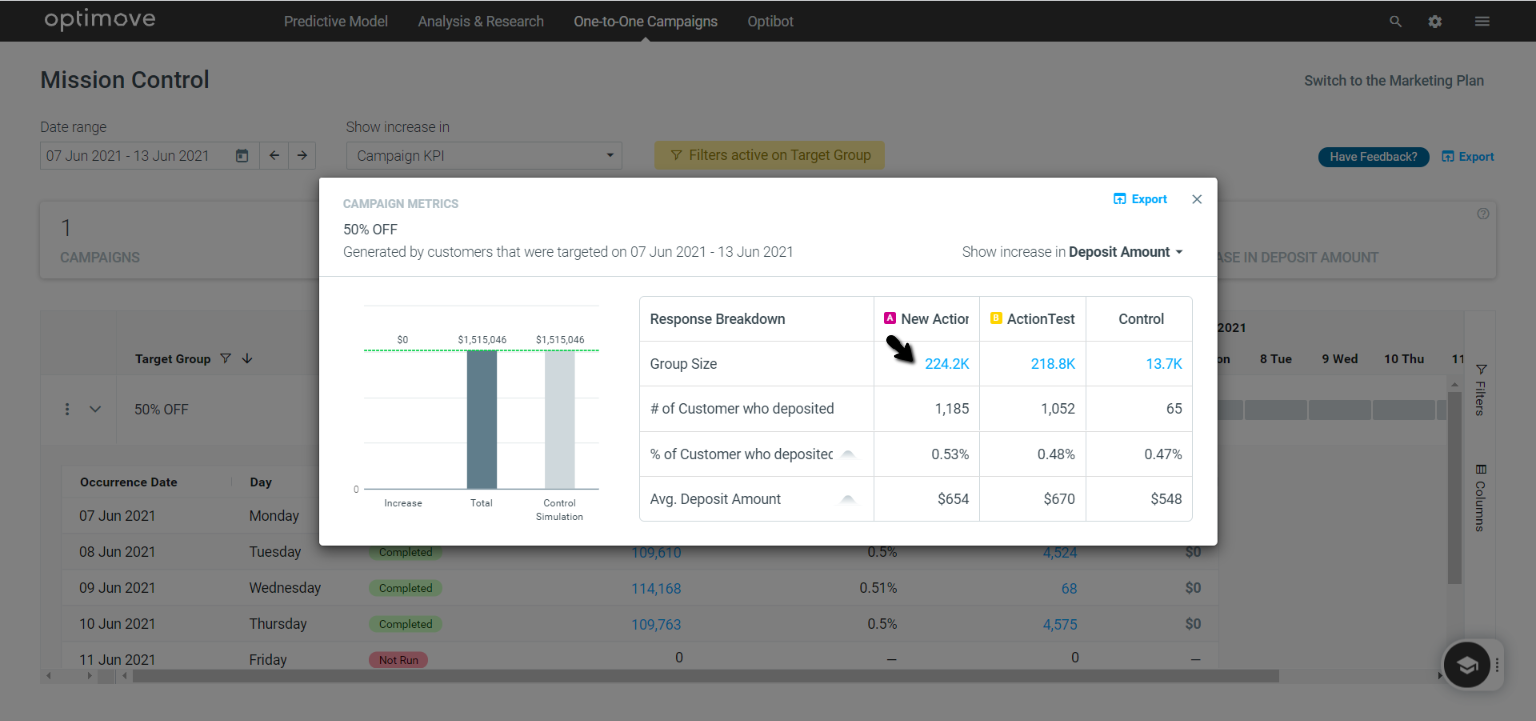
Explore Targeted or Control Group Customers
You can now click on the number of customers in Missions Control's Targeted Customers or Control Customers to explore the campaign's customers in the Customer Explorer, or to create a new target group.
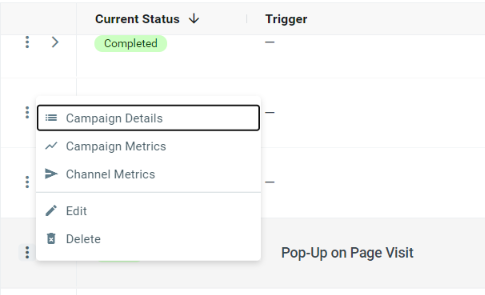
Triggered Campaign Details Added
Click the menu button, to the left of each campaign, to easily view a summary of the campaign’s details.
Additional UI Updates
- Create campaign button is now added on the top right
- The export to CSV button moved to the top right of the screen
- We've added "day of the week" to the occurrence table