- Understand how Optimove prioritizes CSV-based campaigns and what may influence your campaign’s prioritization.
- Learn how to upload a CSV list and set up a campaign that targets the list’s audience.
Prioritizing Campaigns from List Imports
When importing a customer list in CSV format for manual campaign execution:
- If the campaign is created after the day’s Batch Data Update (and thus the CSV upload takes place after the Batch Data Update) AND the campaign is scheduled for after the next day’s Batch Data Update, the associated campaign is considered of the highest priority.
Here’s why:
All the customers for the next day’s campaigns have not been assigned to any campaign yet (this will happen during the next day’s Batch Data Update). Since the CSV upload happened before the customers were assigned as part of the relevant day’s Batch Data Update, the campaign will be considered the highest priority. As a result, customers included in this CSV and in other campaigns which have the “Excluded from this campaign” option selected, will be excluded from the other campaigns.
- If the campaign is created after the day’s Batch Data Update (and thus the CSV upload takes place after the Batch Data Update) AND the campaign is scheduled for that same day, the associated campaign is considered of lowest priority.
Here is why:
All the customers for the day’s campaigns have already been assigned during the Batch Data Update – meaning, the CSV upload happened after the priority was assigned. Therefore, it will be considered the lowest priority for that day. As a result, if this campaign has the “Excluded from this campaign” option selected, customers who are also included in other campaigns will be excluded from this campaign.
For other channels, please contact support.
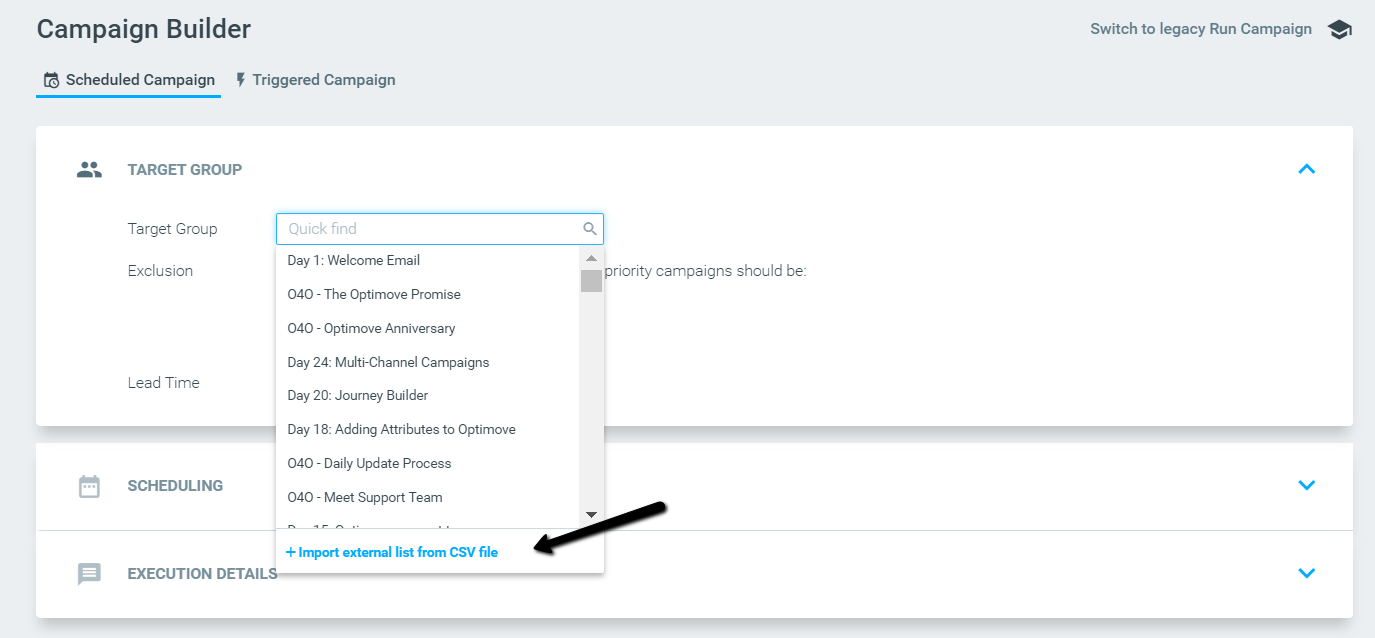
Scheduling a campaign with a CSV list
To schedule a campaign with a CSV, go to One-on-One campaigns and open the campaign builder.