Target Group Criteria
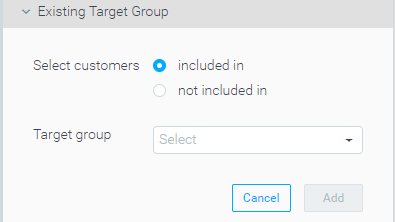
Include/Exclude Customers Who are in Another Target Group
When creating target groups, you can now include/exclude customers who are in a different target group.
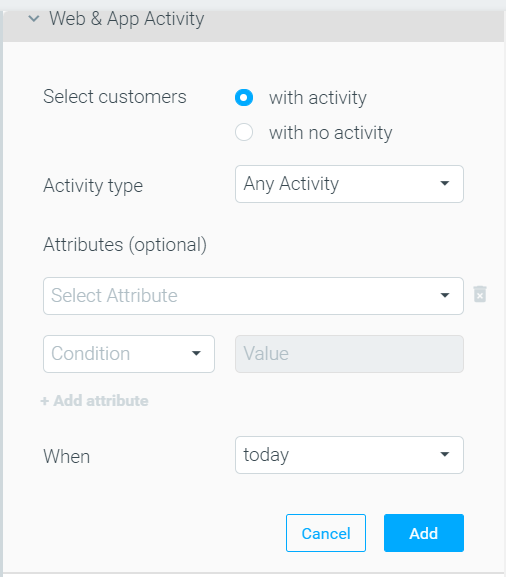
Exclude/Include Customers Who Made an Activity Earlier Today
Using Track & Trigger you can now target customers that made a specific web/app activity earlier in the same day.
Marketing Plan
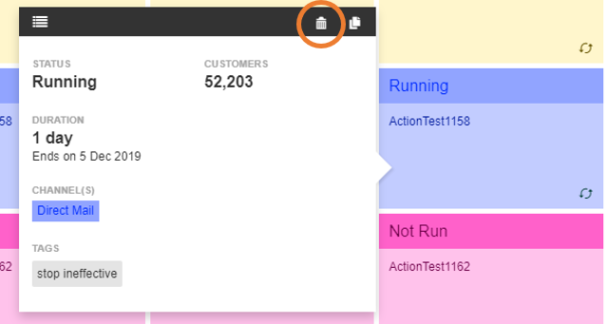
Delete CSV and “No Customers” Campaigns from your Marketing Plan
Keep your marketing plan clean by reducing noise and removing test/irrelevant campaigns. You can now delete campaigns sent to manual lists (CSV) and/or to no-customer campaigns.
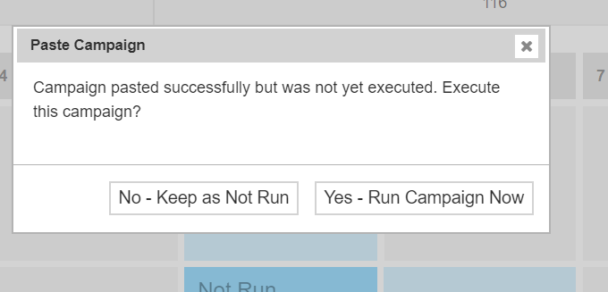
Immediately Run a Pasted Campaign
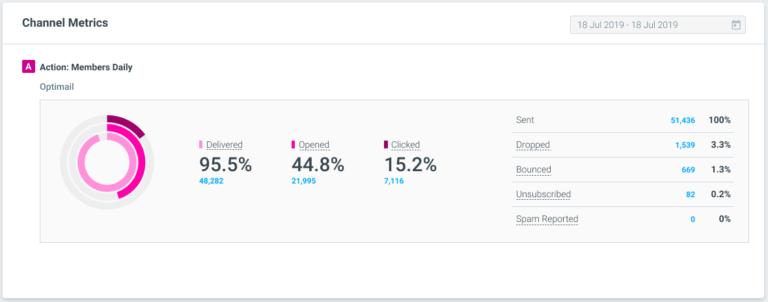
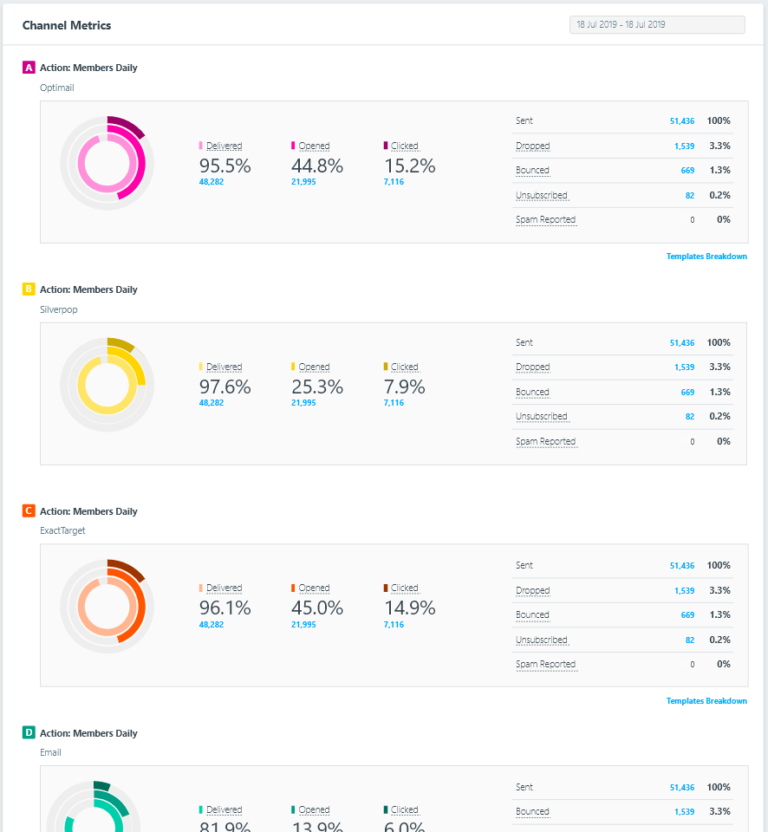
Campaign Analysis – Channel Metrics Redesign
Streams
Increased Randomness of Customer Allocation in Streams
Allocating customers among different streams tests has been improved so that customers are allocated in a much more random fashion. This helps ensure that each Streams experiment is without any bias or dependency on previous experiments.
Optibot
New Optibot Insight: Anomaly Detection
Optibot helps you keep track of what’s going in, tracking your data and keeping you informed about detected anomalies. The first monitored KPI is the number of converting users within a given week.

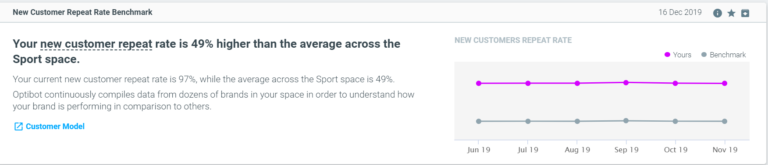
New Optibot Insight: New Customer Repeat Rate Benchmark
Optibot continuously analyzes data from dozens of brands, in order to obtain a deep understanding of repeat rate performance among new customers in each industry/vertical.
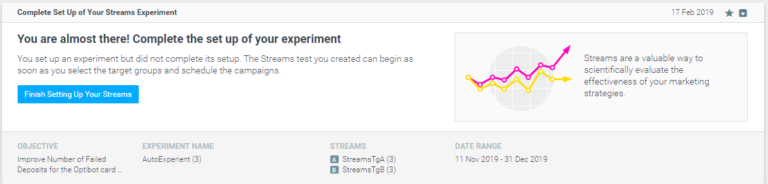
New Optibot Insight: Educational Tips: Complete Stream Setup
Optibot aims to help you keep improving your marketing plan. One aspect of this is helping you leverage Optimove capabilities that you aren’t using yet.
Optipush
Content Customization Using Conditional Clauses
You can now customize the text and deep links in Optipush templates, based on any customer attribute/activity, using if/then and if/then/else clauses. For more information on how to use conditional clauses, click here.
Personalize a Triggered Push Message by Using Event Data
When sending a triggered Optipush campaign, you can now include event data in the message. This allows you to send personalized, up-to-date messaging for each individual customer.
Track & Trigger
SDK Configuration Tool
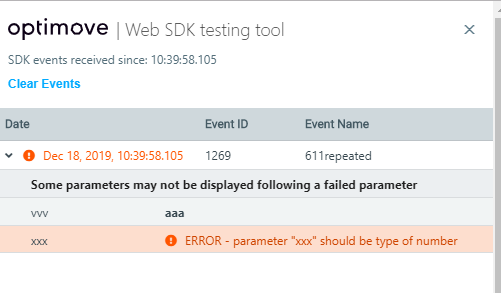
A new version of the web SDK testing tool is now available. A developer can now view invalid/failed events or parameters which are sent to Optimove from his/her website.
Create A Trigger Combining An Uncompleted Sequence With Other Events
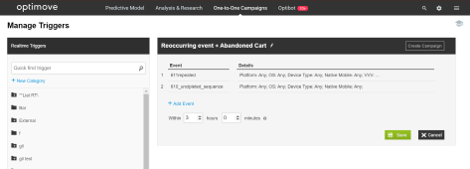
You can now create Triggers that combine uncompleted sequences with other events. This provides added flexibility in defining more complex use cases. if an event is added, to the UI, after an uncompleted sequence, the campaign will be triggered only after the second event has occurred.
|| Please note: if an event is added before an uncompleted sequence, the initial event (which sets off the uncompleted sequence) will be overridden. For example, in the figure below, the first event is a reoccurring event (e.g. page view) and the second one is an abandonment cart event. In that case, The first event will replace the initial event set as part of the abonnement cart flow.
Trigger Time Frame Limit
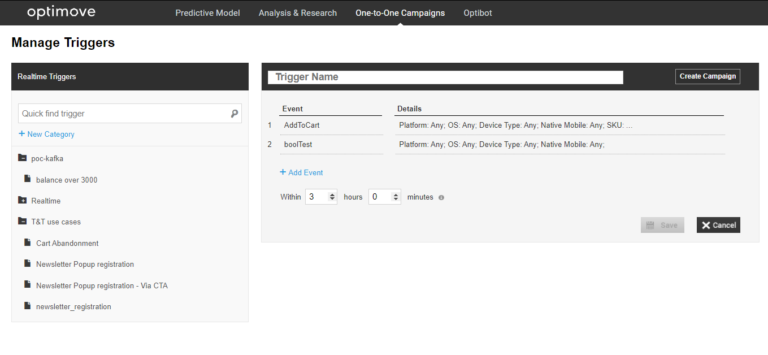
The limitation of 3hr time frame for two or more events to take place has now been removed. Users can define a time frame that includes a max of 168 hours and 59 minutes. Please note that there could be a conflict if the uncompleted sequence timer is larger than the trigger timer. In that case, the trigger wouldn’t be activated.
Link To Customer Explorer From Triggered Campaign Explorer
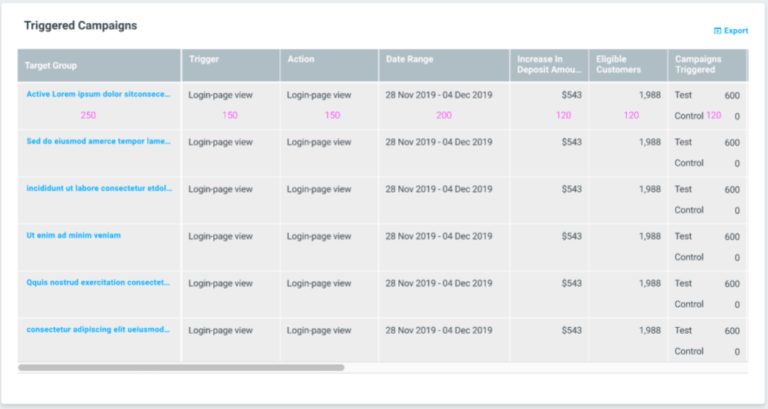
You can now seamlessly navigate from the triggered campaign explorer, by selecting a specific target group, to the customer explorer page. This allows you to easily explore a target group that has been targeted by triggered campaigns on this page.
|| Please note: when you select one of the predefined target groups (first-time visitors, converted today, or unsegmented visitors), the group name would not appear in the drop-down menu, but key group characteristics would still be included.
Optimail
Visual Editor – Conditional Language Category Dropdown
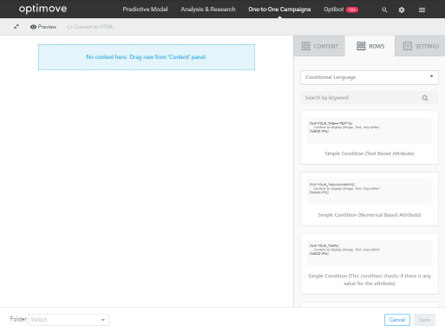
Optimail users, that create templates via the visual editor, will now have an additional category within the category dropdown, under the “Rows” tab, called “Conditional Language”. Users can now easily drag and drop conditional language blocks, utilizing Optimove’s conditional language capabilities with one click.
HTML Editor – Active UTM Parameters Indiction
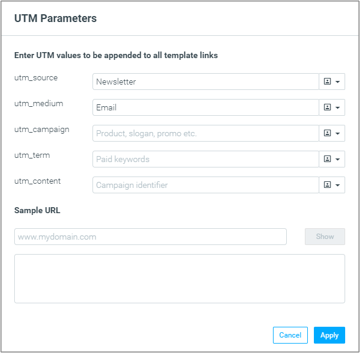
Optimail users, that use the UTM management window, will now have an indication of which UTM parameters are applied to all the links within the template.
Open Tracking Pixel Placement
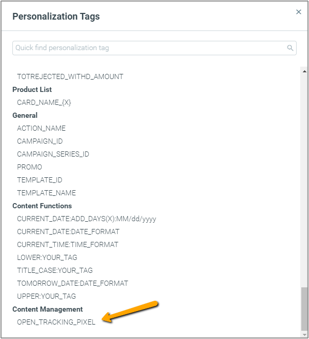
Optimail users, that create templates via the HTML or visual editor, will now be able to decide where, in the template, the open tracking pixel will be placed. This is done simply by adding the “OPEN_TRACKING_PIXEL” tag to the template. Thus avoiding the pixel being truncated by the inbox provider.
Real-Time Templates – Customer & Visitor Templates Merged
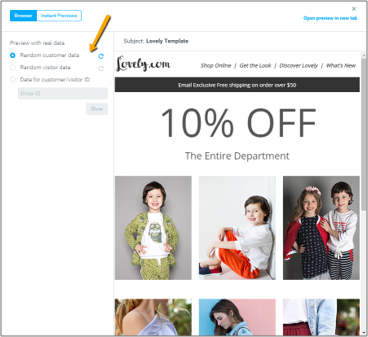
T&T users, that use Optimail to send out real-time email messages, no longer need to create templates for customers and visitors in different sections. In addition, while previewing a template, users can choose whether to use customer or visitor data to populate the personalization tags.
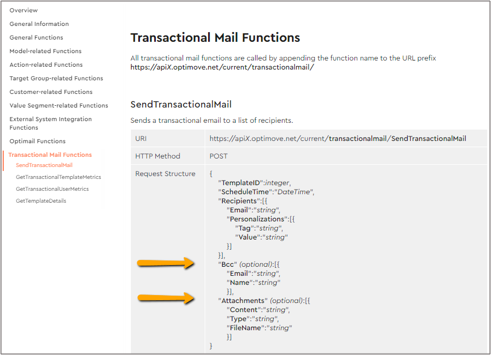
Transactional Emails API Update – BCCs and Attachments
Optimail users that use Optimove’s API to send transactional emails can now also add bcc recipients and attachments.
Campaign Analysis – Live Updates To Deliverability Metrics
The campaign analysis page is now available on the day of campaign execution if the Optimail channel was used. This allows users to view deliverability metric updates, for Optimail, in real-time.