Target Group Criteria
Exclude/Include Customers Who Engaged with an Optimail Campaign Earlier Today
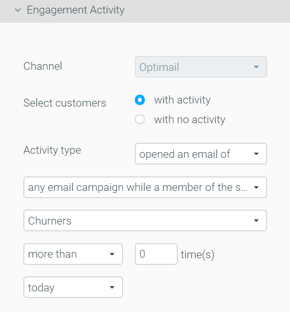
Optimail users can now target customers who opened or clicked an email earlier in the same day.
For example, you can send an extra reminder regarding a promo code that is about to expire, only to customers who did not open the email sent earlier the same day.
Include/Exclude Customers Who are in Another Target Group
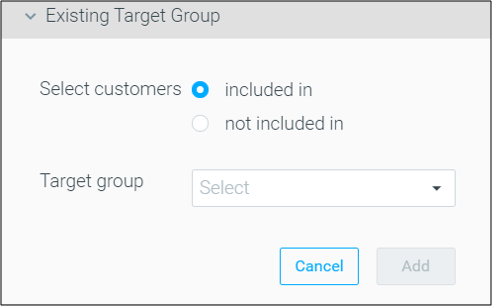
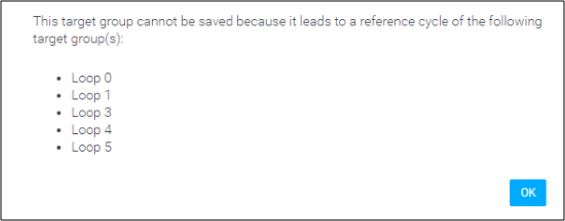
Use the Existing Target Group criterion to build a target group that includes or excludes customers who match another target group’s criteria, to save precious time when using repetitive rules for various groups.
Optipush
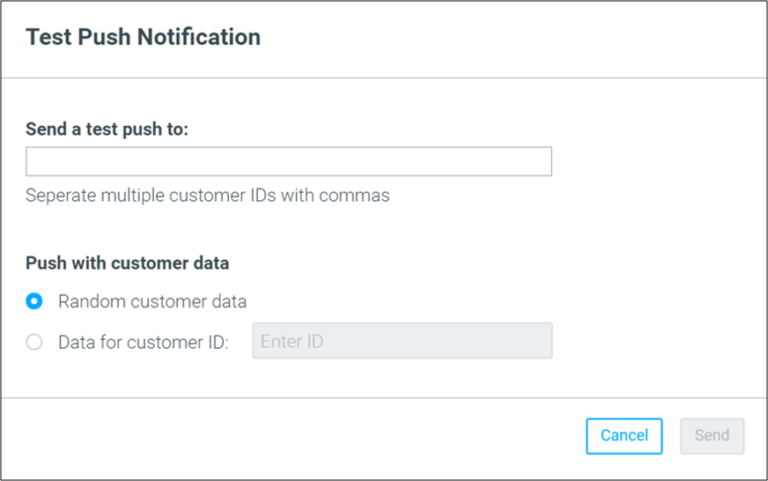
Send Test
Testing an Optipush template no longer requires switching your app into test mode, but can be done by simply choosing the relevant recipients by their Customer ID. All devices associated with the selected IDs will receive the test push message, across all relevant apps.
Optibot
New Optibot Insight: Post-Black Friday Analysis
Three months past 2019’s holiday season, it’s time to analyze the performance results of your recent holiday campaigns while it’s still fresh. Optibot will help you by comparing the recent Black Friday cohort to the previous year’s one, in terms of comparing the two by their quantity and quality.
Optitree – Multiple Item Selection
Create a New Folder
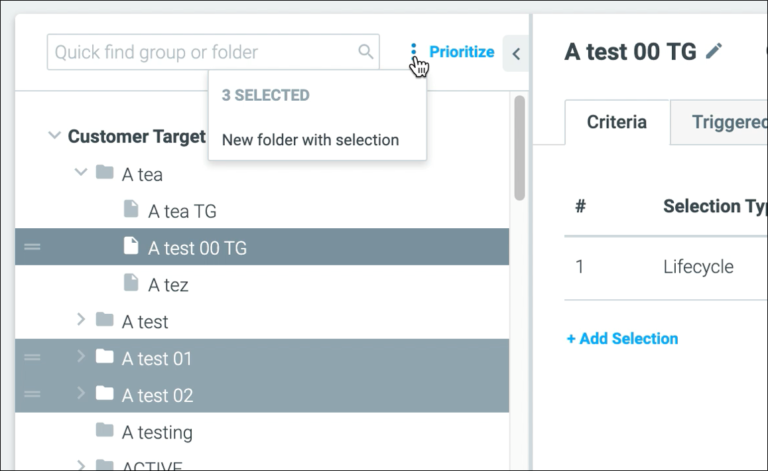
You can now select multiple items by using command/control + mouse click.
This functionality is accessible through the contextual menu at the top of the tree, or through the right-click menu after selecting multiple items.
|| Note: this functionality is currently available only on the Manage Target Groups and Manage Actions pages.