
Track & Trigger
Triggered Campaign Explorer Revamp
The Triggered Campaign Explorer has been redesigned to give you a better view of your triggered campaigns, including significant performance improvements.
- Analyze the aggregated results of your campaigns, or drill down to review the performance of each specific occurrence.
- See the increase of each campaign, to quickly identify top and bottom performers quickly.
- Use advanced customization and analysis options.
- Explore your campaigns with a brand-new interface that’s easy on the eyes.
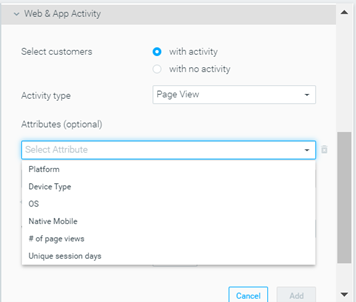
Web & App Activity Criteria: New Parameters Added
Track & Trigger customers can now create target groups using Page View events, and drill down based on four new parameters:
- Device type (web or mobile)
- Native mobile (true/false)
- Platform (iOS / Android)
- Operating system (version, such as iOS 13.5)
Optimail
Dedicated Custom Row for Gmail Promotions Tab
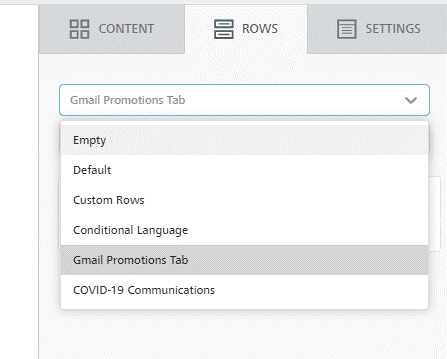
You can now leverage a dedicated custom row to optimize emails for Gmail’s Promotions Tab with annotations. The new row includes all the necessary HTML code out of the box – all that’s left for you to do is update some values, and your template is all set!
- Go to the Visual Editor
- Click on the Rows tab
- Look for “Gmail Promotion Tab” under the dropdown menu
Add/Remove Unsubscribers Using a CSV List
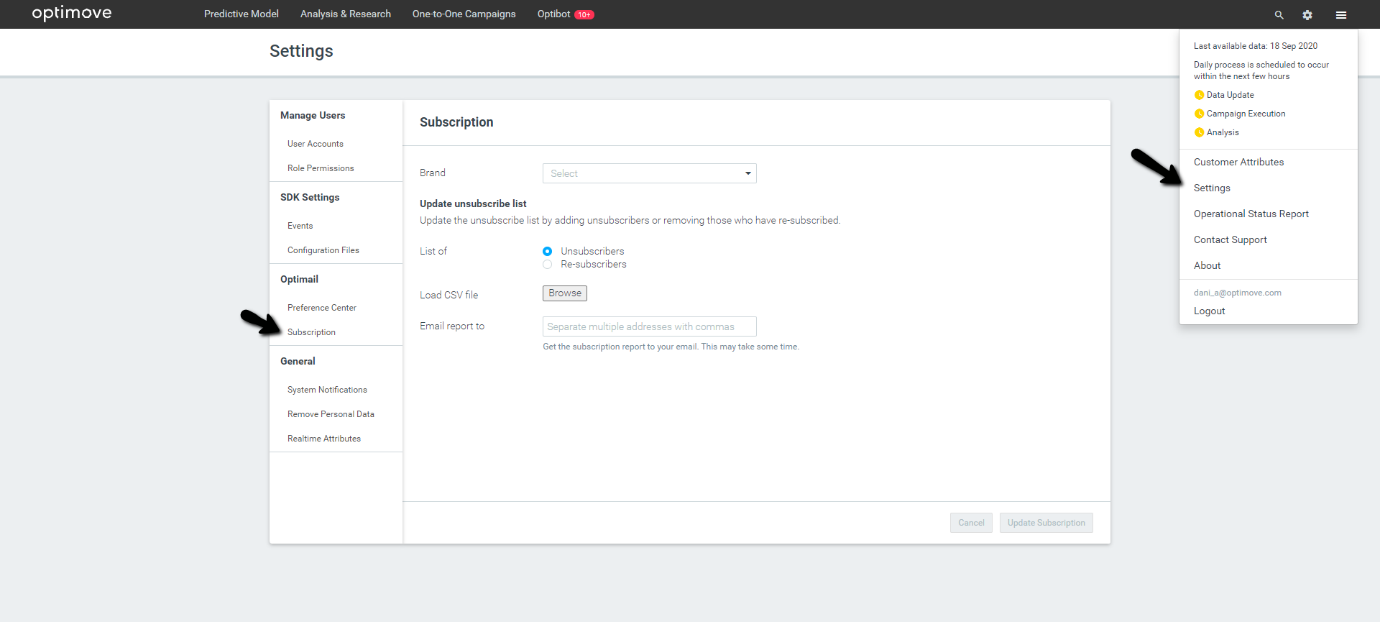
Optimail customers can now add and remove unsubscribers using a CSV List, straight from the new Subscription section under the Settings area (please note that the Settings area is only available for admins).
Optipush
Select a Notification Channel – Android Only
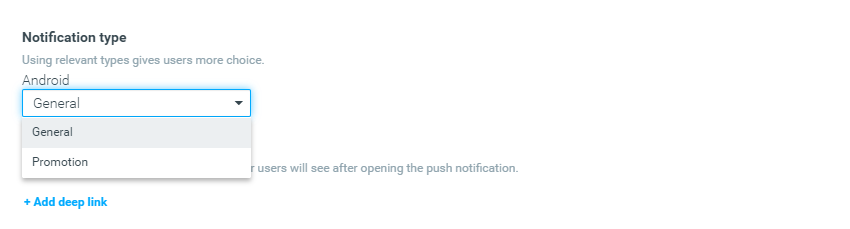
You can now label Optipush templates as promotional or general notification types. Doing so ensures that if your customers set their preferences to receive only a specific notification type, they will automatically be excluded from the other, resulting in a better experience for those customers.
|| Notes:
- To use Notification Type, ensure your Android SDK is updated to version 3.4.
- By default, all templates are marked as “General”. If you would like to switch to “Promotion”, you will need to update existing templates manually.