Mission Control
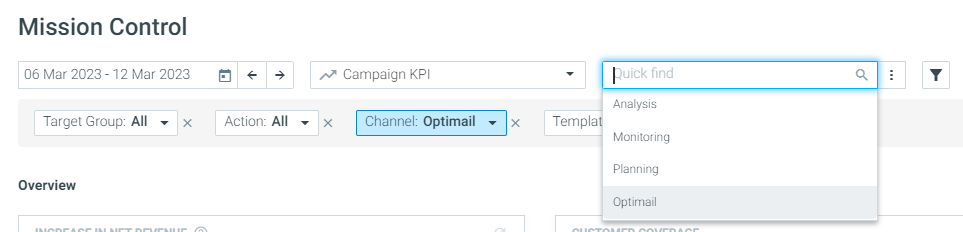
A Dedicated OptiMail View
While Optimove empowers you to execute campaigns across multiple channels, we know email is still king.
That's why this month we released an out-of-the-box OptiMail view, to help you monitor and analyze your OptiMail campaigns with all the relevant KPIs in one single view.
Read this article to learn more on Mission Control.
Cohort Analysis
Benchmark the Quality of Your Cohorts
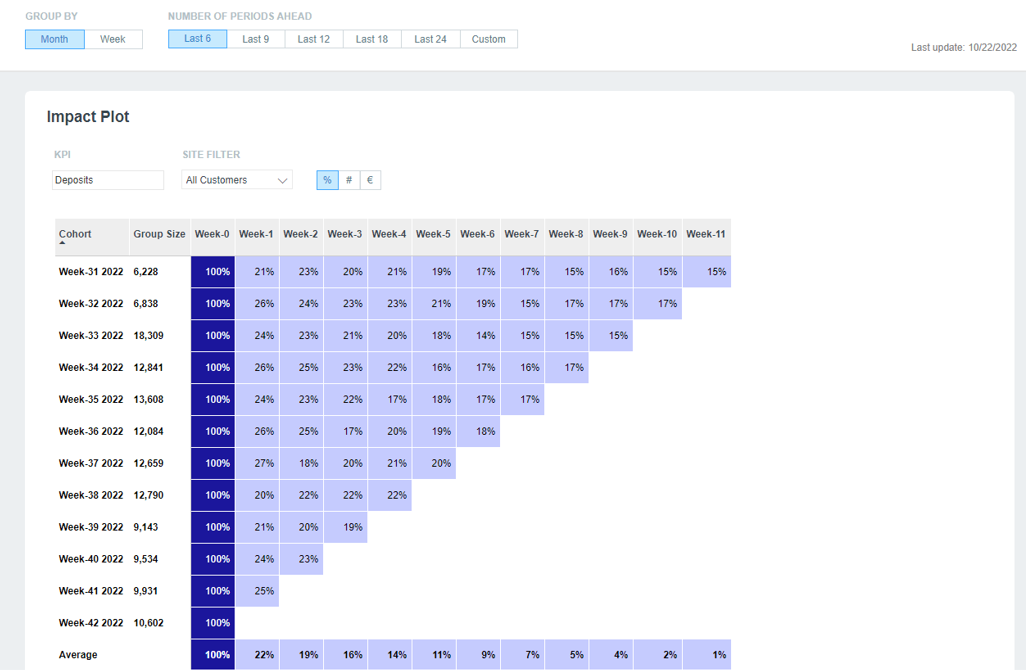
The Cohort Analysis report enables marketers to track the quality of a group of customers (cohort) over time and compare it against previous periods.
To help you easily identify higher or underperforming cohorts, the report now includes an average bar representing the weighted average of each cohort's survivability, number of orders or purchase amount for each timeframe.
OptiMail
Optimize Your Marketing Budget with Unique Promo Codes
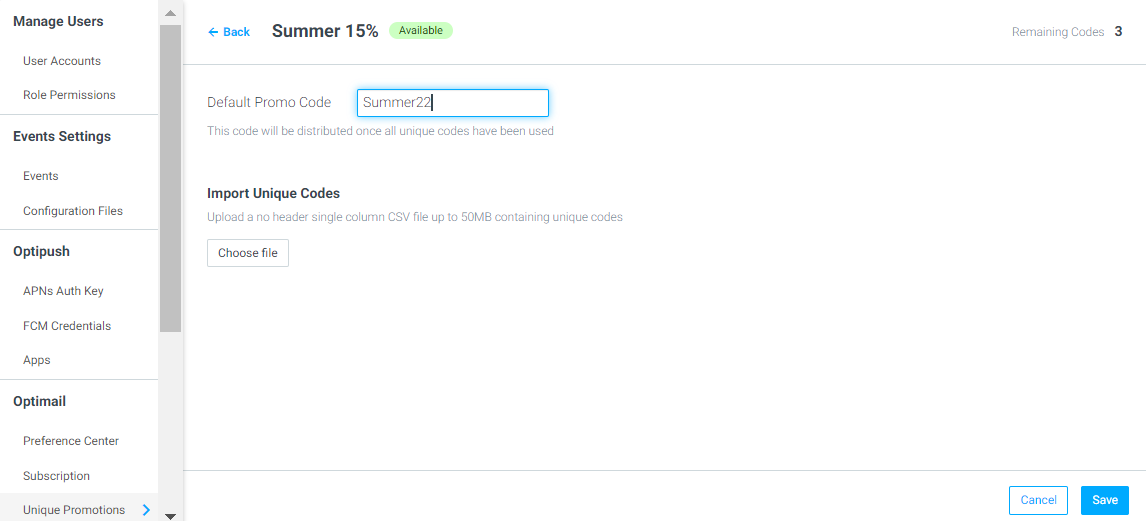
You can now upload a CSV file of unique promo codes to use in your promotional OptiMail campaigns, helping to enhance your personalized campaigns as well as manage your marketing budget. By allocating each customer a unique promo code, you can ensure customers don't use their promo codes more than once or share their promo codes with others.
Learn how to use unique promo codes here.
Import and Engage Customers from Any Source
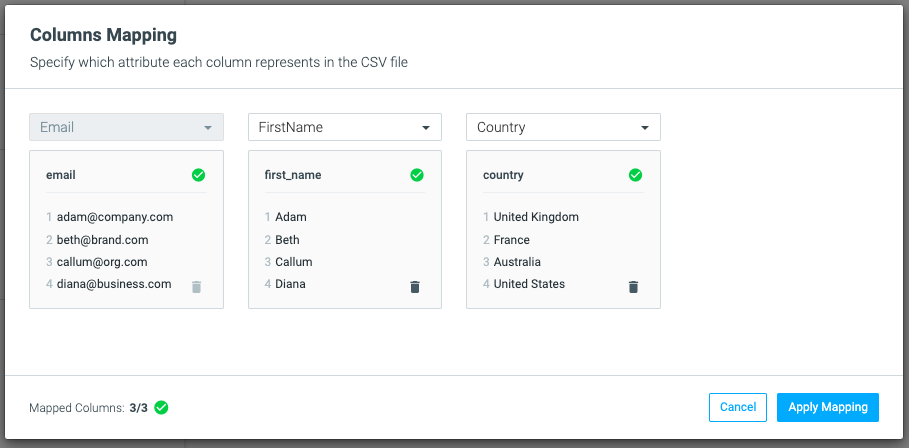
Upload CSV files of customers who aren't yet in your Optimove database and target them with personalized OptiMail campaigns to convert them into lifelong customers.
This new feature, for OptiMail clients only, will allow you to upload a contact list of email addresses and their related information, map this to your existing customer attributes and start creating dedicated target groups and OptiMail templates that engage and retain your customers from external sources.
Learn more about importing customers into Optimove here.