Opti-X
Speech-to-Search (Closed Beta)
We’re enhancing our Search offering with Opti-X, to give you the opportunity to allow your customers to search using their voice. Providing another layer of great customer experience to the already intelligent search widget, customers will be able to speak search phrases like “Show me odds for Premier League football this weekend” to find what they’re looking for.
You will be able to take advantage of this feature both using the Search widget, and using the Search API.
This feature is currently in Closed Beta, please contact your CSM to learn more.
Test/Control Groups for Placements
You are now able to set Test and Control groups while creating new Placements, as part of the Recommend Product in Opti-X. Accessed via the Placements Manager area, you can set a custom Control group to more accurately measure the impact of your Recommended Placements.
You'll also be able to compare the results of recommendation strategies via bespoke on-demand reporting by the Opti-X Data Insights Analyst.
Mission Control
A Dedicated OptiMail Dashboard
We have added a brand-new dashboard to the collection in Mission Control, now for your OptiMail campaigns.
Get a high level overview of your engagement and deliverability metrics providing you with insights to optimize your email marketing strategy.
To learn more about the OptiMail Dashboard, read here.
OptiMobile
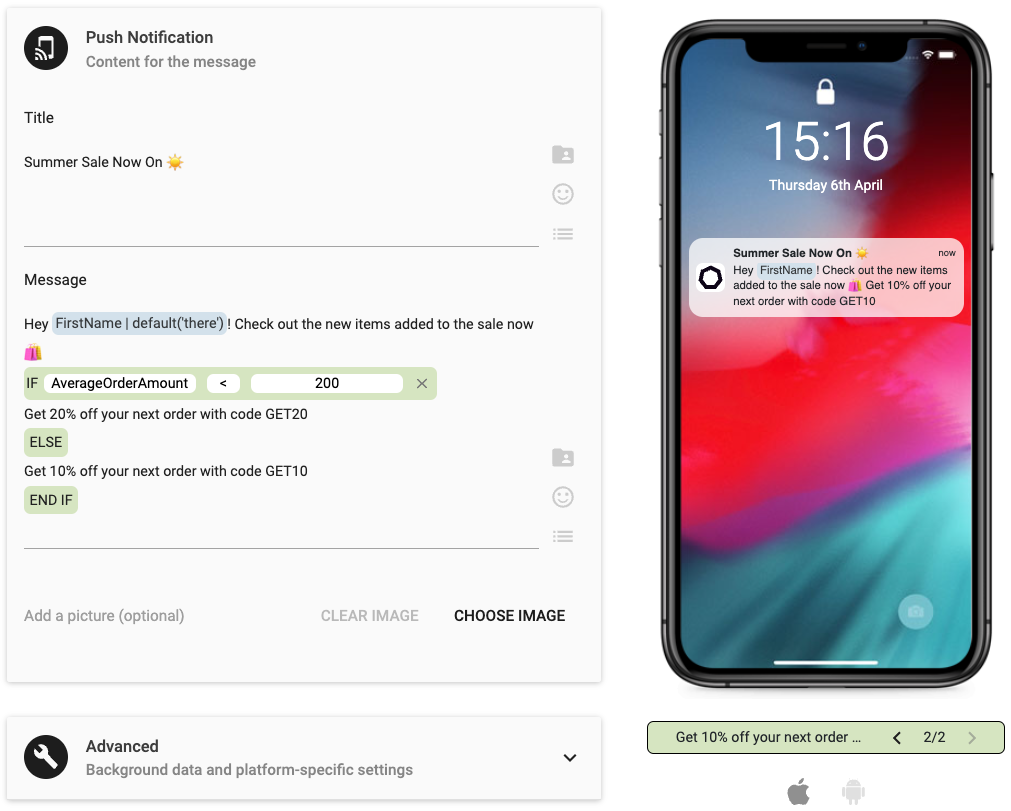
Simple, Easy-to-Add Conditional Language
You can now simply click the Conditional Language symbol during template creation, as you would for an emoji or personalization tag, and add either a simple or if/else statement to your mobile messages. You will be able to preview each of the variations that the conditional statement creates in the preview screen.
Learn more about Conditional Language for mobile channels here.
OptiText
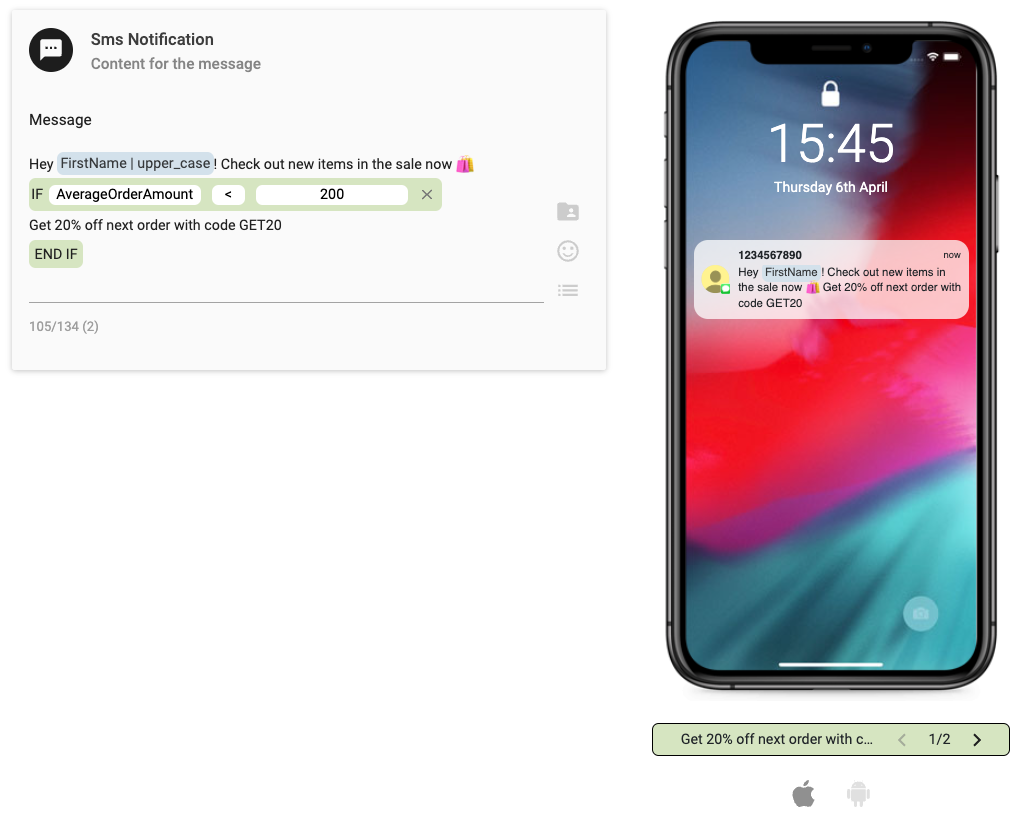
Simple, Easy-to-Add Conditional Language
As with our other mobile channels, you can now simply click the Conditional Language symbol during template creation, as you would for an emoji or personalization tag, and add either a simple or if/else statement to your mobile messages. You will be able to preview each of the variations that the conditional statement creates in the preview screen.
Learn more about Conditional Language for SMS marketing here.
OptiMail
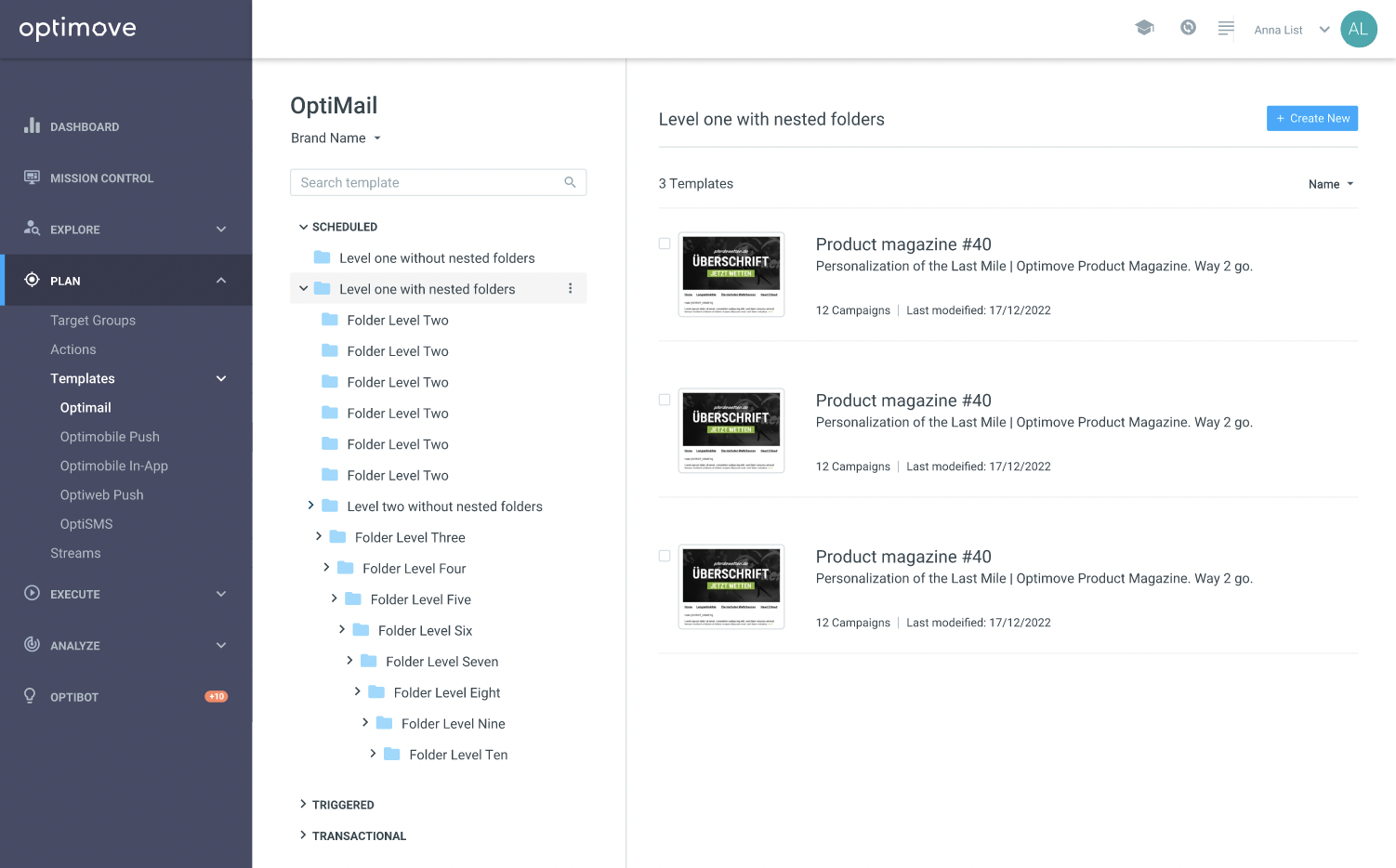
New and Improved Template Management (Closed Beta)
As part of our ongoing goal to make it even quicker and easier to make the most of Optimove, we’ve given our OptiMail Templates lobby a makeover! With an exciting new layout that includes quick previews, smart folder management and simple controls, finding and managing your templates has never been easier.
The new layout is currently in Closed Beta, please contact your CSM to find out more.
Track and Trigger
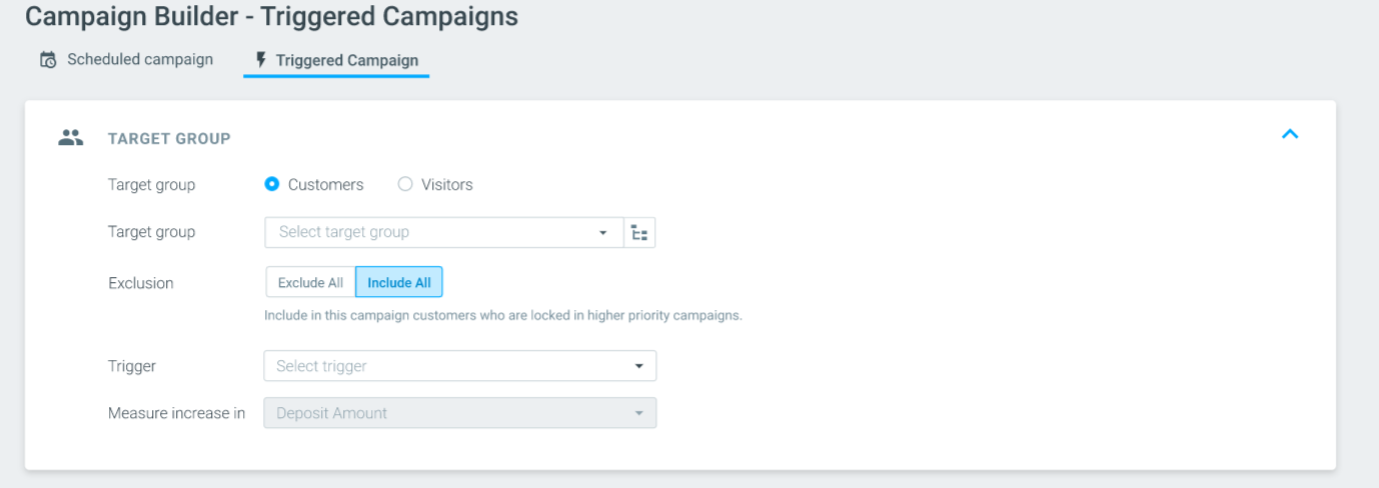
Inclusion and Exclusion Rules for Triggered Campaigns (Closed Beta)
Set up inclusion and exclusion rules for real-time Triggered campaigns, to allow even more flexibility in your triggered campaign building and keep control of your marketing strategy to make sure customers always receive the right message at the right time.
This feature is currently in Closed Beta, please contact your CSM to learn more.
Data Studio
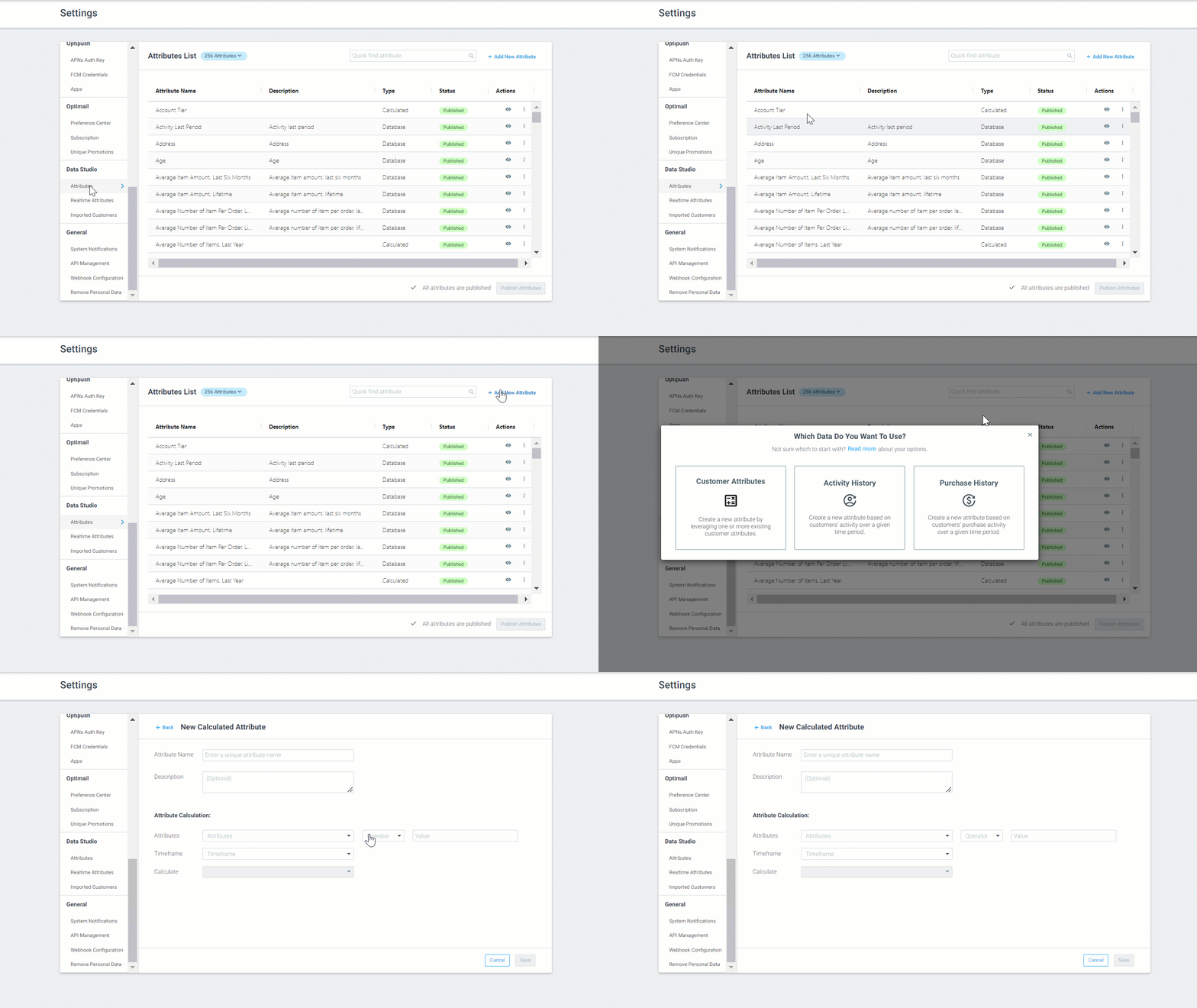
Create Custom Attributes based on Purchase History Data (Closed Beta)
The Data Studio enables you to independently add new attributes to your site to help improve the granularity of their target groups, add personalization tags, or deepen your analysis.
To further enhance this capability, we have now released the ability to create custom calculated attributes based on purchase/game history data. With this update, you will be able to explore and segment your customers based on how much they spent on a specific game/product or how many bets/orders they made on a specific game/product, and then use these insights to further personalize your campaigns.
To learn more about creating Purchase History attributes, read here.
Please note, this feature is currently in Closed Beta.
Reduced Limitation for Calculated Attributes
We have reduced the limitation of the number of calculated attributes you create to an overall limit of 100.
To learn more about our Data Studio, read here.
Customer Explorer
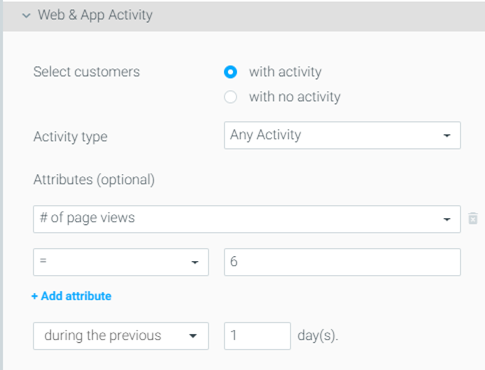
Target Customers Based on Engagement Activity With Any Channel
The Engagement Activity attribute allows you to easily create segments based on customers’ interactions with your campaigns.
While previously, the Engagement Activity attribute was only relevant for OptiMail, it can now be used to target customers based on their interactions with campaigns from any channel.
In order to use this attribute based on campaign activity with third-party channels, the campaign click and open metrics will need to be reported and sent to Optimove via API using the Update Campaign Interactions API endpoint.
To learn more about Engagement Activity, read here.
Reduced Limitation for Customer Lists
When using Customer Attributes to create target groups, you can now upload larger Customer Lists with up to 10 files of 500,000 records per target group.
Read here to learn more.
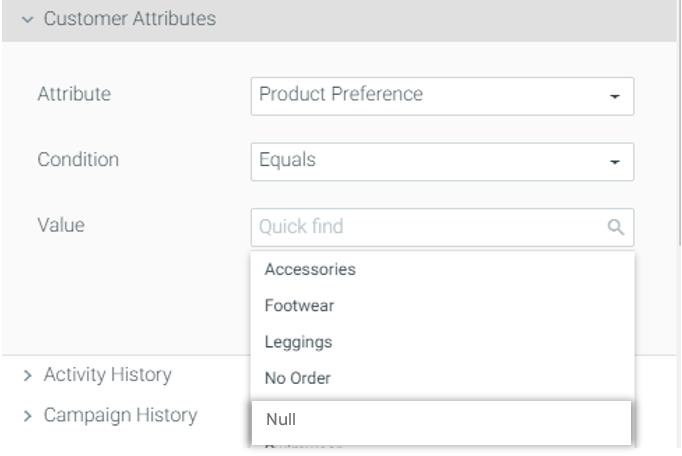
Target Customers with 'Null' Values
When creating target groups using Customer Attributes, it may be that for certain attributes some customers have empty, or 'Null' values and therefore cannot be targeted.
To enable you to target customers with empty values as well as further enrich your data, you now target customers using the ‘Null’ value.
For example, if some customers do not have a value for their product preference, create a target group with customers that have “Product Preference = Null” and target them with a campaign. As a result, when these customers make a purchase Optimove will be able to calculate their product preference.
Please note, this is only relevant for textual attributes.
To learn more about Customer Attributes, read here.
Business Performance Overview
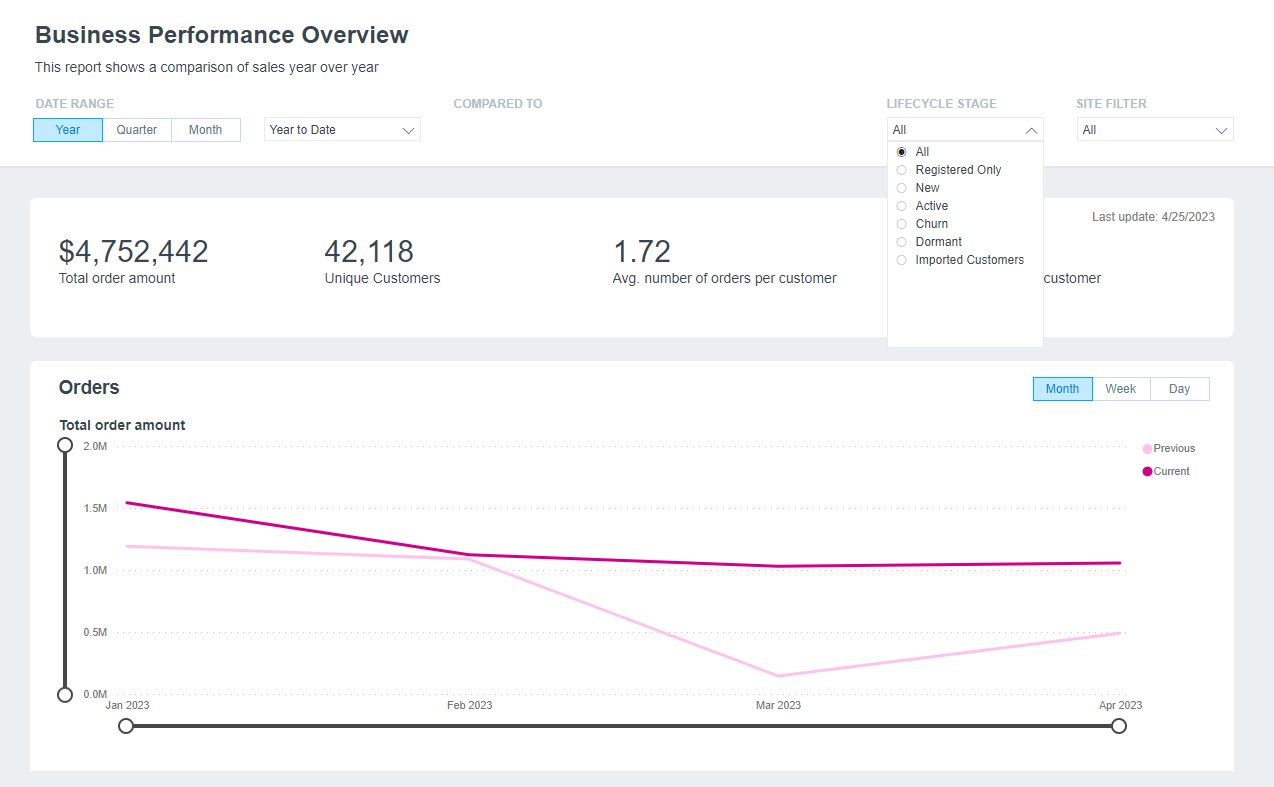
Filter Your Analysis by Lifecycle Stage
The Business Performance Overview provides you with a full glance at your KPIs and metrics, saving time when analyzing your data.
For more granular analysis, you will now be able to track key business metrics for each lifecycle stage using the filter, helping to understand the health of different segments of your customer base. For example, filter by the ‘New’ lifecycle stage to understand the quality of customers you have recently acquired.
To learn more about the Business Performance Overview Report, read here.