
Mission Control
Unlock Key Insights into Your Campaigns' Performance
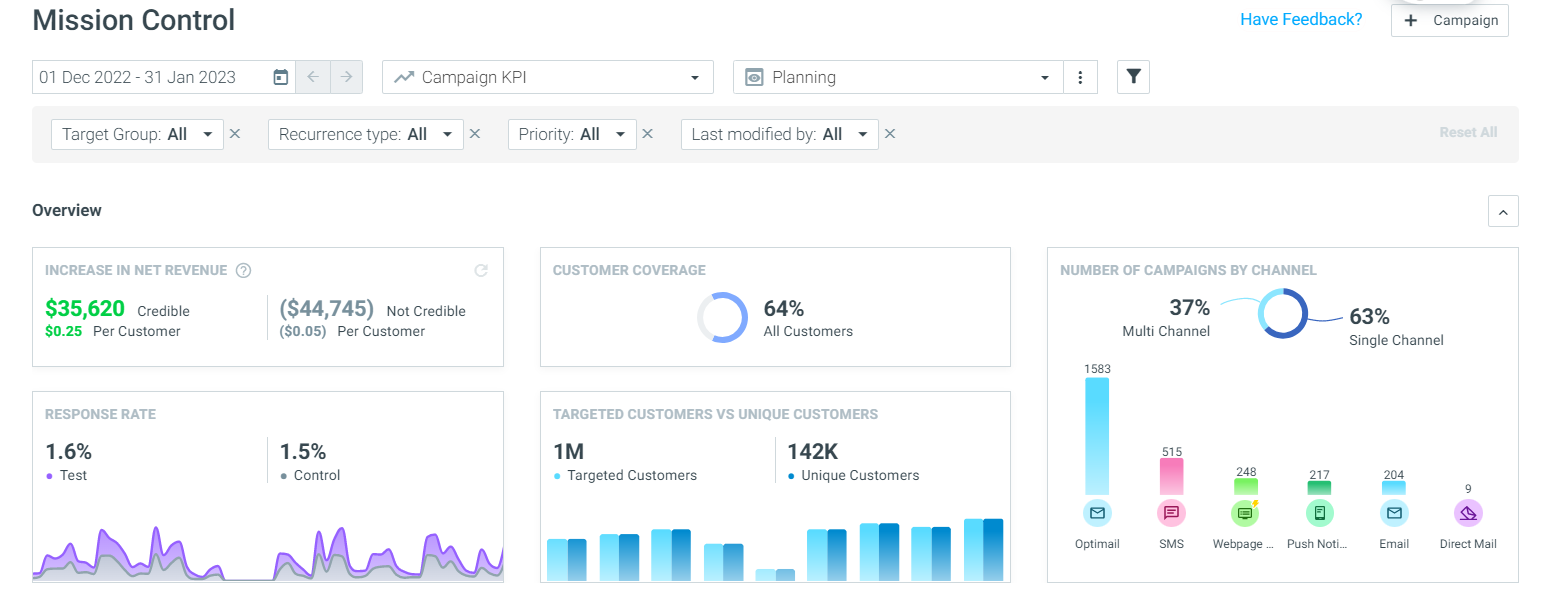
The next phase of our redesigned user interface has been released! You now have intuitive visualizations in Mission Control so you can track performance, unlock insights and uncover new opportunities for your campaign strategy. Learn more.
Monitor Your Campaign Statuses in Fewer Clicks
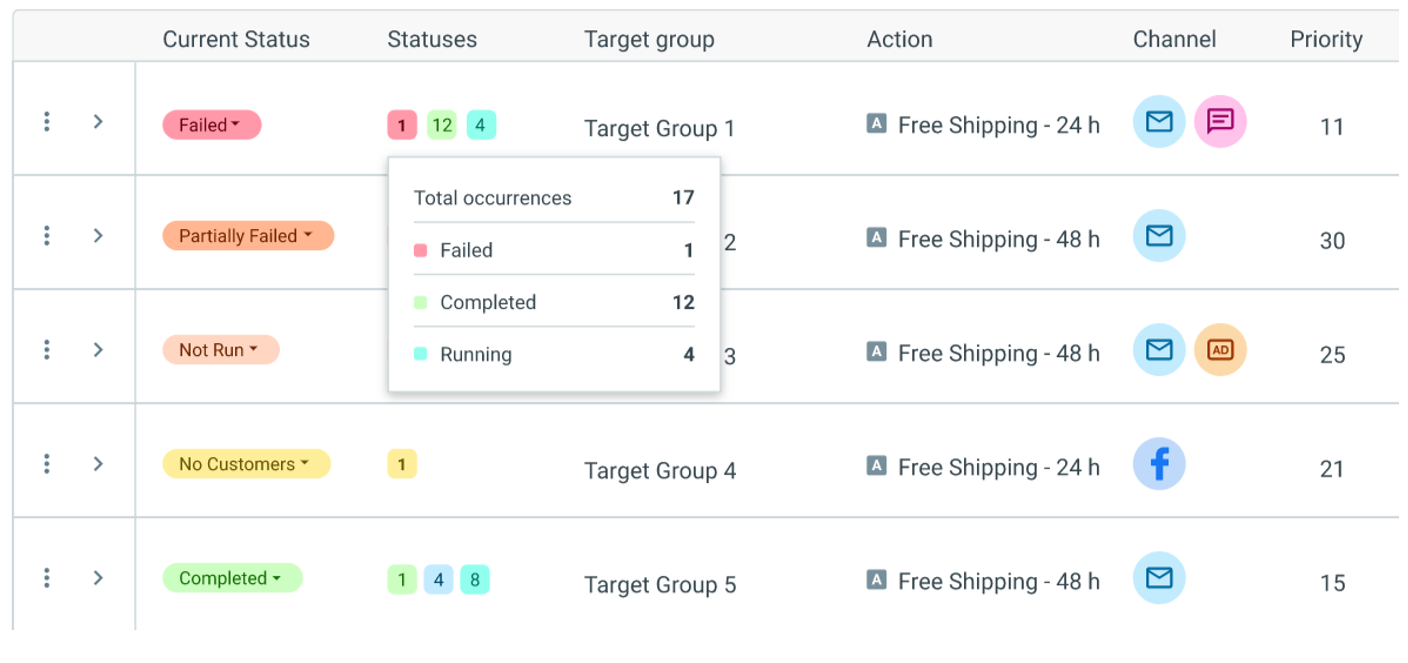
You can now add the "Statuses" column and filter to your Mission Control view, so you can easily monitor how your campaign occurrences are running within each campaign series. Learn more.
OptiMobile
All Your Mobile Marketing Capabilities, All in One Place
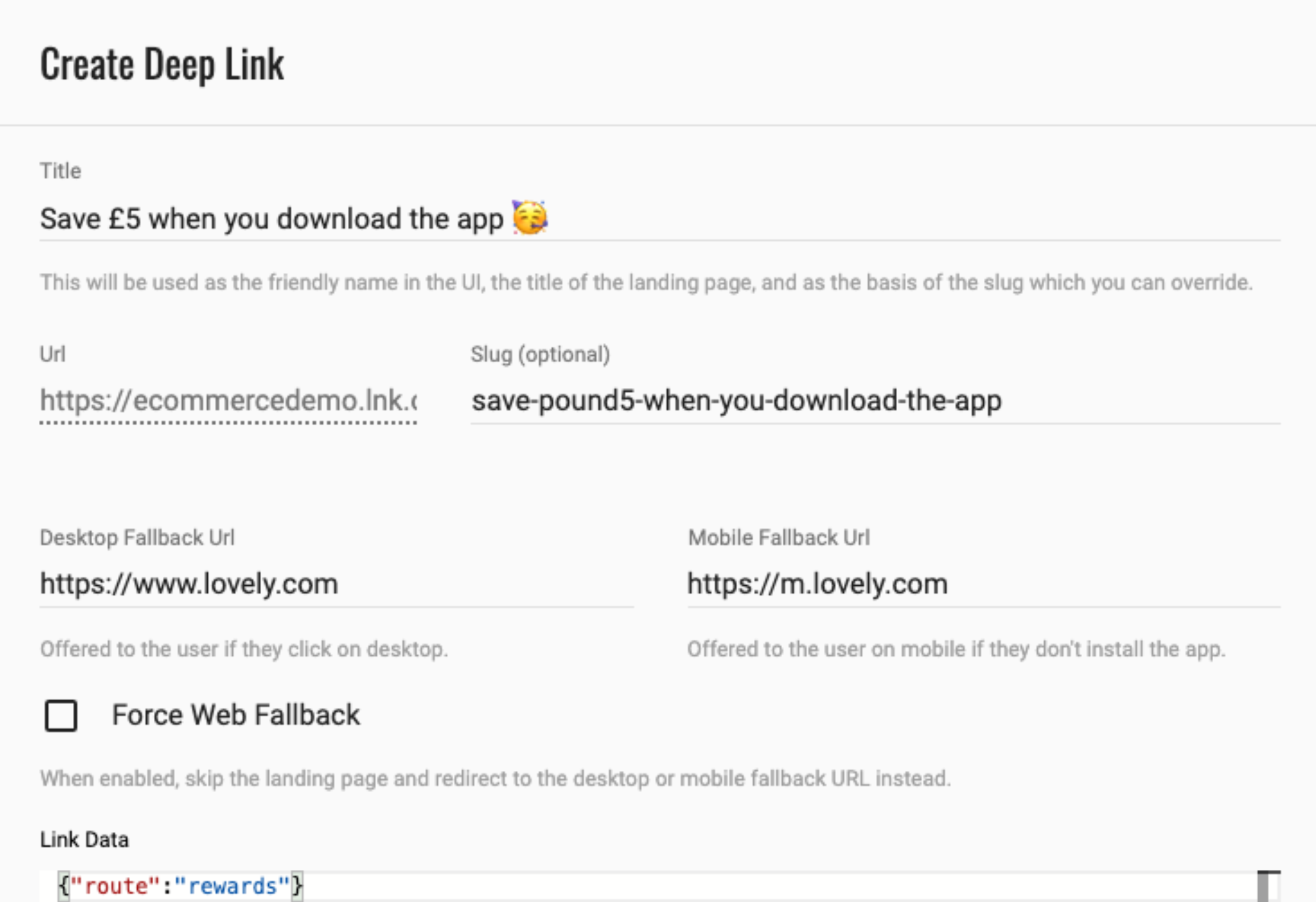
Create deferred deep links directly within the Optimove UI, alongside all of your other mobile marketing capabilities, accessible via the Settings area. Share your smart deep links in any of your Optimove templates, or create QR codes for use in OOH marketing. Learn more here.
Get a Holistic View of Customer Activity Across Web, Mobile, and Desktop App
Track users' behavior and activity on your desktop app, enabling you to trigger real-time campaigns and create highly segmented Target Groups using desktop app activity data, with our enhanced Web SDK capabilities. Find out more about our Web and Mobile SDKs here.
Data Studio
Reduced Limit for Adding Real-time Attributes
We have reduced the limit for the amount of real-time attributes you can add via the Data Studio. Up from 10, you can now add 20 real-time attributes helping you strike while the iron is hot with personalized messaging. Learn more about real-time attributes here.