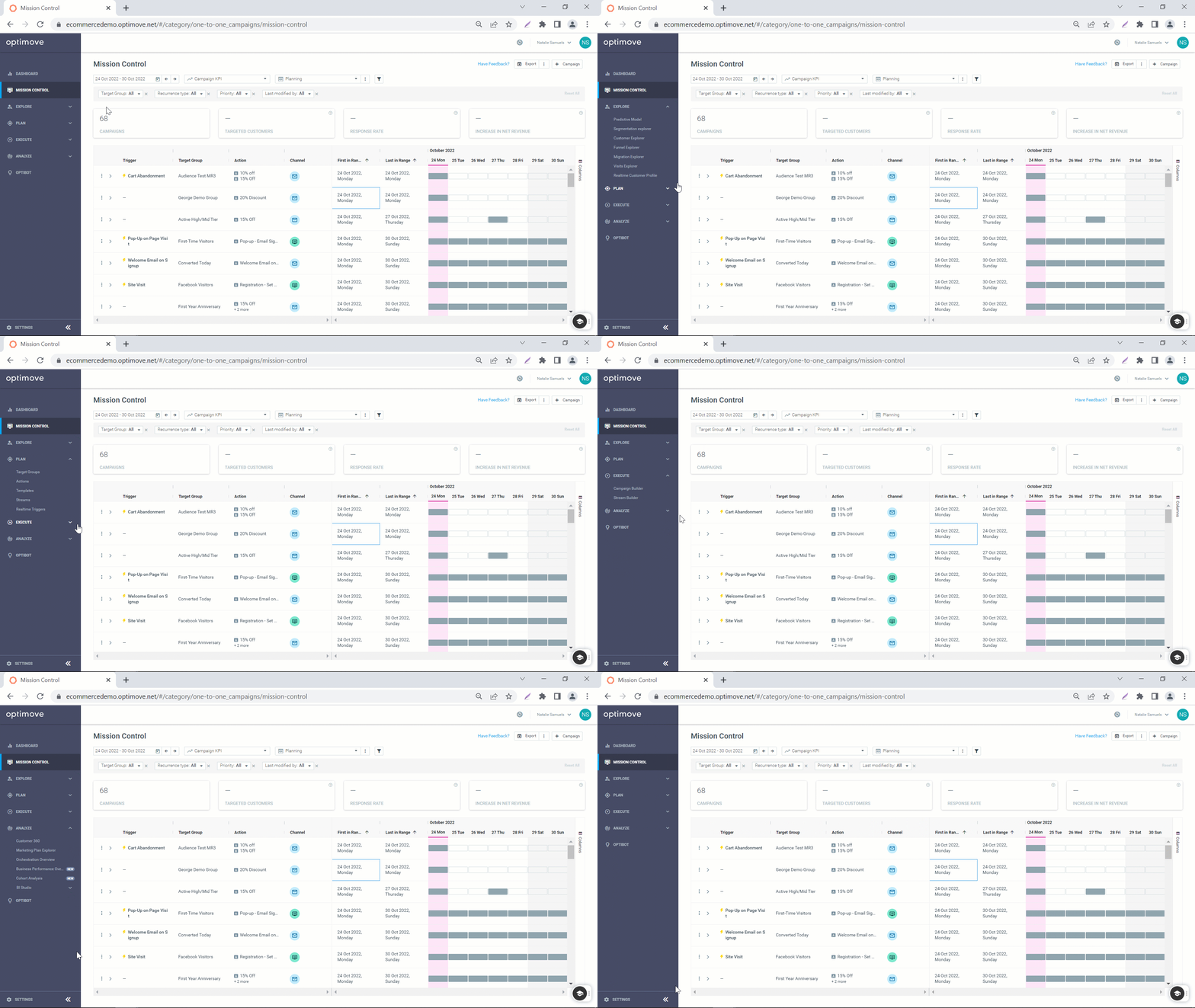
Introducing: A New Navigation Bar
Optimove has a new look! Enjoy a new and improved navigation bar, designed to align with your workflow. Now you can Explore, Plan, Execute and Analyze your campaigns better than ever before.
To learn where you can find all your favorite features, read here.
Mission Control
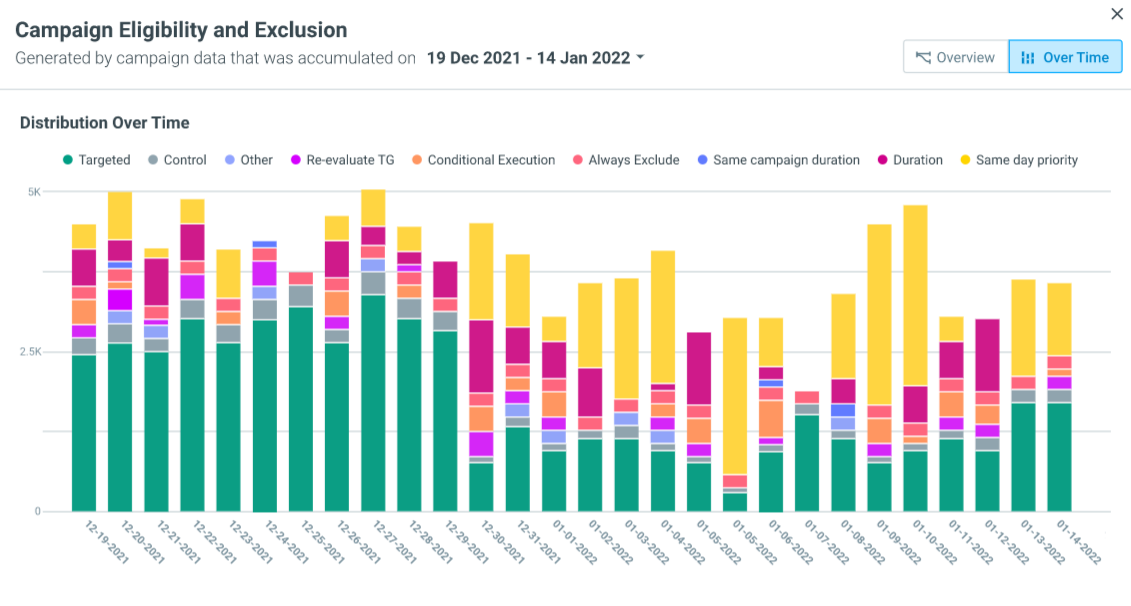
Track trends in your Eligibility & Exclusion setup using the Over Time Graph
When executing hundreds of campaigns a week, it can be hard to keep track of which campaigns your customers are receiving. Using the Over Time Graph, you now have a bird’s eye view of how many customers were excluded from a campaign and why each campaign occurrence.
To learn more about Eligibility & Exclusion, read here.
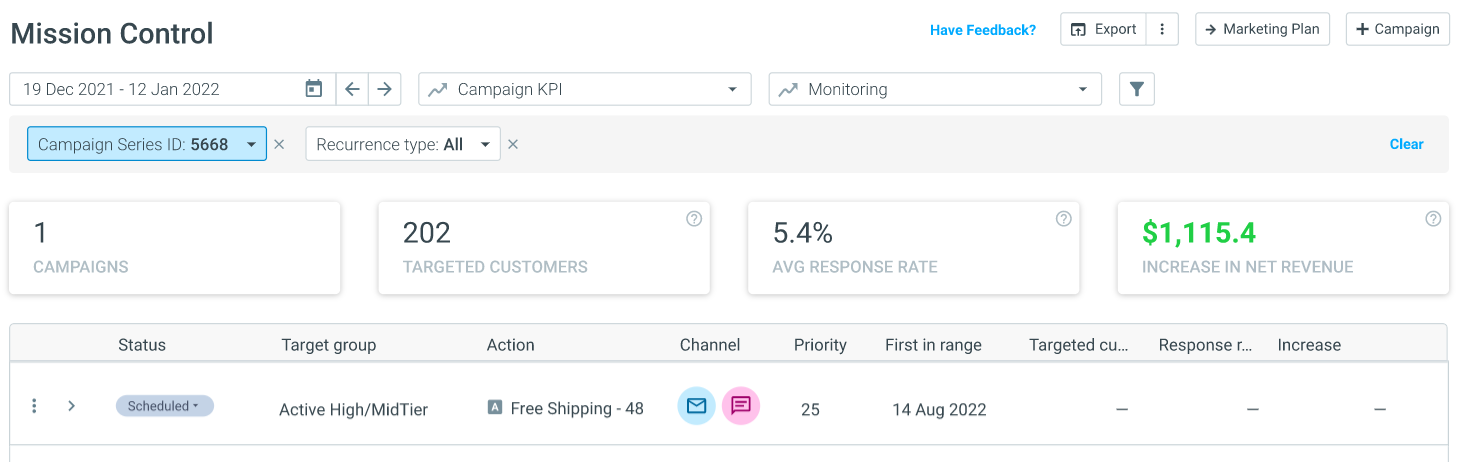
Save time searching for your campaigns using the Campaign Series ID filter
Mission Control has yet another filter to enhance your campaign monitoring abilities. Use the Campaign Series ID filter to search for specific campaigns.
Read more on customizing your Mission Control view here.
Customer 360
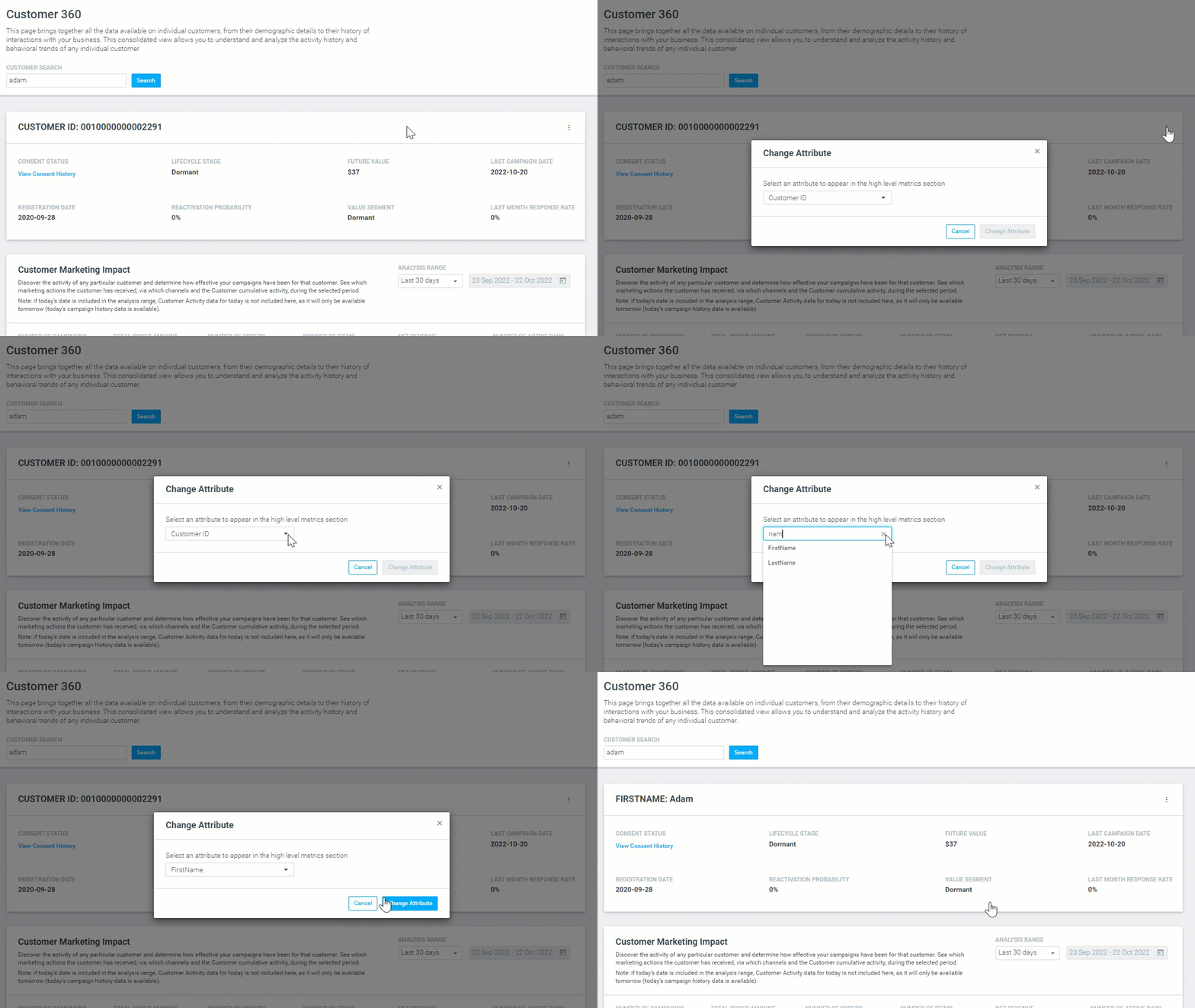
Customize your Customer 360 view
Campaign Analysis
Enhance your in-house analytics with enriched Optimove data
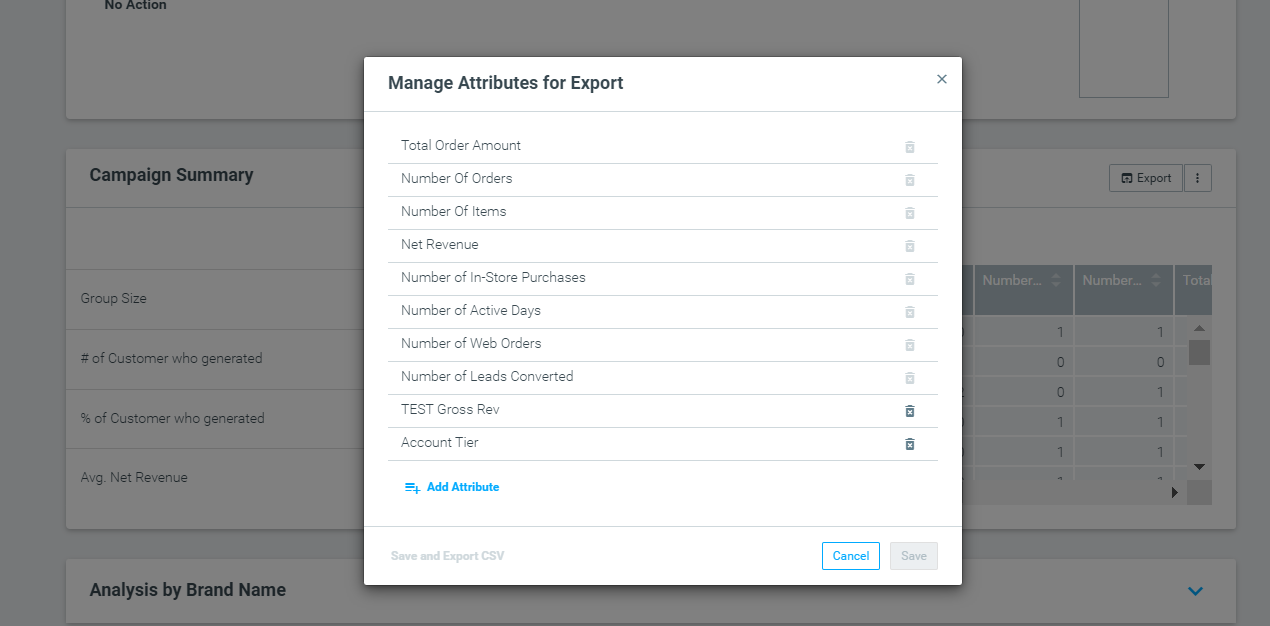
To help you get the most out of your Optimove data, we now enable you to export your campaign summary data based on any attribute of your choice. All you need to do is click on the three dots next to "Export" and add the attributes you want to analyze.
Read here to learn about our Campaign Analysis report.
API Management
Deactivate and delete your API users to increase internal security
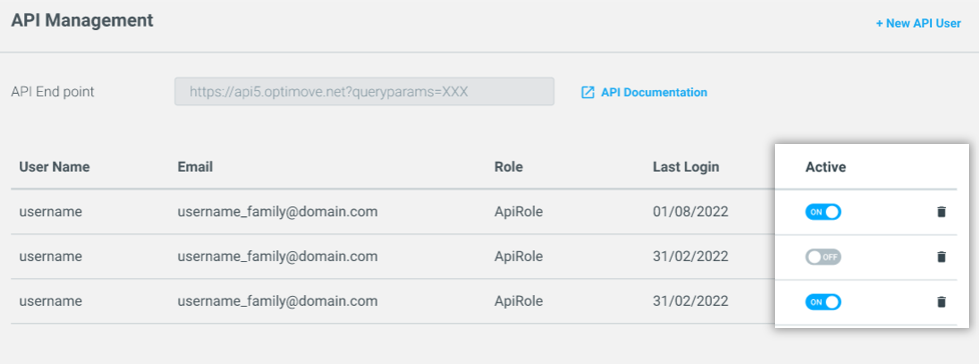
Not only can you add API users directly from your Optimove site, but you can now deactivate and delete them too. Managing your API users enables you to independently eliminate the risk of a security breach, such as deleting a user associated with an employee that has left the company.
To learn how you can manage your API users, read here.
Consent Management
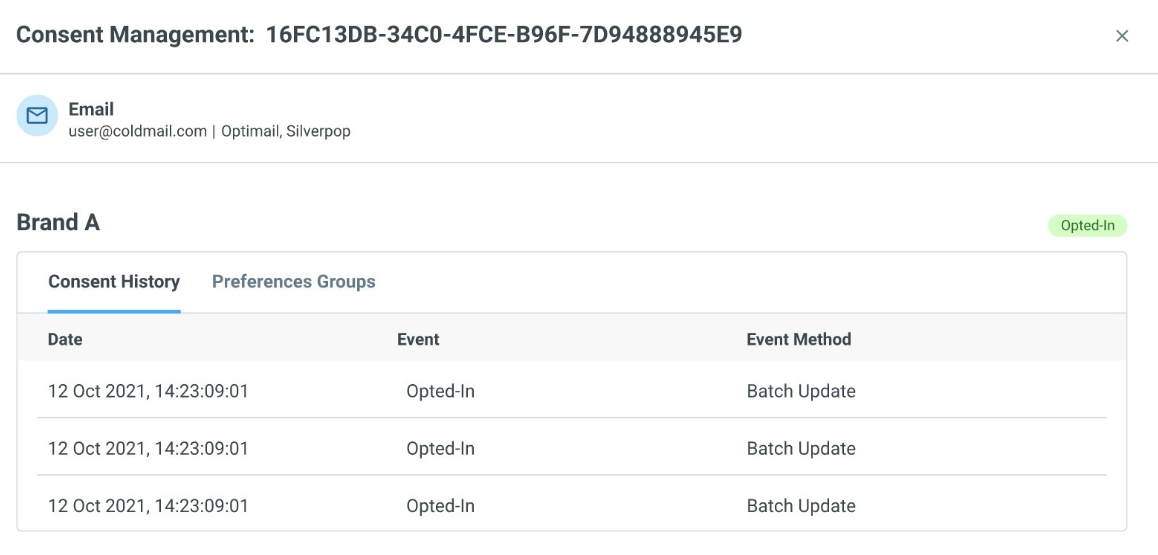
Stay in line with the latest regulations with OptiMail's real-time consent management
We’ve introduced new methods of automatically tracking unsubscribes in real-time, ensuring you stay up-to-date with your users’ subscription preferences. Your Customer 360 view will also include a breakdown of your users’ consent activity, showing how and when they opted in for your marketing notifications.
Find out more about consent management here.