
Stream Builder
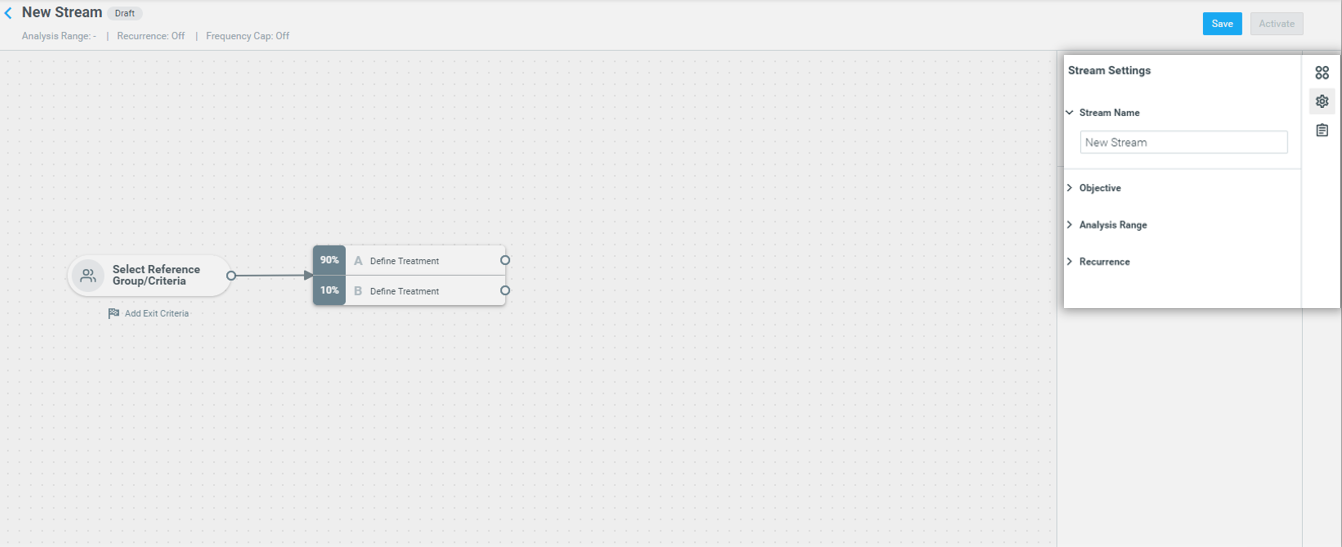
Get instant access to the Stream Builder and experiment with customer journeys
To make it easier for you to start experimenting with multi-touch campaigns, you can now access the Stream Builder instantly, without setting the stream settings and objectives.
Mission Control
Analyze your excluding campaigns in Mission Control
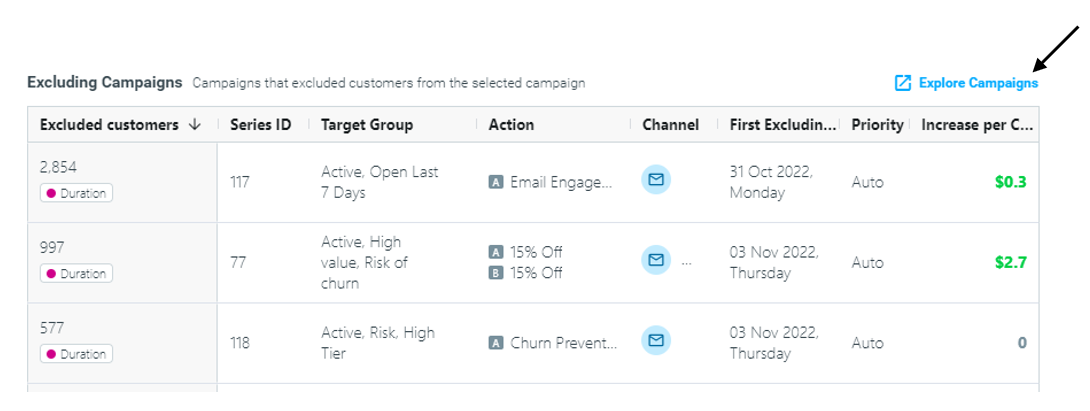
The Excluding Campaigns table in Eligibility & Exclusion allows you to compare the monetary impact of each excluding campaign so you can optimize your campaign prioritization setup.
Easily Duplicate & Edit your campaigns
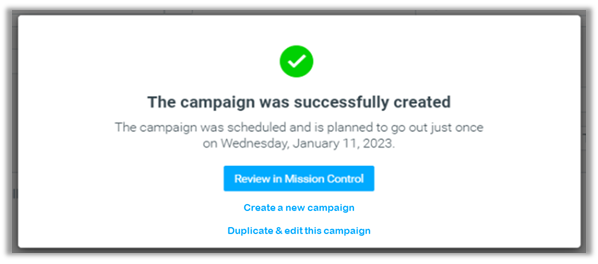
Get a smoother experience when duplicating your campaigns with the upgraded "Duplicate & Edit" function. Now when you create or duplicate a campaign, you can click on "Duplicate & edit this campaign" to be redirected to the Campaign Builder, instead of Mission Control.
Compare the success of your campaigns with additional KPIs
Mission Control now provides you with two new metrics to measure and compare the impact of your campaigns in one single view.
1. Clicked and Responded
- Clicked refers to the number of customers that have clicked on an element in the email e.g. a logo, button, or a link to a specific offer
- Responded refers to the number of customers that contributed to the uplift metric of a campaign according to the chosen campaign KPI.
2. Average KPI
Measure and compare the success of multiple campaigns based on the KPI you care about with two new columns. For example, if your chosen KPI is Total Order Amount, you can measure your campaigns using:
- Control Average KPI – average order amount per customer in the control group
- Targeted Average KPI – average order amount per customer targeted by the campaign
Campaign Builder
Measure your campaign uplift with any KPI
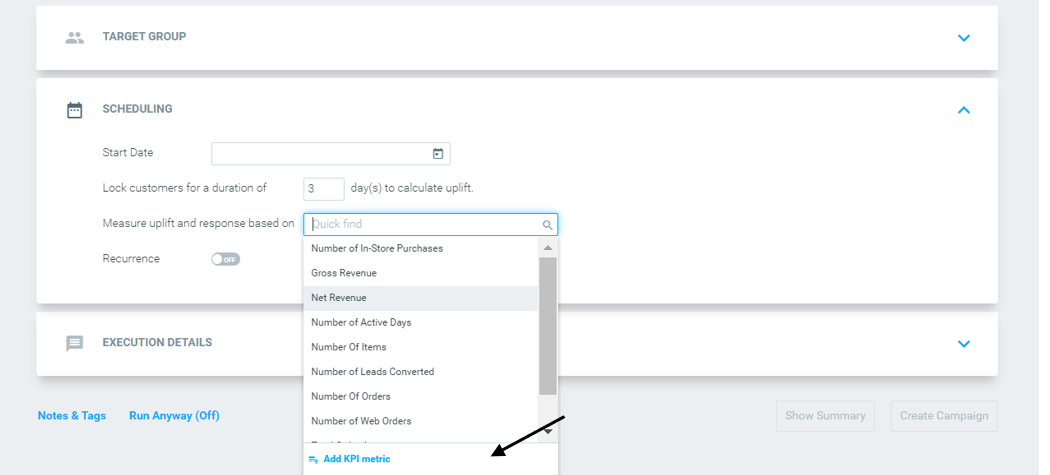
Previously, when building campaigns you only had access to a default list of KPIs to measure the uplift and response of your campaigns.
Customer 360
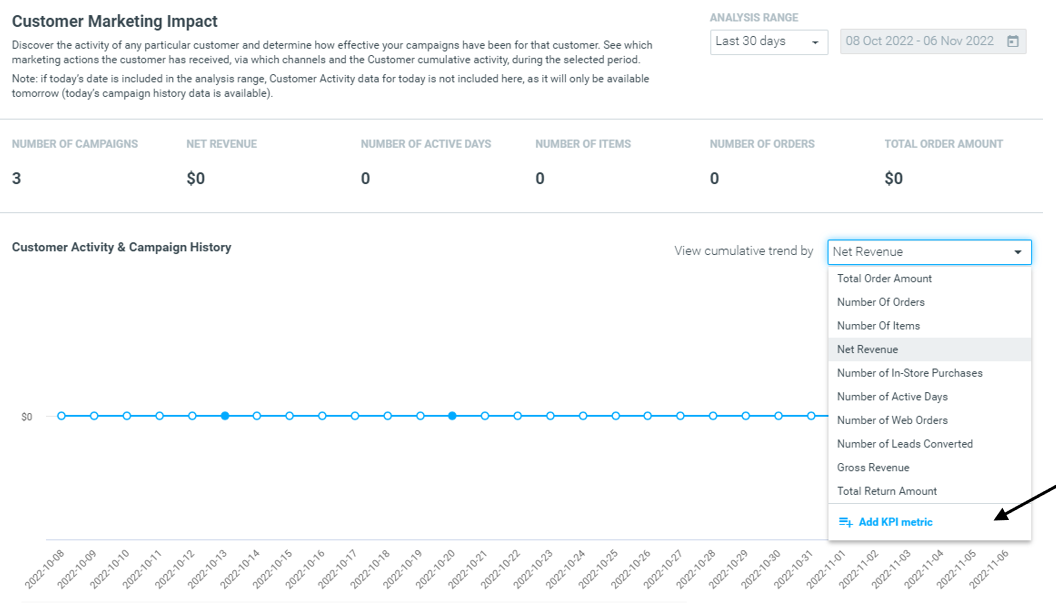
You can also now analyze the success of your campaigns in Customer 360 under "Customer Marketing Impact" using any campaign KPI of your choice, rather than choosing from a default list.
Learn more about Customer 360 here.
OptiMobile
Enhanced SDK Offering
This month we expanded our support for even more mobile platforms, adding Unity to our growing list of supported platforms.
Support for Android 13
We have updated our Android SDK to provide support for the new Android 13 release.
What do you need to do?