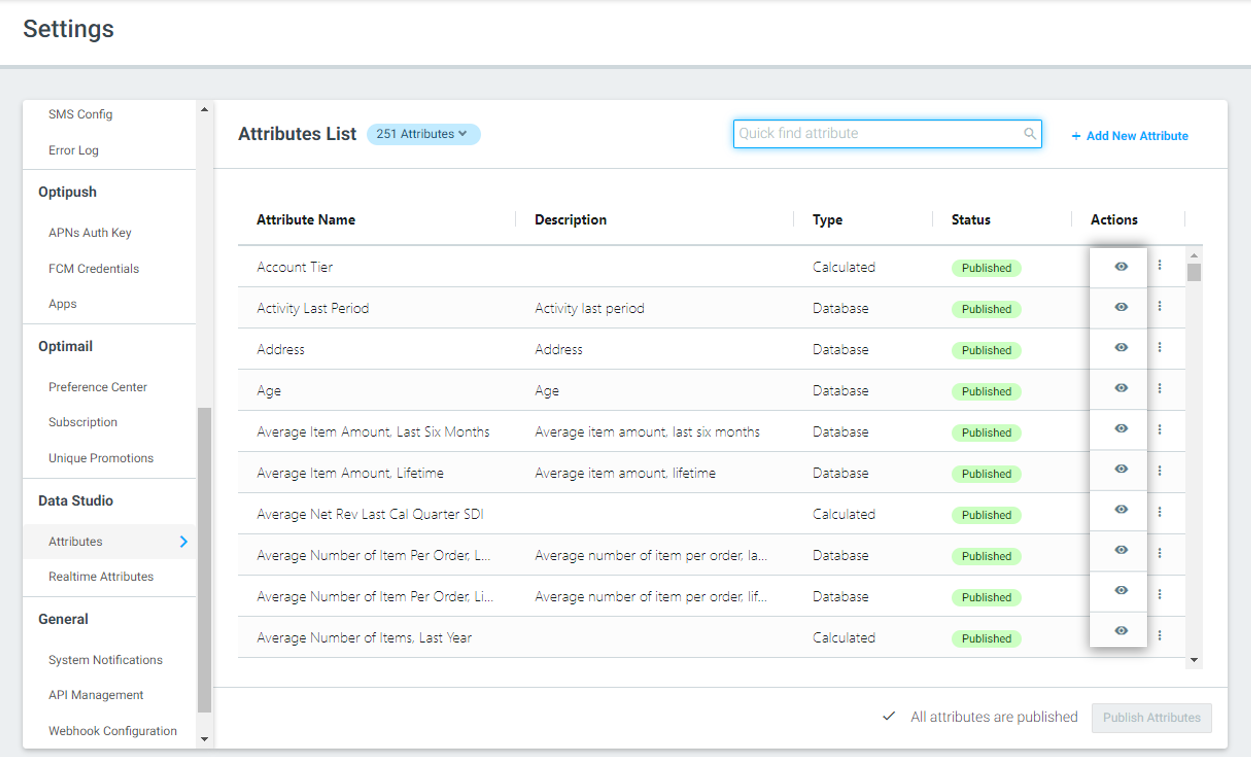
Introducing... OptiText!
Deliver personalized native SMS campaigns along with all your marketing channels
We are excited to announce the new addition to the Optimove platform: OptiText, our new SMS offering.
With OptiText, you can:
- Manage all your marketing campaigns in one place without the need to switch between platforms
- Gain full visibility into key metrics, enabling you to optimize your text campaigns more effectively
- Enjoy a fast and stable infrastructure without the complexity of API integrations
Read the full announcement here.
OptiMobile
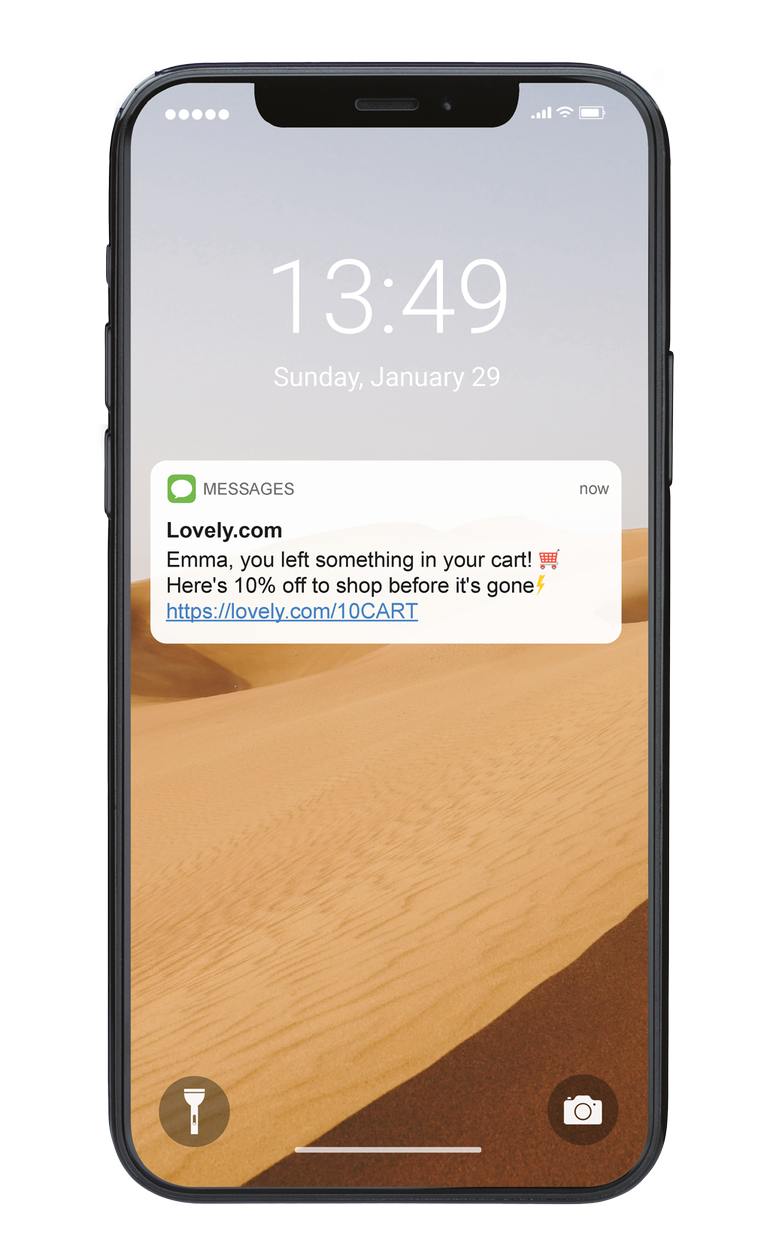
Real-time Location Targeting for Personalized Promotions
Create defined areas using Geo-Fences and Beacons that will track when a customer is nearby and trigger campaigns in real-time. For example, send customers a notification when they get within 50m of a competitor's store, with a promotion to attract them to visit you instead. Read more here.
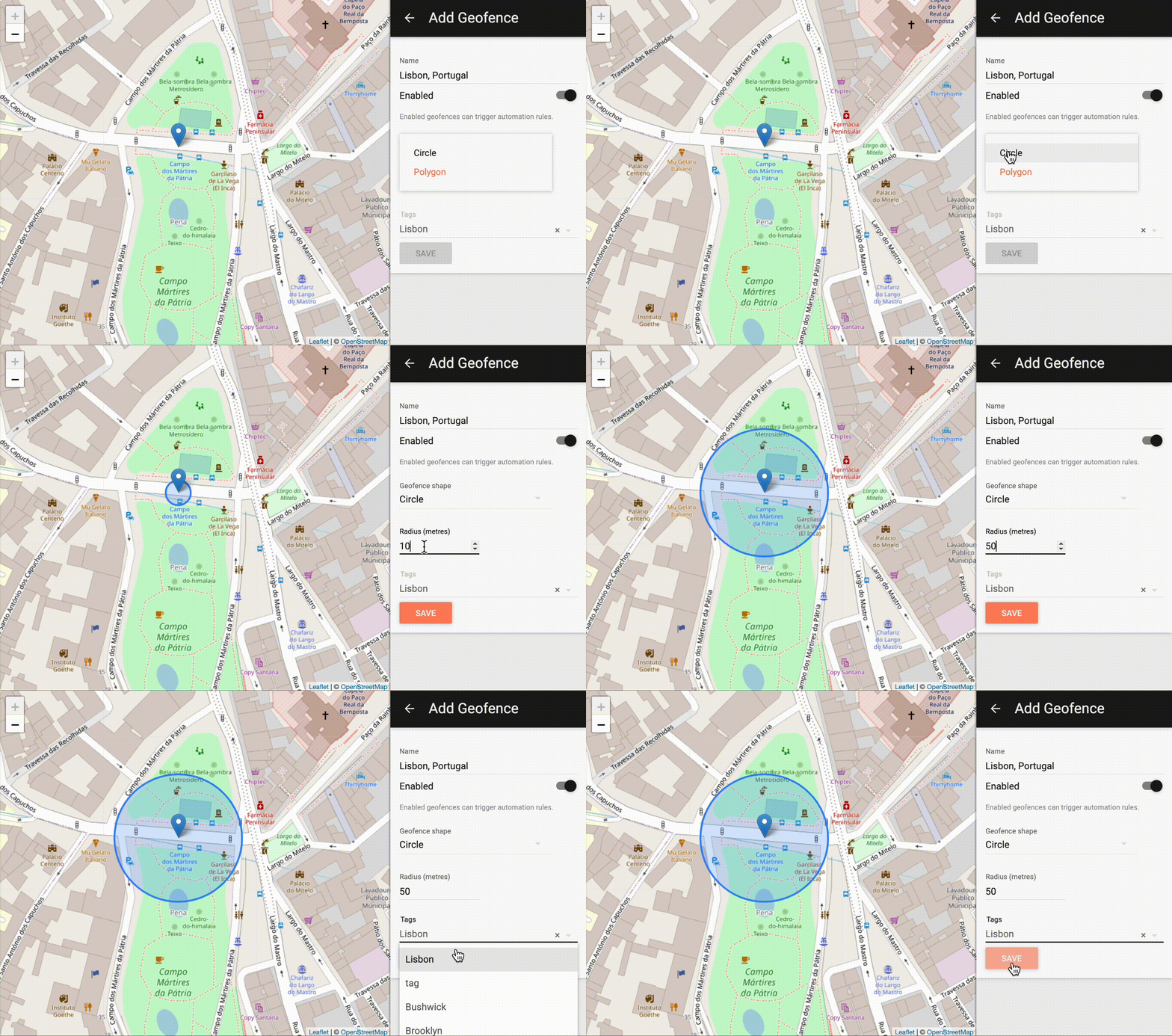
Simplified Hyper-Personalization for Mobile Marketing Templates
Quickly and easily personalize your OptiMobile messages, with a simple dropdown now available for adding personalization tags, general tags and content functions to your mobile push, web push and SMS messages. Learn more here.
Extending our OptiMobile offering with new supported OS
Integrating the OptiMobile SDK with your mobile app opens up opportunities for mobile push notifications, in-app messaging, deferred deep linking, geo-targeting and more. We have now extended support to include additional mobile OS including Unity and ReactNative. Check out all of our supported platforms here.
Mission Control
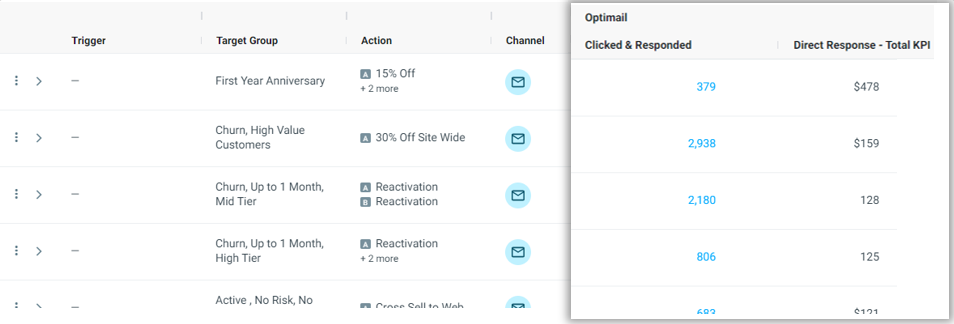
Measure the Revenue Generated from Your OptiMail Campaigns
We are continuing to expand your campaign analysis capabilities within Mission Control with new metrics to measure the success of your campaigns.
You can now measure the monetary impact of customers that directly engaged with your OptiMail campaigns using the 'Direct Response - Total KPI' metric.
To learn how this metric is calculated, read here.
Customer 360
Identify Which Promo Codes Each Customer Received
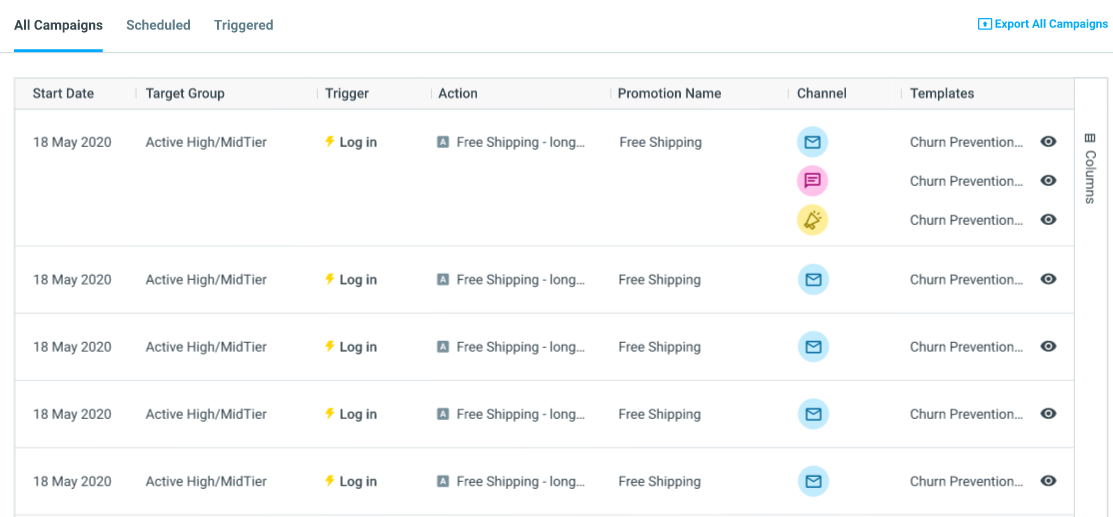
To easily identify which promotion code each individual customer has received for customer support purposes, you can now add the Promotion Name and Promotion Code column to the Customer Marketing Impact table.
You can also customize the Customer Marketing Impact and Customer Snapshots table with the added ability to add, sort, and filter columns to suit your needs, just like in Mission Control!
Learn more about Customer 360 here.
Refine Your Search in Customer 360
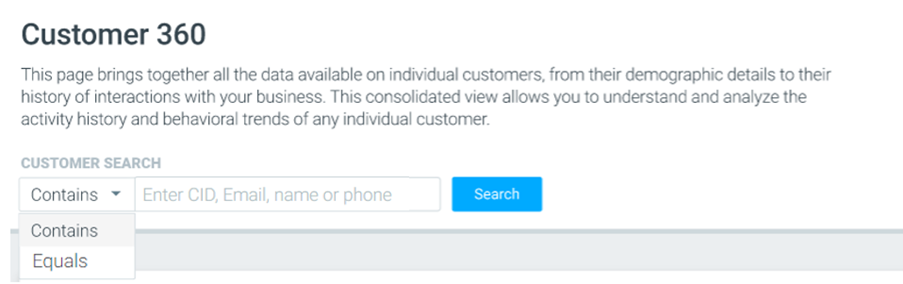
To make it even easier for you to search specific customers, you now have the option to search customers by whether their customer details ‘Contains’ or ‘Equals’ a certain CID, name, email or number.
For example, let’s say you are searching for Customer A whose Customer ID = 10.
You may have Customer B whose Customer ID = 102, Customer C whose Customer ID = 103, and so on.
To ensure the Customer 360 search results will only show Customer A, you can now select the dropdown next to the search bar and select ‘Equals’.
Calculated Attributes
Edit and Update Your If/Else Calculated Attributes
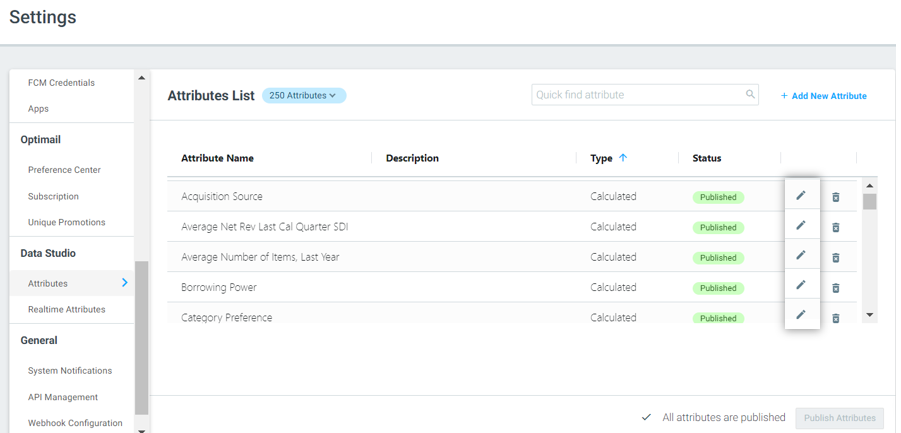
To allow for increased flexibility when creating attributes, you can now edit If/Else calculated attributes, even after they have been published.
Learn more about calculated attributes here.
Track and Trigger
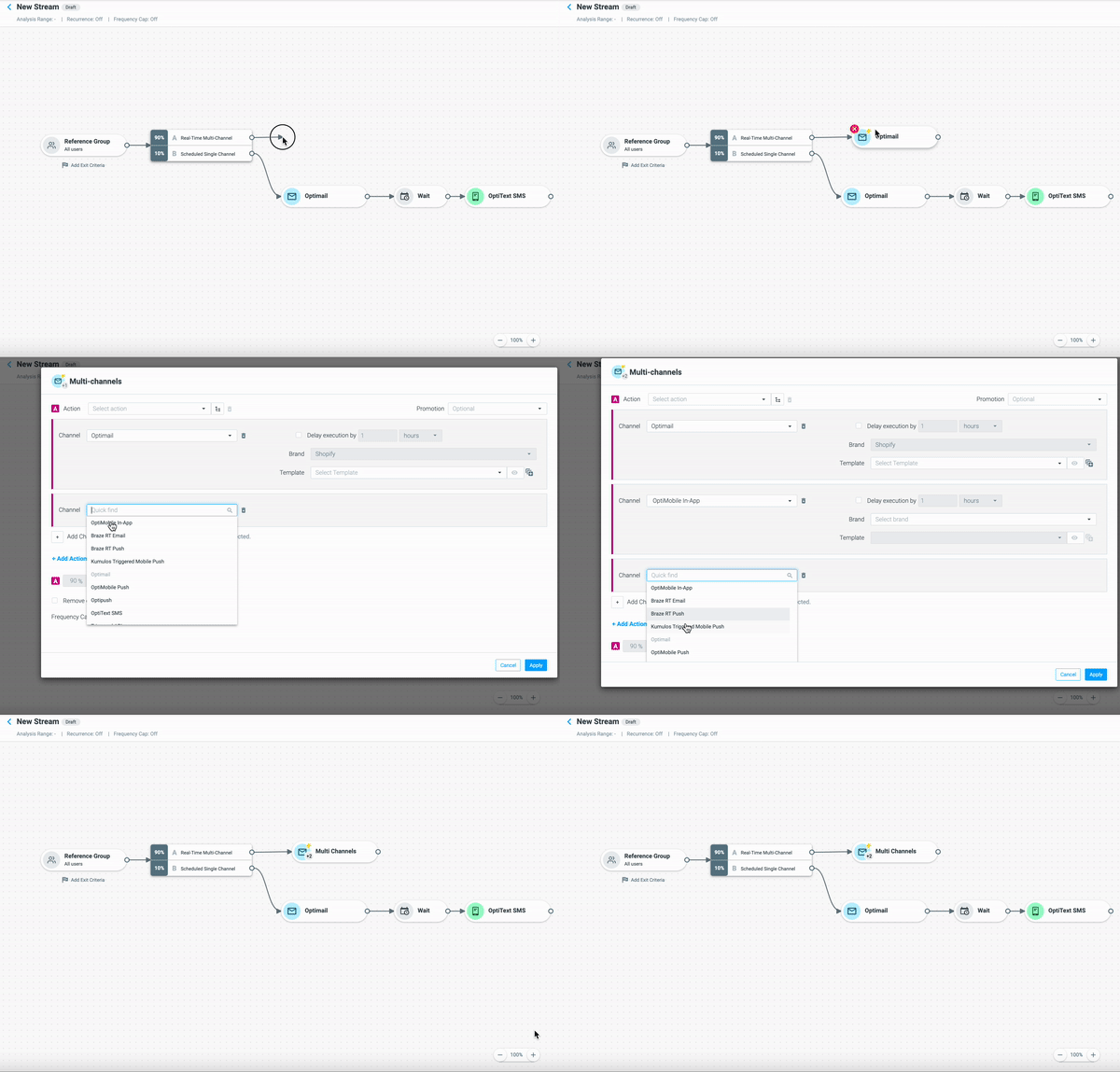
Execute Symmetric, Real-time Multichannel Campaigns
Multichannel campaigns are highly impactful when it comes to engaging and retaining your customers. To enhance your multichannel experience, we’ve added support for multichannel execution to our real-time campaigns to allow you to deliver in-the-moment messaging across multiple channels at once. Find out more about creating multichannel campaigns here.
OptiMail
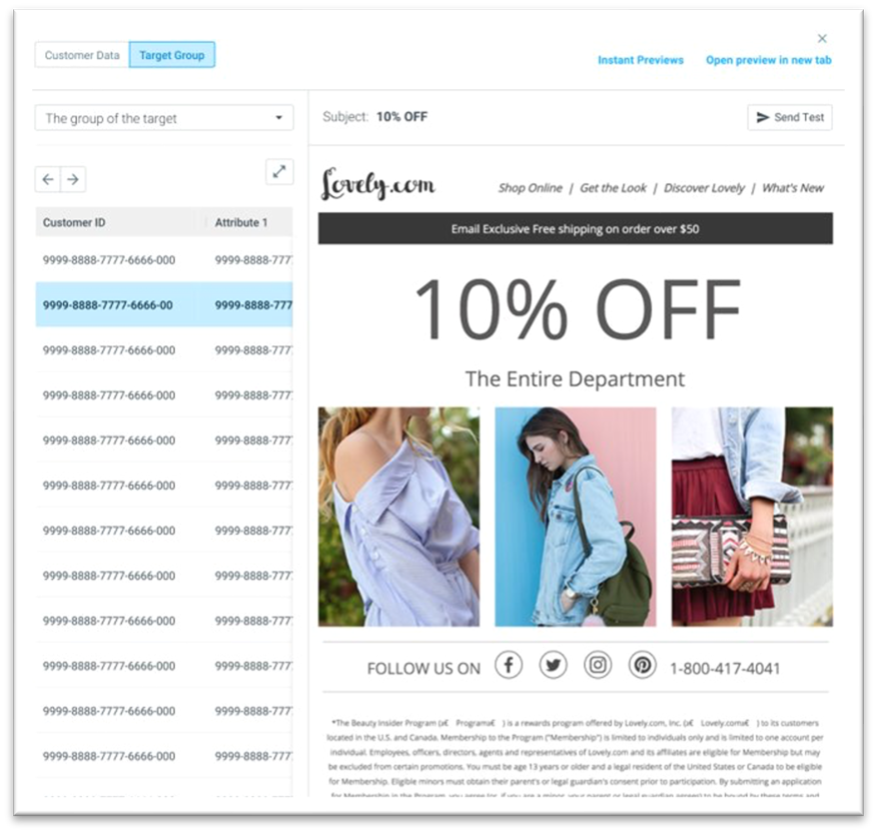
Preview personalization at scale with smart previews
Personalization at scale can be a challenge when it comes to making sure that personalized attributes and conditional language work for your email templates.
With our new advanced previews, you can sample customers from a target group, view the actual data behind the personalization tags, and verify the data/design of every template for specific customers without switching screens. Learn more about testing and previewing templates here.
User Settings
Hide Attributes to Protect Customer Data
For improved data governance, we now enable site admins to control access and visibility of customer attributes to other users within your interface.
With this update, you can hide attributes, without deleting them, in order to protect your customers' personal information.
Learn more here.